
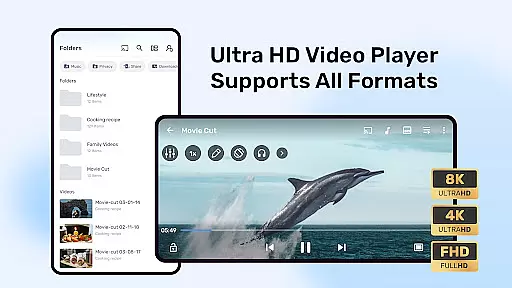
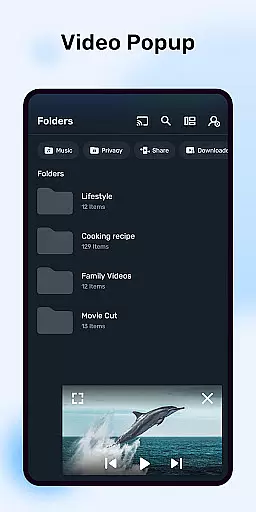
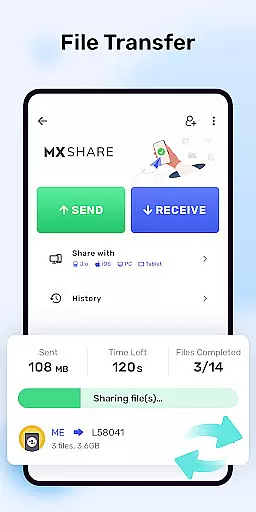


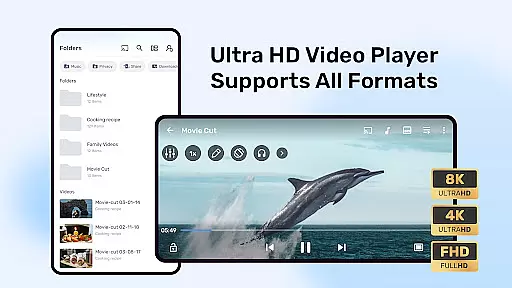

MX Player is a powerful video and music player designed for Android devices, offering advanced hardware acceleration and comprehensive subtitle support. With features like the HW+ decoder, it ensures smooth playback even for high-resolution videos.
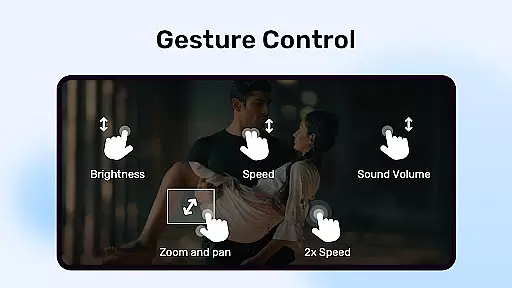
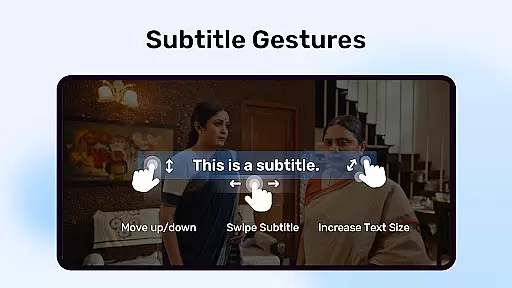
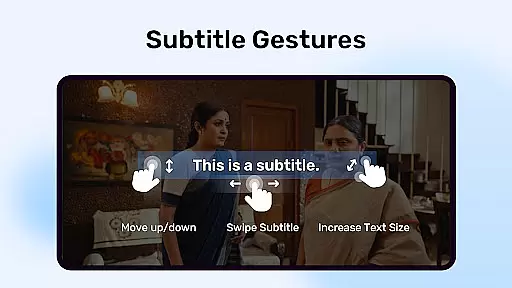
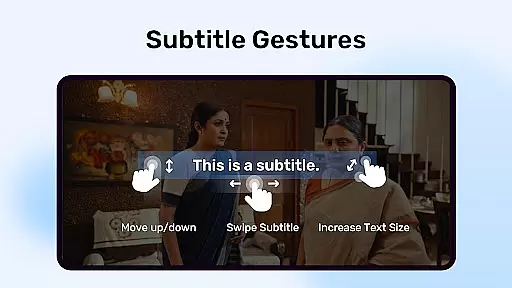
The app stands out with its multi-core decoding capability, which significantly enhances performance on multi-core devices by up to 70%. It also provides user-friendly controls such as pinch-to-zoom and subtitle gestures, making it versatile for various viewing preferences. Additionally, its Privacy Folder and Kids Lock functions add extra layers of security and convenience, making it suitable for all types of users.
MX Player boasts several standout features that cater to diverse user needs. Its advanced hardware acceleration, powered by the new HW+ decoder, allows for seamless video playback while consuming less device resources.
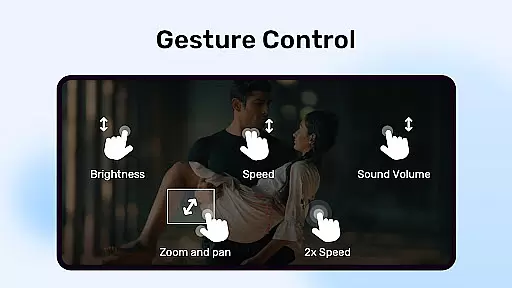
One of the key highlights is multi-core decoding, which optimizes performance on modern devices. The app also offers intuitive gesture controls, including pinch-to-zoom and subtitle scrolling, providing an interactive experience. Furthermore, features like the Privacy Folder and Kids Lock ensure personal content remains secure and children can use the app safely. These functionalities collectively make MX Player a top choice for video enthusiasts seeking both power and usability.
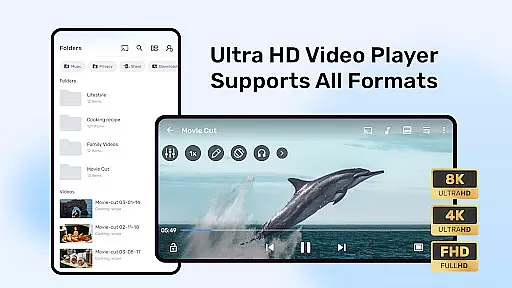
MX Player stands out as a powerful video player that supports an extensive range of video formats, ensuring users can play virtually any file type without the need for conversion. This broad compatibility is due to advanced hardware acceleration and multi-core decoding, which not only supports more video formats but also enhances playback performance significantly.
The inclusion of a new HW+ decoder allows hardware acceleration to be applied to even more video formats, making MX Player a versatile choice for users with diverse media libraries. Whether it's high-definition movies or lower-quality recordings, users can enjoy smooth playback thanks to the appu2019s ability to leverage multi-core processing power.
For those who frequently switch between different devices and operating systems, this level of video format support ensures a seamless experience across platforms. Users no longer have to worry about whether their videos will play on their Android device, as MX Player bridges the gap between various file types and reliable playback.
Ultimately, the comprehensive video format compatibility offered by MX Player translates into convenience and peace of mind for its users. They can focus on enjoying their content rather than troubleshooting playback issues, knowing that their video player can handle whatever they throw at it.
While primarily known for its video playback capabilities, MX Player also incorporates AI-powered editing features that enhance the user experience beyond just watching videos. These intelligent tools allow users to manipulate their video content in innovative ways, such as adjusting playback speed, trimming clips, and adding subtitles with remarkable ease.
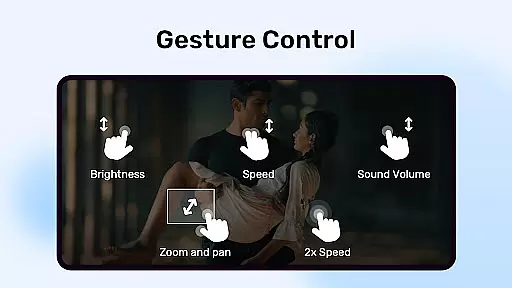
One standout feature is the smart subtitle management system, which uses AI to accurately synchronize text with spoken dialogue. This ensures that subtitles are displayed at the correct time, enhancing comprehension and enjoyment for viewers who rely on them. Additionally, gesture-based controls for zooming and panning provide intuitive ways to interact with video content.
These AI-driven enhancements demonstrate MX Player's commitment to providing a cutting-edge multimedia experience. By integrating advanced technology into everyday functions, the app empowers users to customize their viewing experience according to personal preferences and accessibility needs.
In summary, while MX Player excels in video format compatibility, its AI-powered editing features further enrich the platform by offering sophisticated yet user-friendly tools. This combination positions MX Player as not just a video player but a comprehensive multimedia solution designed to meet modern digital consumption demands.
Advanced hardware acceleration
Multi-core decoding support
User-friendly gesture controls
Comprehensive subtitle support
Privacy-focused features
Occasional compatibility issues
Ads in free version
Heavy on older devices
Limited built-in content
Complex permission requirements

The smartest M3U IPTV Player your playlists have ever seen.
 4.5
4.5
Online Videos Player
3.90
Fast, private downloading, video saving, social media
4.50
Client application for NextPVR software
3.00
Video Downloader is an utility that can save videos and music from web sites
4.20
Create & edit videos with AI
4.30
Add date and time watermark to photos and videos
4.50
Browser for Sony TV to stream web videos, online movies and live tv
3.20
Connect EasyCap or UVC devices for recording and broadcast video/audio stream
3.60
An easy-to-use and all-round screen recorder with audio
4.80
Download videos and play them offline
4.70
Cast Videos from Web Browser, IPTV to Roku, Chromecast, DLNA, Smart TV +more
4.60
?100% FREE! Download & save videos? safely in this app. All formats supported.
4.60
Fast & easy HD video downloader for all formats, support 4K playback & download.
4.60
Photo and Music Video Creator into Stunning Videos—Effortlessly
4.40
Powerful Video Editor & Photo Editing App —— Quick Edits & Stunning Effects!
4.30
All format media Player, no need video converter any more!
4.00
Connect 2 UVC devices for recording and broadcast video/audio stream
3.90
Capture images & record videos for USB Camera, Webcam, Microscopes, Endoscopes
3.80


User Reviews