
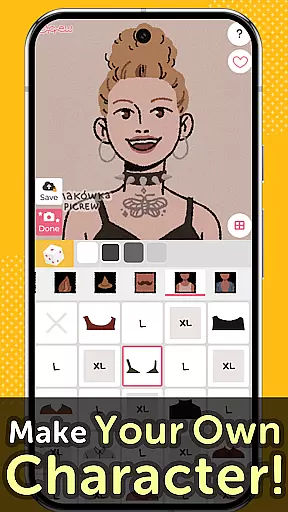
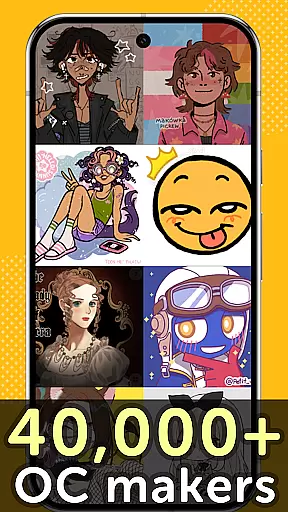
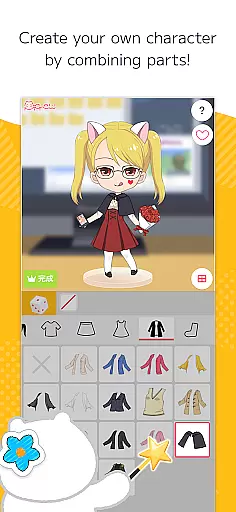
Picrew PFP & OC Maker is a versatile avatar and character creation platform that allows users to design unique avatars, profile pictures, and icons for free. With over 10,000 Image Makers available, the app caters to various tastes including cute, cool, stylish, or even scary designs. Users can create personalized characters by combining facial features, trying on different clothing styles, and customizing every detail to reflect their individuality.
The app also supports social media integration, enabling users to share their creations directly on platforms like Facebook, X, and LINE. Additionally, Picrew offers tools such as Dress-up Maker and Random Maker, which provide both manual customization and random generation options. Whether you're looking to craft an anime-style avatar, aesthetic profile picture, or original character, Picrew provides all the necessary tools to bring your vision to life while ensuring a fun and engaging user experience.
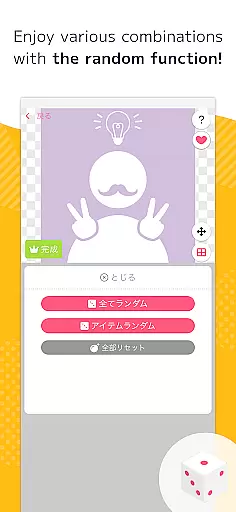
Picrew stands out with its comprehensive suite of creative tools designed to cater to diverse artistic needs. The Dress-up Maker lets users manually select parts to build their desired avatar, while the Random Maker generates unique designs based on chance, offering a surprise element akin to fortune-telling. These features ensure that whether you prefer full control or enjoy unexpected outcomes, Picrew has something for everyone.
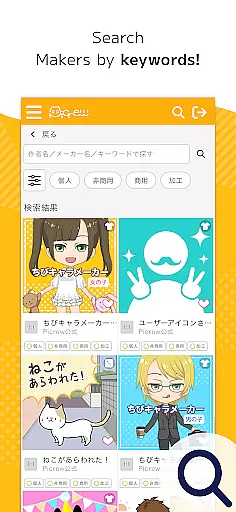
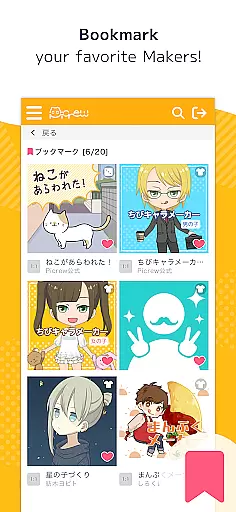
Beyond avatar creation, Picrew includes practical functionalities such as bookmarking favorite Image Makers for quick access, tagging to organize content effectively, and reporting inappropriate material to maintain community standards. The search feature allows users to filter Image Makers by keywords or categories, making it easy to find specific styles or themes. Furthermore, Picrew's global creator base ensures a wide variety of artistic expressions, from cute and whimsical to dark and edgy, providing endless inspiration for users seeking to craft their perfect digital persona.
Picrew PFP & OC Maker stands out in the Art & Design category by offering an extensive suite of creative tools that cater to a wide array of customization needs. The app provides users with over 10,000 Image Makers, enabling the creation of personalized avatars, characters, and icons without any charge.
These Image Makers are not just limited to static designs; they include features such as Dress-up Maker and Random Maker, which allow for dynamic character creation through manual part selection or randomized outcomes. This versatility ensures that whether you're designing an anime-style avatar or crafting unique social media icons, Picrew supports your vision with comprehensive and flexible tools.
Moreover, the platform encourages creativity by integrating social functionalities like sharing creations on platforms such as Facebook and X (formerly Twitter). It also includes practical features such as search filters, tags for easier discovery, bookmarks for favorite makers, and even reporting tools to maintain community standards.
By combining these robust design capabilities with user-friendly interfaces, Picrew empowers both casual users looking to enjoy creating avatars and serious artists seeking to develop original characters, making it a go-to choice for anyone interested in digital artistry.
In addition to its rich set of creative tools, Picrew PFP & OC Maker excels in providing canvas and format flexibility, ensuring that every user can tailor their creations exactly how they envision. The application allows users to customize avatars that range from realistic self-portraits to imaginative characters, all within a versatile digital canvas.
This flexibility is evident in the various styles supported by Picrew's platformu2014from cute and cool to stylish or even a bit eerie. Creators from around the world contribute diverse Image Makers, each reflecting unique aesthetics and themes. As a result, users have the freedom to choose formats that best express their individuality, whether itu2019s through detailed facial feature combinations or eclectic clothing options.
Furthermore, Picrew facilitates the use of created images across different mediums by allowing free downloads and easy sharing on social media. Each Image Maker comes with specific usage guidelines defined by its creator, offering clarity on personal, non-commercial, or commercial use permissions. This transparency enables users to confidently utilize their designs in contexts ranging from personal projects to broader commercial applications.
Overall, Picrewu2019s commitment to canvas and format flexibility not only enhances creative expression but also simplifies the process of adapting artwork for various uses, reinforcing its position as a leading tool in the Art & Design space.
User-friendly interface
Extensive customization options
Free to use
Vibrant creator community
Social media sharing capabilities
Limited advanced editing tools
Some features only on web
Occasional inappropriate content
Dependent on creators' guidelines
No offline mode

Customizable Outlined Fonts. Watch Face Format. Battery friendly Digital Clock.
 4.20
4.20
Art of Combination Wear OS Watch faces (for Wear OS 5+ devices)
3.00
Unleash your drawing and painting potential
4.50
Create color palette from Image, RGB & RYB Color wheel harmonies, Color Scheme
4.50
Unleash Your Creativity with Draw Cartoon - AR Drawing App
4.10
Painting, drawing, & sketching
4.50
Minecraft & Roblox Clothes
4.70
Get creative and make art with your Sesame Friends!
4.00
Inky runs Inkscape on Android devices and Chromebooks
2.90
Create stunning art with AI.
4.80
Logo Generator powered by AI: Create stunning logos effortlessly!
4.70
2D animation studio for Android tablets - unlimited layers, infinite timeline
4.70
Draw anime & manga drawing, art with templates to create stunning picture!
4.50
AI Tattoo Generator: Create Tattoo Designs & Get Ideas! Ink & Stencil Maker
4.50
Image/ Text to Video Generator
4.40
Everything you need to create hand drawn animation, anywhere you go!
4.40
Paint with oils and sketch with natural tools on a realistic virtual canvas.
3.80
Experience next-gen icons with a modern liquid glass look.
3.60
A luxurious gold watch face for an elegant and refined look.
4.2


User Reviews