
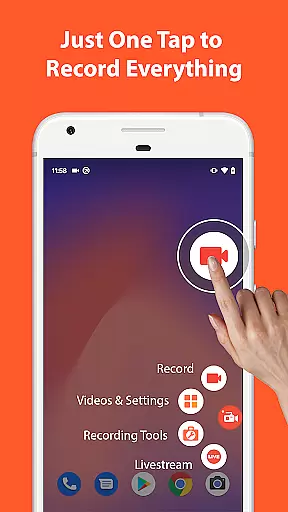

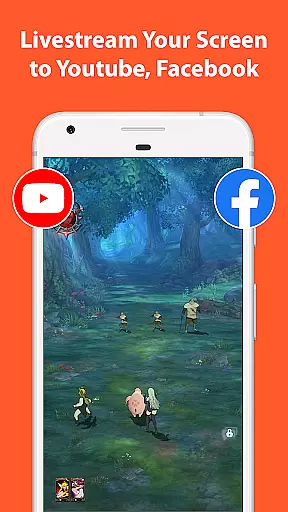
AZ Screen Recorder is a versatile screen recording application that allows users to capture high-quality videos of their device screens. With features like audio recording, facecam integration, and the ability to record internal system sounds, it caters to various needs such as gameplay recording, video calls, and live streaming.
The app stands out with its intuitive interface and powerful editing tools. Users can trim, merge, and add subtitles to their recordings. It also offers unique functionalities like transferring files via Wi-Fi and converting recordings into GIFs. Whether for professional or personal use, AZ Screen Recorder provides a comprehensive solution for capturing and sharing digital content.
AZ Screen Recorder distinguishes itself through its extensive feature set tailored for both casual and advanced users. The core functionality includes seamless screen recording with options to include audio from the microphone or internal system sounds. Advanced controls allow users to pause and resume recordings, ensuring flexibility during long sessions.
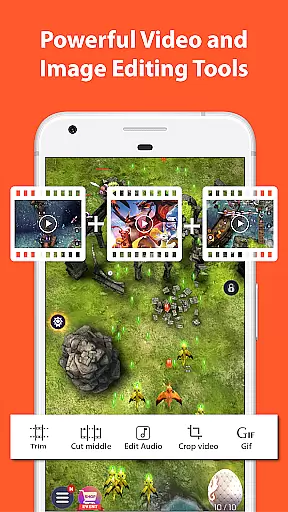
Beyond basic recording, the app integrates a robust video editor. Users can trim unwanted sections, merge multiple clips, and compress files to save space. Additional creative options include adding background music, subtitles, and drawing directly on the screen during recording. These features make it an ideal choice for creating polished content for platforms like YouTube and Facebook.
Video format compatibility is a crucial feature for any video recording and editing application. AZ Screen Recorder excels in this area by supporting a wide range of video formats, ensuring that users can record, edit, and share their videos without worrying about compatibility issues.
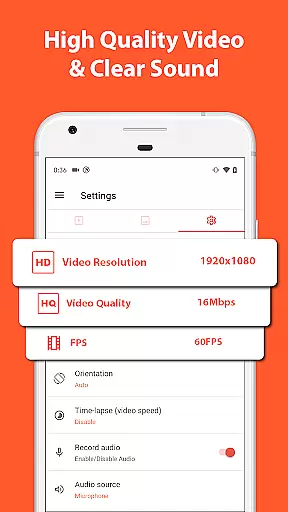
The app supports various resolutions from HD, FullHD, 2K to 4K, although 4K screen recording is only available to some users and devices. This flexibility allows content creators to choose the best resolution for their projects, whether they are creating high-quality gameplay videos or recording important video calls.
Apart from resolution options, AZ Screen Recorder also offers different frame rates including 24fps, 30fps, and 60fps. This variety in frame rate options ensures smooth video playback and gives users the ability to select the most suitable setting for their specific needs.
By providing such comprehensive video format support, AZ Screen Recorder empowers users to focus on their content creation without being limited by technical constraints. Whether for professional use or personal projects, this app provides the tools necessary to produce high-quality videos that are compatible across various platforms and devices.
AI-powered editing features represent the cutting edge of video editing technology, and AZ Screen Recorder incorporates these advancements to enhance user experience. By leveraging artificial intelligence, the app simplifies complex editing tasks, making it accessible even to beginners while still offering powerful tools for experienced editors.
One notable AI feature is the ability to trim videos with precision. Users can easily remove unwanted sections or split videos into segments without affecting the overall quality. Additionally, the app allows for merging multiple clips seamlessly, creating a cohesive final product without noticeable transitions.
Another impressive capability is the automatic detection and stitching of images. This function enables users to combine several screenshots into one continuous image, streamlining the process of creating tutorials or documenting long web pages. The AI also assists in cropping and rotating videos, ensuring that the desired content is perfectly framed every time.
These intelligent editing features not only save time but also improve the overall quality of the edited material. With AZ Screen Recorder's AI-powered tools, users can achieve professional-looking results effortlessly, enhancing both their productivity and creative potential.
User-friendly interface
High-quality video output
No watermarks on recordings
Flexible recording options
Comprehensive editing tools
Limited 4K support
Some features require Android 10+
Occasional performance issues
Advanced tools may overwhelm beginners
WiFi transfer can be unreliable

You can play SWF format file!
 2.50
2.50
Search & download videos from net with all video downloader, auto-detect & safe.
4.60
Play ALL formats in 4K & HD. Video downloader, MP3 player, Chromecast & more.
4.80
GENRAL PRO - General Pro is the best video player that fully supports all formats.
4.70
Manage your IPTV live channels and VOD playlists (no playlist included)
3.80
All in one multi protocols stream receiver for AirPlay, Cast and DLNA.
3.60
Flud is a simple and beautiful BitTorrent client for Android.
4.80
Fast private browser with secure, seamless access & supported video downloads!
4.00
Create, Publish & Maximize
4.70
Video Trimmer, Video to MP3 Converter. Extract music from video, Easy & Fast.
4.80
Download Hub, easy and private way to download and enjoy your videos offline
4.80
Snaptubè Video Downloader app allows to download videos and music in Snaptube. .
4.60
Seamlessly connect and control your smart devices, anytime, anywhere with ease.
4.60
Cast to Chromecast, Xbox, Fire Stick, Roku, DLNA, Smart TV & No Feature Limited!
4.50
KMPlayer Plus (Divx Codec) officially support Divx codec.
4.30
Video player with 4K & 1080P support, popup play, background play and subtitle.
4.20
VLC for Android is the best open source video and music player, fast and easy!
4.10
Connect 2 UVC devices for recording and broadcast video/audio stream
3.90
Stream high quality video from your camera over NDI protocol
4.0


User Reviews