

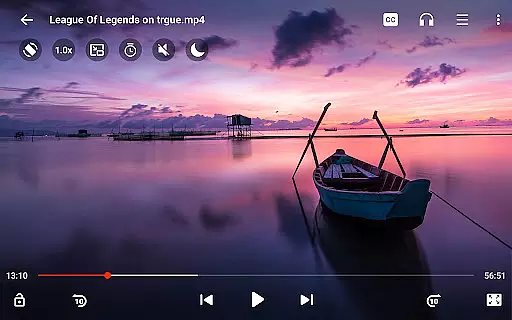
Video Player All Format HD is a versatile and feature-rich video player designed for Android devices. This powerful application supports all major video formats including MKV, MP4, AVI, and more, ensuring seamless playback of 4K and 1080p videos with high definition quality. The app's compact size belies its extensive functionality, making it an ideal choice for users seeking a lightweight yet comprehensive video playback solution.
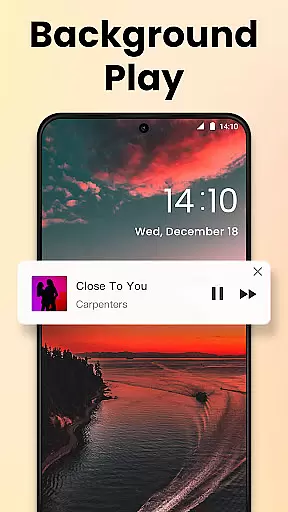
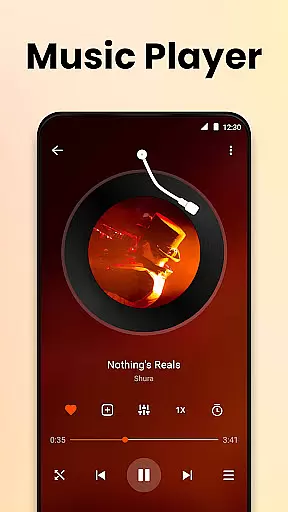
One of the standout features of this video player is its popup play capability, allowing users to watch videos in a floating window while multitasking. Additionally, the background play option enables audio playback even when the screen is off, mimicking an audiobook experience. With advanced controls such as adjustable playback speed, gesture-based navigation, and a five-band equalizer, users can customize their viewing experience to suit their preferences.
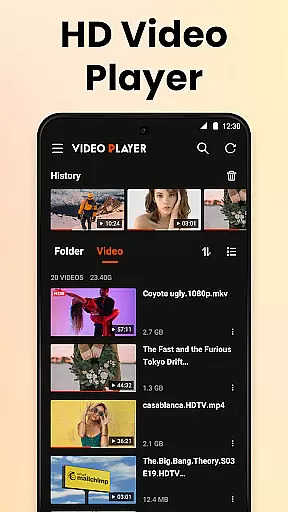
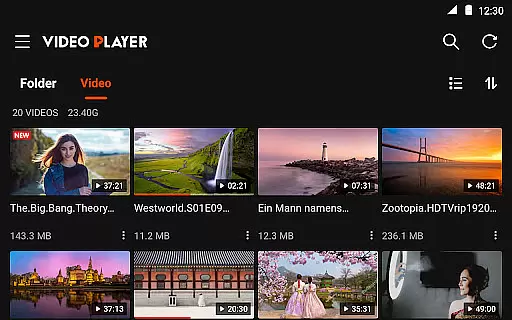
This video player is particularly beneficial for those who need to manage large media libraries, thanks to its automatic detection of video files on both internal storage and SD cards. The intuitive interface offers grid and list views, quick search functionality, and easy file management options like delete and rename. Whether you're watching educational content or enjoying entertainment, Video Player All Format HD provides a smooth and enjoyable experience.
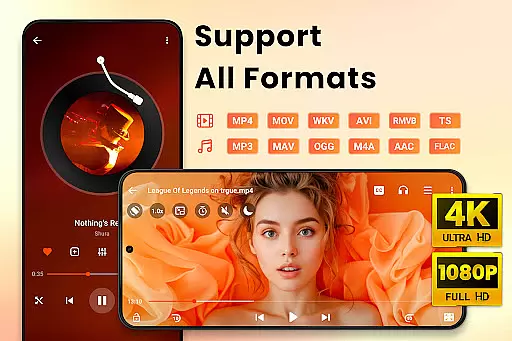
Video Player All Format HD distinguishes itself through a rich set of features tailored to enhance user experience. One of its key capabilities is the support for all video formats, ranging from common ones like MP4 and AVI to less frequently used formats such as RMVB and TS. This ensures that no matter the source of your video files, the app will provide smooth and high-quality playback without requiring additional codec downloads.
The app also includes innovative playback options such as popup play and background playback. Popup play allows users to continue watching videos in a small floating window, which is perfect for multitasking scenarios like chatting or browsing. Background playback transforms video content into an audio-only format when the screen is off, offering flexibility for users who wish to listen to video content like podcasts or lectures. These features are complemented by speed control, enabling playback rates from 0.5x to 2x, which is especially useful for reviewing detailed content or skimming through less critical sections.
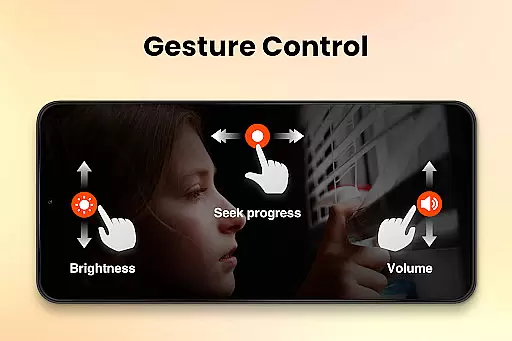
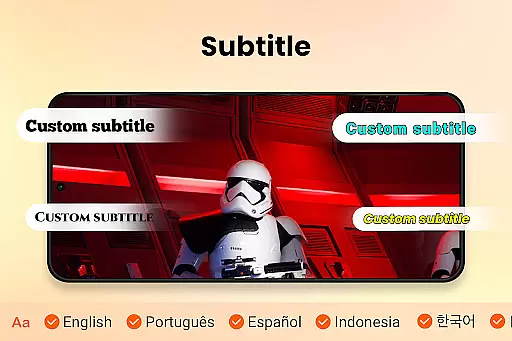
Additional functionalities include gesture controls for skipping forward or backward, a night mode to reduce eye strain during low-light viewing, and a robust equalizer for optimizing audio output. The app also facilitates subtitle downloads and easy switching between audio tracks, catering to a global audience. With its efficient design, occupying less than 10MB of storage, Video Player All Format HD delivers exceptional performance without compromising device resources, making it an excellent choice for users seeking a balance between functionality and system efficiency.
Video Player All Format HD stands out for its exceptional video format compatibility, ensuring users can play virtually any video file they encounter. The app supports an extensive range of formats including MKV, MP4, M4V, AVI, MOV, 3GP, FLV, WMV, RMVB, and TS.
This broad compatibility is crucial for users who deal with diverse video sources, from professional editing projects to casual downloads. The app automatically detects video files across your phone and SD card, organizing them in a way that's easy to navigate regardless of their original format.
The ability to handle 4K & 1080p video files with high definition makes this player suitable for viewers who demand the best visual experience. Whether you're watching high-resolution movies or reviewing detailed video footage, this app maintains exceptional clarity and smooth playback.
Moreover, the inclusion of features like subtitle downloading and audio track switching enhances the format support, making it possible to customize your viewing experience regardless of the original video format. This comprehensive approach to format handling establishes Video Player All Format HD as a versatile solution for all video playback needs.
While primarily a video player, Video Player All Format HD incorporates several AI-powered features that enhance the viewing and basic editing experience. The app's intelligent detection system automatically organizes video files and folders across your device, saving users valuable time when searching for specific content.
The integrated equalizer with bass boost represents an intelligent audio processing feature that optimizes sound quality based on video content characteristics. This smart audio adjustment ensures that whether you're watching action-packed movies or subtle documentaries, the audio will always be properly balanced.
Gesture controls demonstrate another form of intelligent interface design, allowing users to perform precise 10-second forward/backward skips with simple swipes. This intuitive control system learns from user behavior patterns to provide the most comfortable viewing experience.
Additionally, the app's automatic night mode detection and quick mute feature show thoughtful implementation of contextual awareness, adjusting settings based on time and usage patterns. These smart features collectively create a more intelligent and responsive video playback environment without compromising the app's lightweight nature.
User-friendly interface
Supports all video formats
Lightweight and fast
Advanced playback options
Efficient file management
Limited customization options
No cloud integration
Basic UI design
Few social sharing features
Occasional bugs reported

A Quick and Pro Video Editor
 4.70
4.70
Powerful HD video player with support for all formats & subtitles.
4.1
All format media Player, no need video converter any more!
4.00
Stream Web Videos to Chromecast, Samsung, LG, Sony, Roku, Fire TV, DLNA + more
4.00
Make your own Animations, Video and Photo Edits, Visual Effects, and more!
4.00
Browser for Sony TV to stream web videos, online movies and live tv
3.20
Find, download, and play torrents with the official BitTorrent® Pro app
4.70
Viddo: Generate Action Figure, AI Anime, AI kiss, AI hug Video from image & text
4.40
Video&Drama Player All Format is a HD video player, music player
3.00
#1 Torrent App on Android ** No Ads Ever + Battery Saver **
4.80
High-Quality USB Camera Viewer & HDMI Display
4.70
Download videos and play them offline
4.70
Browser + Remote for Roku to stream webvideos, online movies and livestreams
4.60
Fast video downloader & private browser. Save HD clips to watch offline.
4.40
AI Video Editor:AI Music, Text to Video,Text to Speech,Auto Caption,Video Effect
4.00
Connect 2 UVC devices for recording and broadcast video/audio stream
3.90
AirMirror is Receiver for Screen Mirroring and Casting from Apple Devices.
3.60
A full editing room to accompany your Insta360 cameras and handheld gimbals.
3.30
Client application for NextPVR software
3.00


User Reviews