
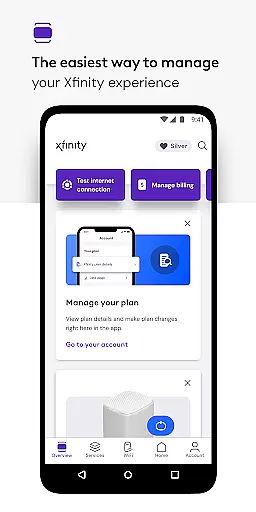
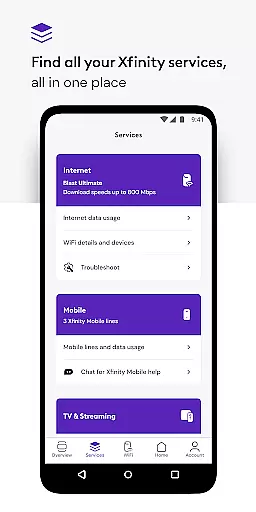
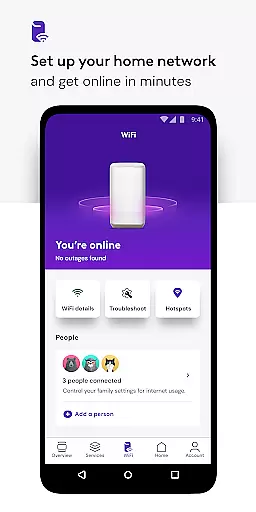
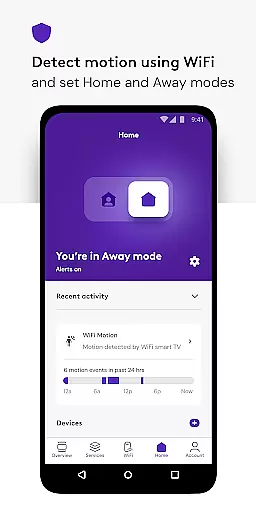
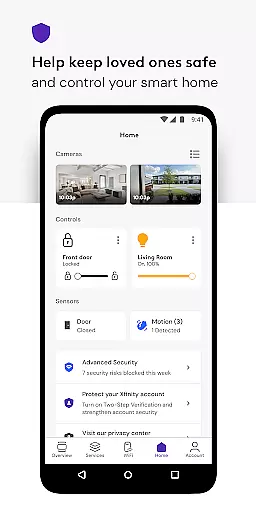
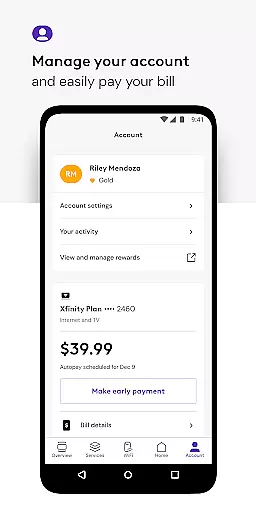
Xfinity is a productivity app designed to enhance your Xfinity services experience. It allows users to manage all their services in one place, providing 24/7 real-time support and tools for seamless equipment activation and internet speed testing. The app introduces NOW, a simple new way to get internet and mobile with all-in monthly pricing.
With personalized features such as Xfinity Rewards, Advanced Security, and parental controls, the app ensures you have everything needed to manage your account efficiently. Whether it's paying bills, viewing plan details, or changing services, Xfinity puts the control in your hands while keeping your devices and loved ones safe online.
The Xfinity app boasts an array of features tailored to boost productivity and enhance user experience. Key functionalities include managing your account details, personalized tools for WiFi performance improvement, and advanced security measures that protect your devices both at home and on the go.
Additionally, the app provides parental controls for family-safe browsing and the ability to pause WiFi to any connected device. With features like user profile assignments and assistance in setting up your WiFi, Xfinity offers ultimate control over your network and connected devices, ensuring optimal performance and safety.
In the realm of productivity, effective task management stands as a cornerstone for both personal efficiency and business success. The Xfinity app excels in this area by offering users an all-encompassing platform to manage their services with remarkable ease.
With the Xfinity app, customers can effortlessly handle their accounts through intuitive tools designed for maximum convenience. This includes the ability to pay bills, review plan specifics, and make service adjustments, ensuring that managing your digital home is never a chore.
The real value for users lies in the app's capacity to centralize these tasks within a single interface, significantly reducing the time and effort required to keep on top of their Xfinity services. This streamlined approach not only enhances user satisfaction but also empowers customers with more control over their subscriptions and preferences.
By integrating advanced features such as personalized WiFi performance tips and parental controls, the Xfinity app goes beyond basic task management. It provides a holistic solution that addresses various aspects of digital home management, making it an indispensable tool for modern living.
Cross-device synchronization is vital for users who demand seamless access to their data and services across multiple platforms. The Xfinity app rises to this challenge by ensuring reliable synchronization that keeps users connected no matter where they are or what device they use.
This reliability is powered by robust backend infrastructure that supports real-time updates and interactions. Whether it's adjusting your home WiFi settings from the office or checking your bill while on the go, the Xfinity app delivers consistent performance that you can count on.
For the user, this means peace of mind knowing that any changes made will be accurately reflected across all devices. This level of synchronization ensures that whether you're at home or away, your experience remains uninterrupted and up-to-date.
Moreover, with added functionalities like Advanced Security on the go, which occasionally runs a VPN service, the app further solidifies its commitment to providing secure and dependable cross-device experiences. Such features underscore the importance of having synchronized services that adapt to today's fast-paced digital lifestyle.
User-friendly interface
Comprehensive account management
Advanced Security features
Parental controls available
24/7 real-time support
Occasional connectivity issues
Limited to Xfinity customers
Some features require rental equipment
Advanced Security needs additional permissions
Complex setup for beginners

AI Video AI Image Private LLM AI Browser Llama Gemma Ollama Connect LLM Studio
 4.2
4.2
Experience Reading - Night Mode for Documents
4.40
The long-awaited modern gallery app for your Nextcloud server
4.70
Unlock AutoNotification
4.00
The Pro Version of Android's tiniest Notepad app. Just 0.3MB but feature-packed!
4.60
Protect and view your important info on your phone and tablet with eWallet®
4.80
Easiest event planning, volunteer signups & parent teacher conference scheduling
2.20
Access, manage and transfer files on Android, PC, Mac, NAS and cloud storages.
4.30
Best Tool for the professionals Electrician, Electrical contractors, etc.
4.90
Android Wallet Password Manager
4.80
Quickly and easily keep track of your work shifts
4.70
App Lock with fingerprint, password: Lock apps & hide photos with lock screens
4.60
Lightweight PDF, Word, Excel reader.
4.60
CalenGoo is a very flexible and feature-rich calendar app
4.40
A Pixel Art watchface inspired by other iconic 90s designs for Wear OS devices!
4.40
Easily read and manage all your PDF files
4.10
Todo reminder
4.10
Activate Two Factor Authentication (2FA or Multi OTP), Password manager and more
4.10
Take control of your clipboard with Clipper!
3.90


User Reviews