
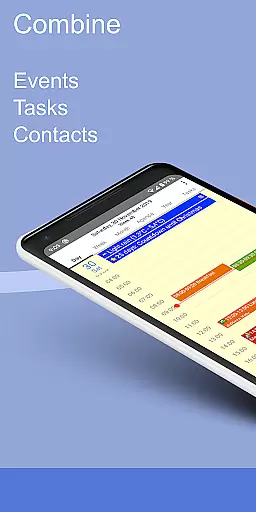
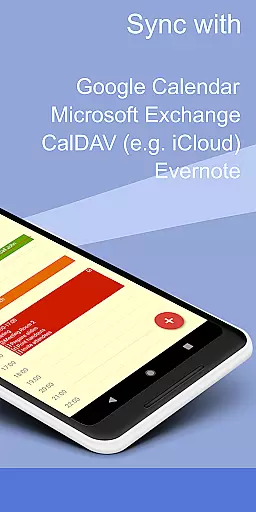
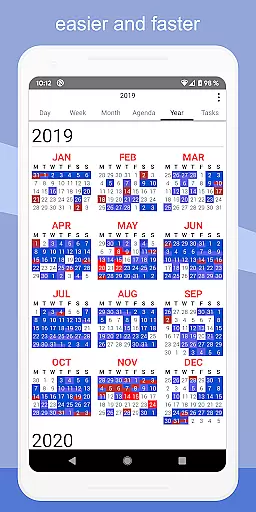
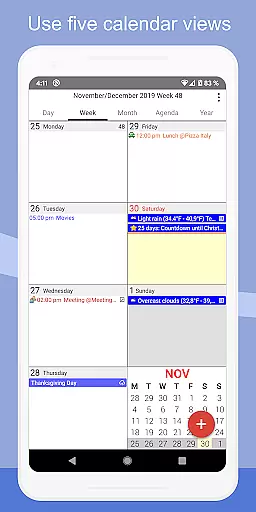
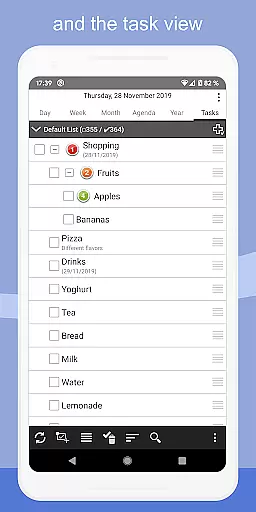
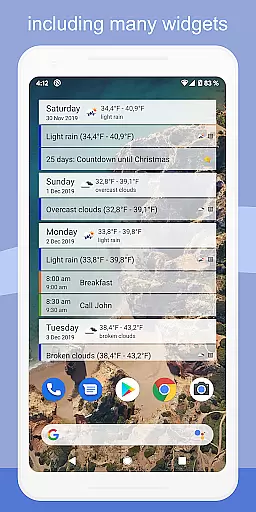
CalenGoo is a comprehensive productivity app designed to help users efficiently manage their events and tasks. With seamless integration capabilities, it syncs with multiple calendar services such as Google Calendar, Exchange, CalDAV, and iCloud, either directly or via the Android calendar. This ensures that all your past and future events are accessible in one place.
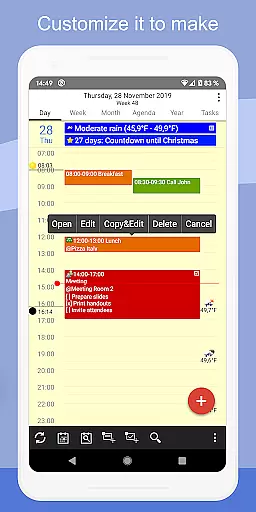
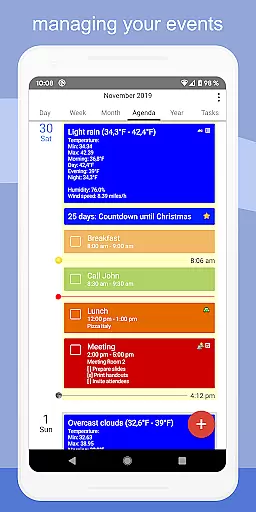
The app offers extensive customization options, allowing users to tailor both the appearance and functionality to suit their preferences. From attaching photos and files to events, linking Evernote notes, to adding weather forecasts, CalenGoo enhances event management with practical features. Additionally, its support for five types of calendar views, four styles of agenda views, drag-and-drop functionality, and widgets makes organizing and accessing your schedule effortless on your home screen.
CalenGoo stands out with its rich feature set tailored for productivity enthusiasts. One of its key strengths is the ability to sync not only calendars but also tasks across various platforms like Google Calendar, Exchange, CalDAV, and iCloud. This cross-platform compatibility ensures that users can maintain consistency and access their data from different devices.
Another remarkable feature is the extensive customization options available. Users can attach photos, files, and even Evernote notes to events, add weather forecasts, and use keywords to change event colors or icons. The app also supports five types of calendar views (day, week, month, agenda, and year) and four styles of agenda views, providing flexibility in how users visualize their schedules. Moreover, functionalities like drag-and-drop for moving or copying events, widgets for quick access, and various reminder options (notifications, pop-up windows, spoken reminders) further enhance user experience by offering convenience and personalization.
CalenGoo offers robust core task management features that allow users to efficiently organize their events and tasks. The app provides extensive configuration options, enabling users to customize the interface and functionality according to their preferences.
With seamless synchronization capabilities, CalenGoo supports syncing with multiple calendar services such as Google Calendar, Exchange, CalDAV, and iCloud. This ensures that all past and future events are consistently updated across devices, providing a reliable and comprehensive overview of one's schedule.
Additionally, the app allows for attaching photos, files, and even Evernote notes to events, enhancing the detail and context available for each entry. Users can also benefit from features like weather forecasts, event icons, and various reminder functions, which collectively contribute to a highly personalized and effective task management experience.
One of CalenGoo's standout features is its reliable cross-device synchronization. By integrating directly with services like Google Calendar, Exchange, CalDAV, and iCloud, the app ensures that all user data is consistently updated and accessible from any device.
This synchronization extends beyond mere event details; it includes tasks, attached files, and even contact information linked to specific events. Such comprehensive data sharing enhances the continuity and reliability of information access, regardless of the device in use.
Moreover, CalenGoo offers widgets for home screen displays, showing day, week, month, agenda, year, and task views. These widgets provide at-a-glance information, ensuring users are always informed without needing to open the app fully. With these capabilities, CalenGoo delivers a dependable and versatile cross-device experience, making it an invaluable tool for productivity.
User-friendly interface
Extensive customization
Cross-platform sync
Variety of views
Rich feature set
Complex for beginners
Requires account setup
Some features paid
Occasional sync issues
Heavy on resources

Secure, fast, open-source, VNC and SSH Remote Desktop for Windows, Linux and Mac
 4.70
4.70
Professional calendar app for Google Calendar, MS Outlook & Exchange
4.20
8 custom complications. Custom Time Fonts. Beautiful color schemes. A++ Design.
5.00
Absolutely the best CNC machinist speed and feed calculator around. fswizard.com
4.60
All in One PDF Reader: Manage, Read and Edit your Documents
4.20
Simple and reliable communication between inmates, friends and family
3.20
Quickly and easily keep track of your work shifts
4.70
Scientific calculator for Android - looks and operates like the real thing!
4.90
Secure your apps with lock screens, use custom themes and different features.
4.40
Best Tool for the professionals Electrician, Electrical contractors, etc.
4.90
We're working to become the best machining app on the market! www.cncdirt.com
4.80
Understand anything with a personalized AI research assistant
4.80
QuickBooks Workforce lets teams view pay info and track time in one place.
4.70
App lock - lock apps with fingerprint, password, pin or pattern, protect privacy
4.70
Stay on top of your to-dos with Google Tasks, part of Google Workspace.
4.60
Calendar 2023 widget for Android. Appointment scheduler, planner, and reminder
4.60
This small app MUST BE INSTALLED after purchase, else license won't work
4.40
Share files & memories safely. Keep your photos and videos secure.
4.40
⏰ Finally a timer app which can run multiple timers simultaneously on your watch
3.90


User Reviews