
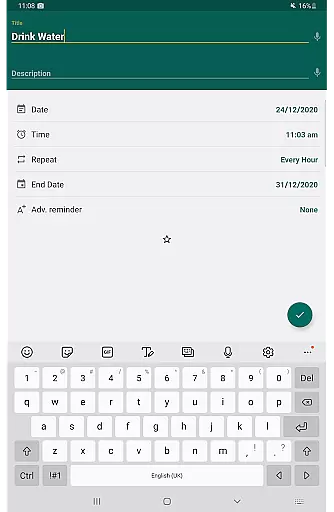
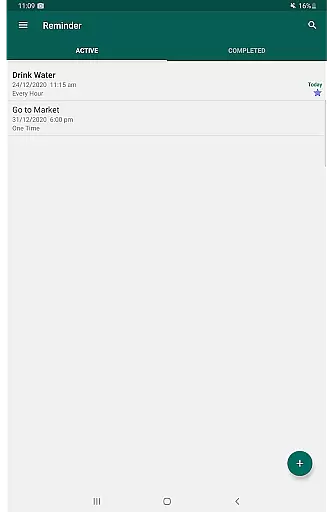
Reminder Pro is a versatile productivity tool designed to help users organize their daily lives through customizable reminders. The app allows users to set one-time and recurring notifications for various tasks, from simple errands to important deadlines.
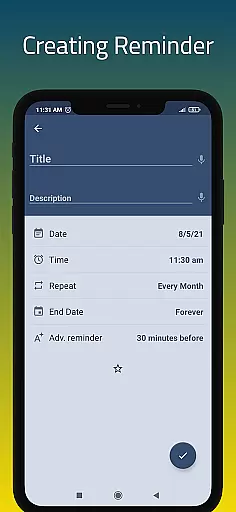
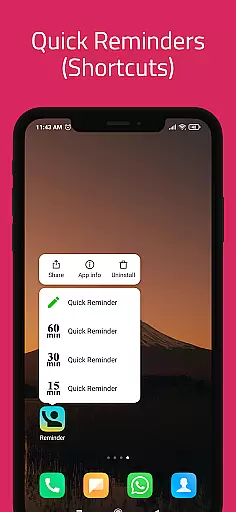
With its user-friendly interface, Reminder Pro makes it easy to create reminders in seconds. Whether you need a pill reminder, meeting alert, or deadline notification, this app has got you covered. Its versatility extends to both personal and professional use cases.
The application's value lies in its ability to streamline task management across different aspects of life. From remembering birthdays and anniversaries to tracking bill payments and medication schedules, Reminder Pro ensures you never miss an important event or task again.
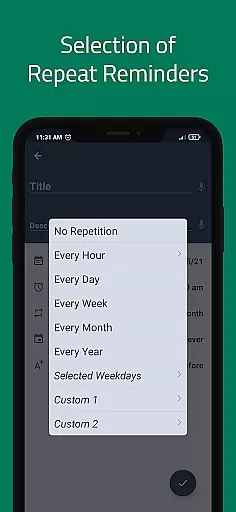
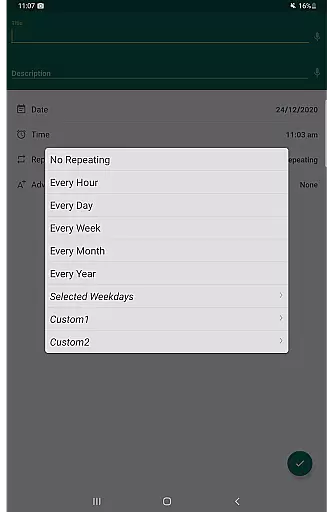
Reminder Pro stands out with its comprehensive feature set tailored for productivity enthusiasts. The app offers custom recurring reminders that can be set for hourly, daily, weekly, or monthly notifications, catering to diverse scheduling needs.
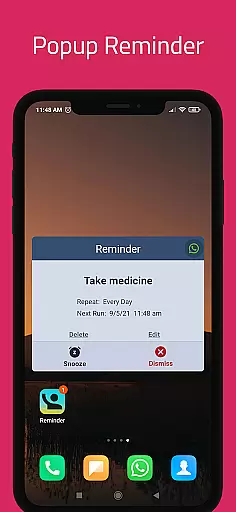
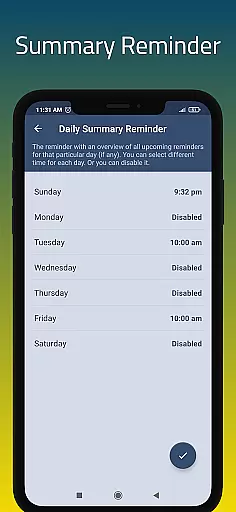
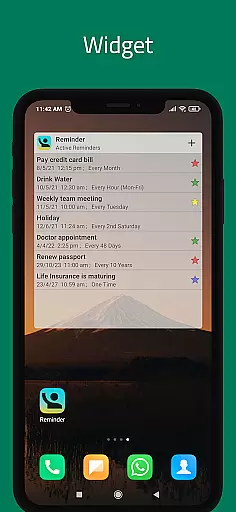
Users benefit from practical features like popup notifications, snooze options, and quiet hours settings. The inclusion of a widget provides quick access to frequently used functions, while the daily summary feature helps users stay on top of their upcoming tasks.
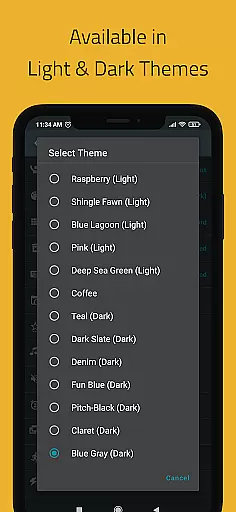
Advanced functionality includes multiple theme options, search capabilities, and backup solutions. The app also supports categorized reminders with distinct colors and settings, plus various view options for organizing your reminder list effectively.
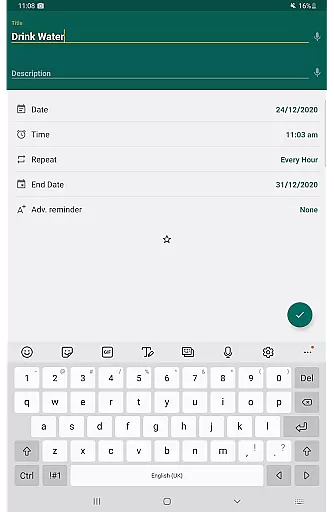
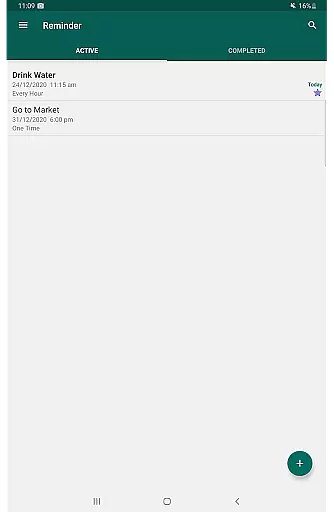
Task management is a cornerstone of productivity applications, and Reminder Pro excels in providing users with robust tools to manage their daily tasks efficiently. The app allows for the creation of both one-time and recurring reminders, ensuring that users can plan for events, deadlines, and routine activities without missing a beat.
The functionality extends to setting detailed notifications for meetings, homework deadlines, and even personal errands. With customizable options such as date, time, and notes, each reminder becomes a comprehensive tool that not only alerts users but also provides them with all necessary information at a glance.
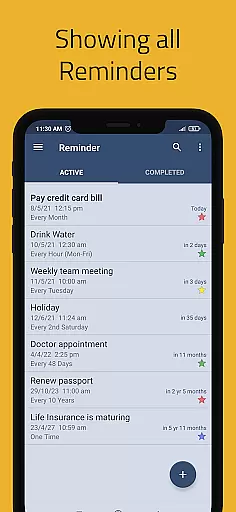
Users benefit from features like multiple categories with unique settings and colors, which help in organizing tasks more intuitively. This categorization ensures that work, personal, and health-related reminders are distinct yet accessible in one place, streamlining the user's ability to prioritize and manage their schedule effectively.
Cross-device synchronization is vital for users who operate across multiple platforms and need consistent access to their reminders. Reminder Pro offers reliable synchronization that ensures all reminders, updates, and settings are mirrored accurately across devices. This means whether you're on your phone, tablet, or computer, your reminders remain up-to-date and accessible.
The app supports auto and manual backup options, safeguarding data against loss and allowing users to restore their reminders easily if they switch devices or need to recover information. This reliability instills confidence in users, knowing their critical tasks and appointments are securely stored and always available.
Moreover, the availability of widgets and different view options like standard, compact, and monthly grouping enhances accessibility and convenience. Users can choose how they view their reminders based on preference or necessity, making cross-device management seamless and efficient, thus boosting overall productivity.
User-friendly interface
Customizable notifications
Comprehensive feature set
Cross-platform compatibility
Reliable scheduling system
Limited free features
Occasional sync issues
No voice command support
Premium subscription required
Complex settings for beginners

Auto-shutoff Alarm with Sunrise, Sunset & Fixed Options.
 3.50
3.50
Unlock AutoNotification
4.00
8 custom complications. Custom Time Fonts. Beautiful color schemes. A++ Design.
5.00
All document reader, all in one file viewer read PDF, DOCX, XLS, PPT, TXT files.
4.60
Access, manage and transfer files on Android, PC, Mac, NAS and cloud storages.
4.30
Intelligent AI Assistant
4.10
AT&T Internet customers can use this app to personalize their Wi-Fi network.
4.40
Set up, print, and get support—in one place
4.20
Browse and view your photos and videos from the phone with photo & video hide.
4.10
Simple notepad & memo. Take notes, to-do list, shopping list with reminders.
4.80
Scan paperwork into PDF/JPG, generate your own e-signature and send fax or email
4.70
Secure, fast, open-source, VNC and SSH Remote Desktop for Windows, Linux and Mac
4.70
App Lock with fingerprint, password: Lock apps & hide photos with lock screens
4.60
Planet Free VPN - The best Fast Unlimited and Secure VPN Without Logs
4.50
A lightweight JSON & XML files creator, editor and viewer (Premium Version)
4.40
Font maker keyboard with your own handwriting
4.10
Create and edit presentations with Google Slides, part of Google Workspace.
4.00
The ultimate file manager for rooted devices. The original and still the best.
4.00
Code on-the-go with VScode for Android. Edit,debug and collaborate from mobile!!
3.10


User Reviews