
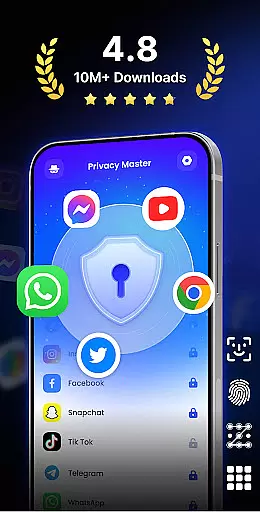
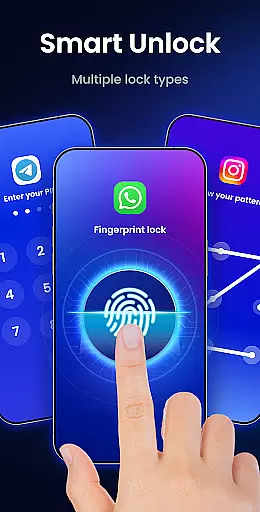
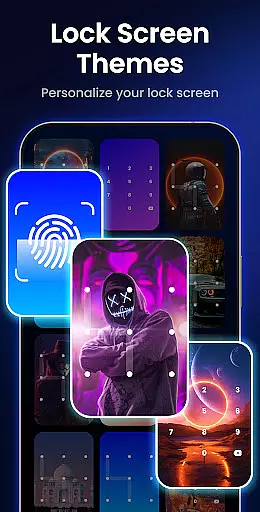
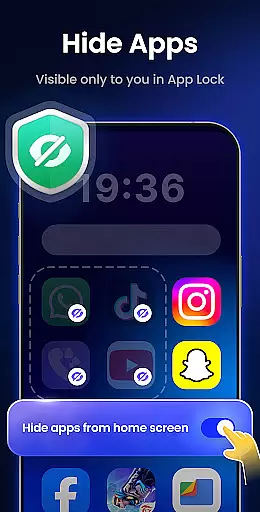
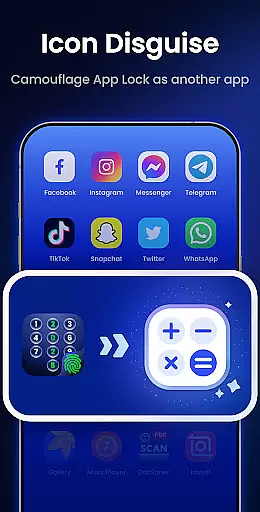
App Lock - Fingerprint Lock is a powerful productivity tool designed to secure your digital world. This app allows users to lock apps, hide photos, videos, and chats using password, pattern, or fingerprint authentication. With over 50 million users trusting it for privacy protection, the app offers smart features like intruder selfies, icon disguise, and custom lock themes.
The application ensures comprehensive security by enabling users to lock all essential apps such as WhatsApp, Messenger, Facebook, Google Play, PayPal, and Settings. It provides peace of mind by keeping private chats and data safe from unauthorized access. Additionally, its ability to remove junk files helps in freeing up space, ensuring smooth phone performance.
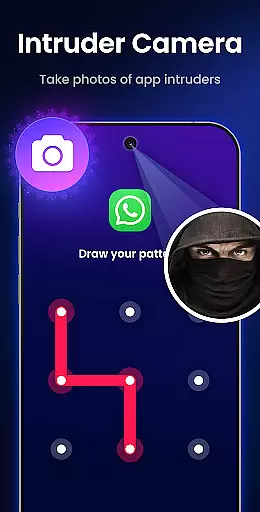
One of the standout features of App Lock - Fingerprint Lock is its versatility in locking mechanisms. Users can choose between PIN, pattern, or fingerprint locks, catering to different security preferences. The Intruder Camera feature takes a photo of anyone who enters the wrong password, adding an extra layer of security.
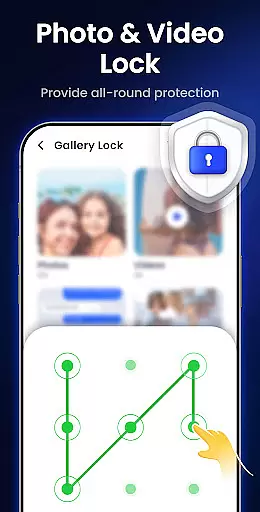
Another remarkable feature is the Hide Notifications function, which blocks sensitive notifications from appearing on the screen. Private files can be hidden safely in Gallery Lock, accessible only through user authentication. The Auto Re-Lock feature allows users to set custom lock timers, providing convenience without compromising security.
App Lock - Fingerprint Lock offers a comprehensive approach to managing access to your most critical apps and data. This functionality is essential for users who need to ensure that sensitive information remains private and secure from unauthorized access.
The app provides multiple layers of protection, allowing you to lock apps with a password, pattern, or fingerprint. This flexibility ensures that you can choose the method that best suits your security needs while maintaining ease of use. With features like auto re-lock and lock newly installed apps, it streamlines the process of keeping your digital environment secure.
For users, this means peace of mind knowing that their private chats, photos, videos, and other personal data are safeguarded against prying eyes. The ability to customize lock timers and use disguising techniques adds an extra layer of security, making it difficult for intruders to bypass the lock system.
Ultimately, App Lock empowers you to take control of your digital privacy with robust task management capabilities that cater to both security-conscious individuals and those looking for convenience in their daily app usage.
While App Lock - Fingerprint Lock primarily focuses on securing individual devices, its potential for cross-device synchronization reliability should not be overlooked. In today's interconnected world, ensuring that security measures are consistent across all your devices is crucial for comprehensive protection.
Although explicit details about cloud backup are yet to be fully disclosed, the app hints at future functionalities that could enable seamless synchronization of lock settings and preferences across multiple devices. This would allow users to maintain uniform security protocols, regardless of the device they are using.
Features such as uninstall protection and random keyboard contribute to the overall reliability of the appu2019s security framework. These elements work together to prevent unauthorized changes to your security setup, ensuring that your protections remain intact and effective.
By potentially integrating cloud-based solutions, App Lock aims to offer a reliable and synchronized security experience, giving users confidence that their privacy is maintained consistently across all their devices.
Powerful privacy protection
User-friendly interface
Versatile locking options
Intruder detection system
Efficient junk file removal
Requires multiple permissions
May drain battery faster
Some features need premium access
Occasional bugs reported
Interface can feel cluttered

A Revolutionary All-in-One Artificial Intelligence Tools
 3.80
3.80
Professional calendar app for Google Calendar, MS Outlook & Exchange
4.20
Automates browsing any website and notifies you of important changes or events
4.30
App lock - lock apps with fingerprint, password, pin or pattern, protect privacy
4.70
PDF scanner & converter for files, photos, lottery, QR codes. One swipe away!
4.50
Lightweight PDF, Word, Excel reader.
4.60
Simple notepad & memo. Take notes, to-do list, shopping list with reminders.
4.80
AI Chatbot and AI writing assistant powered by ChatGPT.
4.60
Set up, print, and get support—in one place
4.20
Quickly and easily keep track of your work shifts
4.70
A beautiful digital clock with autostart and many other functions
4.70
Scan paperwork into PDF/JPG, generate your own e-signature and send fax or email
4.70
To do list widget with a notebook organizer, checklist, simple shopping list
4.60
Access, manage and transfer files on Android, PC, Mac, NAS and cloud storages.
4.30
Easily read and manage all your PDF files
4.10
Create and edit presentations with Google Slides, part of Google Workspace.
4.00
The ultimate file manager for rooted devices. The original and still the best.
4.00
Take control of your clipboard with Clipper!
3.90
Ads Free App! Editor, Hide File, Copy, Move, Delete and Rename.. all facility av
1.70


User Reviews