
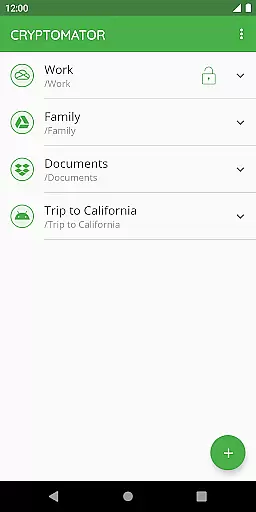
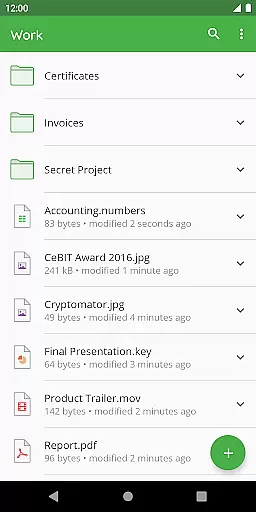
Cryptomator is a user-friendly encryption tool designed to secure your cloud-stored data. With its intuitive interface, users can create secure vaults and protect their files with AES encryption using a 256-bit key length. The app ensures that your data remains private by encrypting both file contents and filenames, making it an ideal solution for anyone concerned about digital privacy.
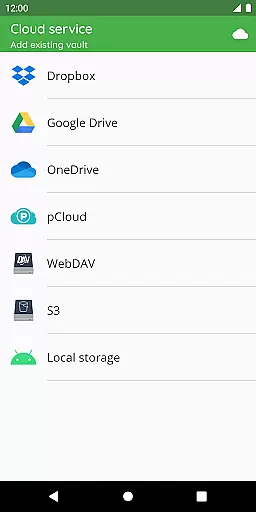
Designed for compatibility, Cryptomator works seamlessly with major cloud services like Dropbox, Google Drive, and OneDrive. It allows you to access encrypted files across all your devices, ensuring that your data is not only secure but also accessible wherever you are. Whether you're on Android or any other platform, Cryptomator provides a consistent experience.
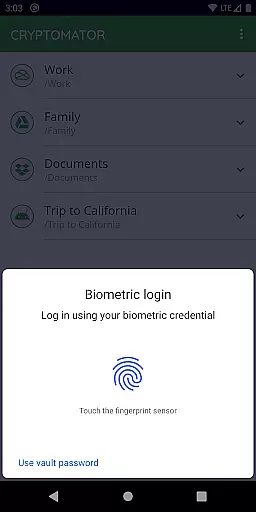
The true value of Cryptomator lies in its commitment to security and transparency. As open-source software, it invites scrutiny from the tech community, reinforcing trust. Additionally, features like automatic vault locking and fingerprint authentication enhance both security and convenience, making Cryptomator an essential tool for safeguarding sensitive information.
Cryptomator stands out with its robust feature set tailored for securing cloud data. One of its core functionalities is the ability to create encrypted vaults that can be stored in any cloud service. This means you can upload your protected files to Dropbox, Google Drive, or other WebDAV-based storage without worrying about unauthorized access.
Another notable feature is its advanced encryption protocols. Cryptomator uses AES with a 256-bit key length and secures passwords with scrypt to resist brute-force attacks. These technologies ensure top-tier protection for your files. Moreover, the app supports biometric authentication, allowing users to unlock their vaults with a fingerprint, adding a layer of convenience without compromising security.
Lastly, Cryptomator's cross-platform compatibility makes it versatile. Available on all major operating systems, including Android, it lets you manage encrypted files on multiple devices effortlessly. Its open-source nature further enhances transparency, as the crypto implementation is publicly documented, fostering trust among users who prioritize privacy and security.
In the realm of productivity, managing tasks efficiently is paramount. Cryptomator excels by offering a streamlined approach to securing your digital tasks and files. It employs client-side encryption, ensuring that your data remains confidential and under your control at all times.
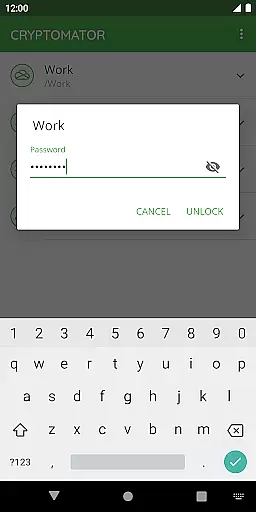
The application allows you to create secure vaults with a simple password, eliminating the need for additional accounts or complex configurations. This ease of use ensures that you can focus on your core tasks without distraction, knowing your information is safeguarded against unauthorized access.
With compatibility across various cloud services like Dropbox, Google Drive, and OneDrive, Cryptomator enables seamless synchronization and access to your encrypted files from any device. This cross-platform support enhances task continuity and collaboration, allowing users to maintain productivity regardless of their location or device.
Cross-device synchronization is a critical feature for modern productivity tools, and Cryptomator delivers reliable performance in this area. By encrypting files locally before they are uploaded to the cloud, Cryptomator ensures that your data remains consistent and secure across all your devices.
This process begins on one device, where files are encrypted and uploaded to your preferred cloud service. Upon accessing these files from another device, Cryptomator decrypts them seamlessly, providing a smooth user experience without compromising security. The synchronization process is automatic and operates in the background, ensuring that your latest work is always available.
Moreover, Cryptomator's open-source nature means that its synchronization features are transparent and have been vetted by the security community. This reliability fosters trust among users who depend on consistent access to their data, regardless of the device they are using, thus enhancing overall productivity.
Easy-to-use interface
Strong AES encryption
Compatible with major cloud services
Automatic vault locking
Open-source transparency
Limited free features
No built-in cloud storage
Fingerprint sensor required
Occasional sync issues
Premium version costly

Unlock AutoNotification
 4.00
4.00
⏰ Finally a timer app which can run multiple timers simultaneously on your watch
3.90
Stay on top of your to-dos with Google Tasks, part of Google Workspace.
4.60
ID.me Authenticator is a simple and free Two Factor Authentication solution
3.50
Tally and goal counter for Wear OS & mobile
4.50
Secure your apps with lock screens, use custom themes and different features.
4.40
Simple notepad & memo. Take notes, to-do list, shopping list with reminders.
4.80
AI Chatbot and AI writing assistant powered by ChatGPT.
4.60
Seamlessly read, manage, and organize all your PDF files solution in one place
4.40
The long-awaited modern gallery app for your Nextcloud server
4.70
Send files, sync SMS, notifications & clipboard across devices via local network
4.40
Share files & memories safely. Keep your photos and videos secure.
4.40
Experience real multitasking on your Android!
4.00
Customizable calendar widget for seamless event sync, planning & scheduling.
4.00
* block pre-roll ads, pop-up and forced redirect ads * Samsung certification app
4.00
Find and delete junk files & block unwanted notifications & manage files
3.70
Simple and reliable communication between inmates, friends and family
3.20
Code on-the-go with VScode for Android. Edit,debug and collaborate from mobile!!
3.10
AI Video AI Image Private LLM AI Browser Llama Gemma Ollama Connect LLM Studio
4.2


User Reviews