
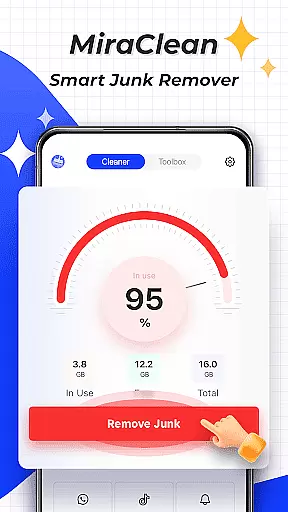

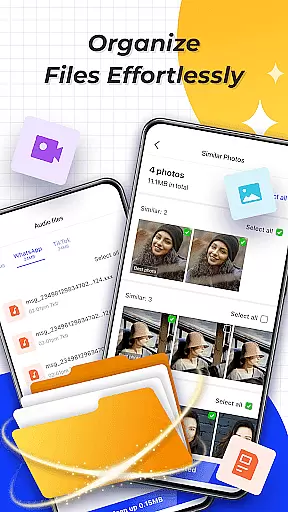
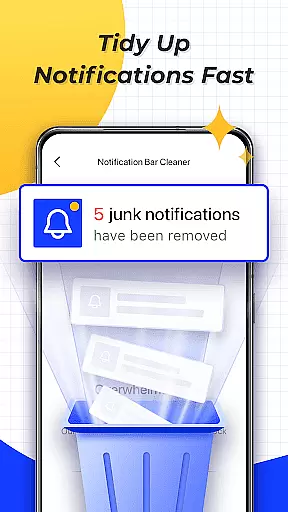
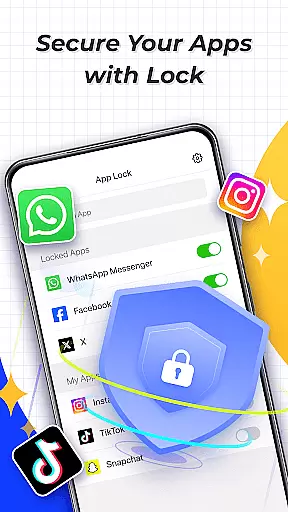
MiraClean is a productivity-focused app designed to help Android users manage their device storage and optimize performance. The app provides essential tools for scanning and deleting junk files, clearing unwanted notifications, and organizing files by type and size. With additional features like network data usage statistics and a built-in network speed test, MiraClean ensures that users can maintain control over both their storage and connectivity.
One of the standout aspects of MiraClean is its lightweight design and commitment to user privacy. It avoids unnecessary bloat while delivering practical functionality for users who need a straightforward solution to keep their devices running smoothly. Whether you're looking to free up space or monitor your data consumption, MiraClean offers an intuitive interface and reliable performance.
MiraClean stands out with its comprehensive set of features tailored for device optimization. The app scans for temporary files, app caches, and residual data, allowing users to remove junk files that take up valuable storage space. Its notification-clearing tool helps declutter the notification bar, ensuring a cleaner and more organized user experience.
In addition to storage management, MiraClean provides tools for monitoring network activity. Users can view detailed statistics about mobile and Wi-Fi data usage, helping them identify apps that consume excessive bandwidth. The built-in network speed test further enhances this capability by measuring real-time download and upload speeds. These features collectively make MiraClean a versatile solution for maintaining both device performance and network efficiency.
Core task management is essential for any productivity app, and MiraClean excels in this area by offering a suite of tools designed to help users maintain their Android devices efficiently.
The app provides features such as scanning and deleting junk files, which include temporary files, app caches, and residual data that can clutter a device. This functionality allows users to free up valuable storage space with ease.
In addition to file management, MiraClean also offers the ability to clear unwanted notifications from the notification bar, ensuring that users are not overwhelmed by unnecessary alerts. This contributes to a more organized and less cluttered user experience.
By integrating these core task management features, MiraClean empowers users to keep their devices running smoothly and efficiently, enhancing overall productivity without requiring advanced technical knowledge.
Cross-device synchronization reliability ensures that users can manage their digital lives seamlessly across multiple devices, and MiraClean addresses this need by focusing on the individual maintenance of each device.
While MiraClean may not directly offer cross-device sync, it enhances the reliability of a single device's performance through network data usage statistics and network speed tests. These features provide insights into how efficiently apps use mobile or Wi-Fi data and measure current download and upload speeds.
This information helps users make informed decisions about their data usage, indirectly supporting a synchronized digital ecosystem where all devices perform optimally.
MiraClean's lightweight design respects user privacy while delivering essential tools for maintaining an efficient and well-organized Android device, contributing to a reliable and consistent experience across the user's digital environment.
User-friendly interface
Lightweight design
Effective junk cleaning
Data usage insights
Privacy-focused
Limited advanced tools
No cloud backup
Basic speed test
Few customization options
Android only

Native client for Forgejo and Gitea
 5.00
5.00
Professional calendar app for Google Calendar, MS Outlook & Exchange
4.20
Protect and view your important info on your phone and tablet with eWallet®
4.80
We're working to become the best machining app on the market! www.cncdirt.com
4.80
Translate text/voice/photos in 150+ languages. Offline & fast translator app.
4.50
Docker, Kubernetes management over Portainer Mobile
4.40
* block pre-roll ads, pop-up and forced redirect ads * Samsung certification app
4.00
The ultimate file manager for rooted devices. The original and still the best.
4.00
QuickEdit is a fast, stable and full featured text and code editor.
4.20
A beautiful digital clock with autostart and many other functions
4.70
All document reader, all in one file viewer read PDF, DOCX, XLS, PPT, TXT files.
4.60
Planet Free VPN - The best Fast Unlimited and Secure VPN Without Logs
4.50
A lightweight JSON & XML files creator, editor and viewer (Premium Version)
4.40
Secure your apps with lock screens, use custom themes and different features.
4.40
Make apps & sites with natural language prompts
4.10
Cloud storage, automatic phone backup, and more.
4.10
Unlock AutoNotification
4.00
Ultimate Virtual AI Character for immersive Roleplay Chat. Perfect Companion
3.90
IP Camera Viewer - Android TV : RTSP Surveillance camera viewer for Android TV
4.3


User Reviews