
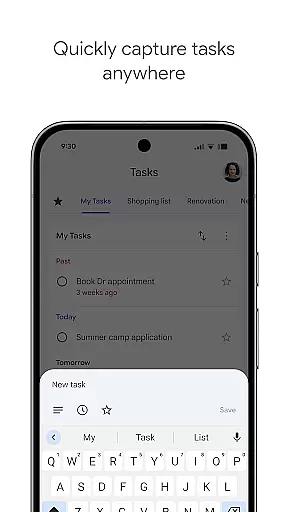
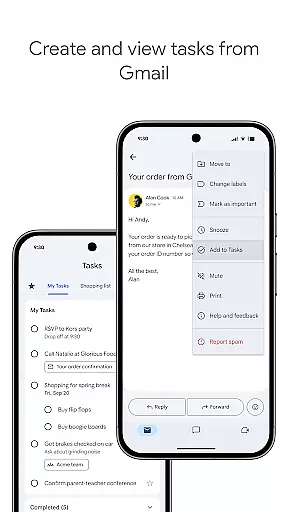
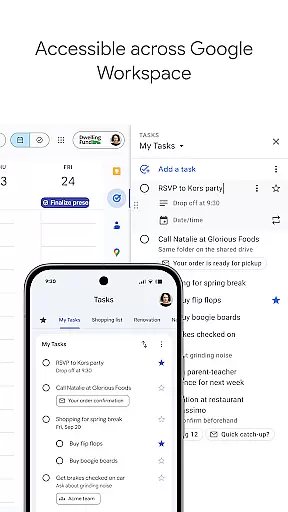
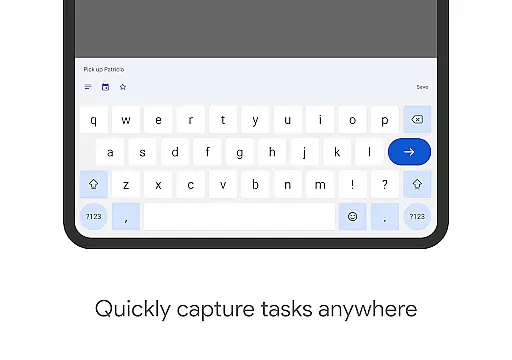
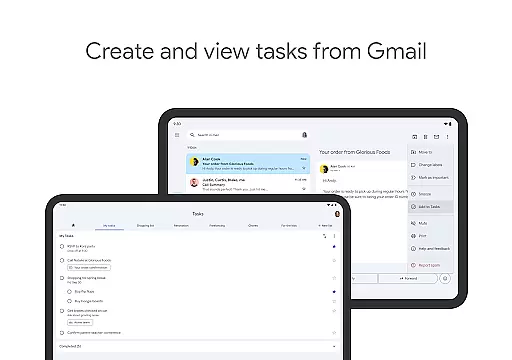
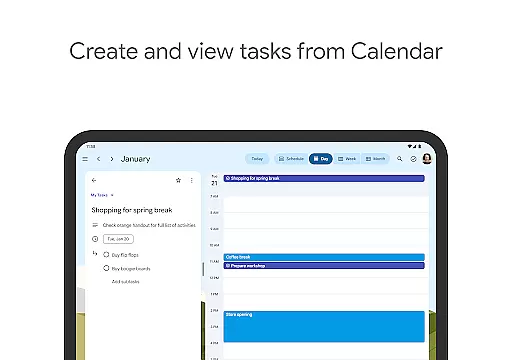
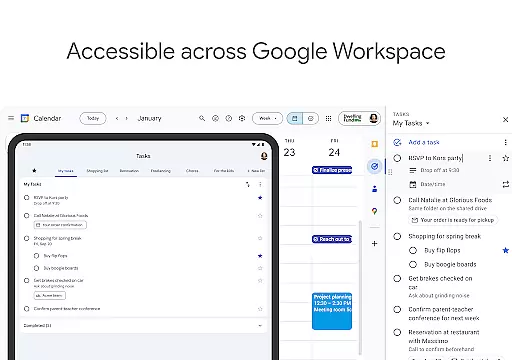
Google Tasks is a productivity app designed to help users manage their daily tasks efficiently. The app allows you to capture, organize, and track your to-dos from any device, ensuring that nothing falls through the cracks. With seamless integration across Gmail and Google Workspace, it enables users to convert emails into actionable tasks with just a few taps.
One of the standout features of Google Tasks is its simplicity and synchronization capabilities. Whether you're at home, in the office, or on the go, your task lists are always up-to-date across all devices. This ensures maximum productivity without the hassle of manual updates. Additionally, the ability to set reminders and due dates helps users stay on top of deadlines, making it an essential tool for both personal and professional use.
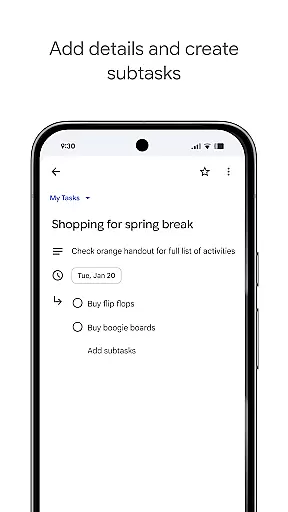
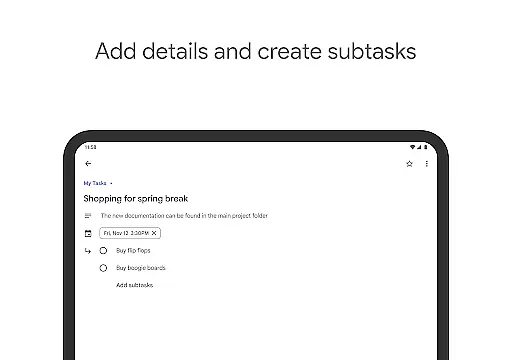
Google Tasks offers a variety of features that cater to different productivity needs. Users can create multiple task lists to categorize their to-dos based on projects, priorities, or contexts. Each task can be customized with due dates, subtasks, and priority markers, allowing for granular control over how tasks are managed.
The drag-and-drop functionality makes it easy to reorder tasks, while starred items highlight the most critical to-dos. Integration with Gmail is another key feature, enabling users to turn emails into tasks without leaving their inbox. This functionality streamlines workflows by reducing the need to switch between apps. Furthermore, real-time syncing ensures that all changes are immediately reflected across devices, providing a seamless user experience.
Task management is a critical feature for productivity apps, and Google Tasks excels in this area. The app allows users to view, create, edit, and manage tasks on the go, ensuring that nothing falls through the cracks. With intuitive drag-and-drop functionality, users can easily reorder tasks based on priority or urgency.
One standout aspect of Google Tasks is its ability to help users stay organized by creating task lists for different topics or priorities. This feature enables users to categorize their tasks effectively, making it easier to focus on what matters most at any given time. Additionally, users can mark their most important tasks with a star, providing quick visual cues about high-priority items.
For complex projects, Google Tasks offers subtasks, allowing users to break down larger tasks into manageable components. This feature not only helps in tracking multi-step tasks but also provides a clear roadmap for completion. Overall, these capabilities ensure that users can manage their workload efficiently and effectively.
In today's fast-paced world, having reliable cross-device synchronization is essential for maintaining productivity. Google Tasks ensures that your to-dos sync seamlessly across all your devices, whether you're using a smartphone, tablet, or computer. This means you can start a task on one device and continue working on it from another without missing a beat.
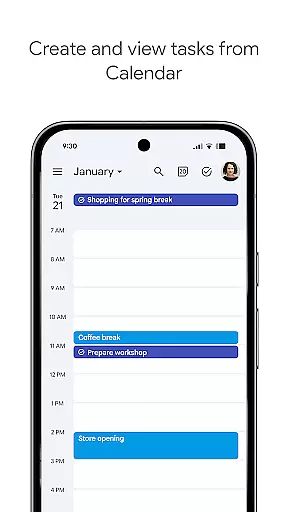
The integration with Gmail and Google Calendar further enhances this experience by allowing users to create tasks directly from emails. Each task created this way includes a convenient link back to the original message, providing easy reference and context. These integrations help streamline workflows and ensure that important information is always at your fingertips.
Moreover, real-time updates mean that changes made on one device are immediately reflected on all others. This level of synchronization reliability ensures that users never have to worry about outdated information or conflicting versions of their task lists. With Google Tasks, staying organized and up-to-date has never been easier.
User-friendly interface
Seamless cross-device sync
Quick task creation
Gmail integration
Free to use
Limited advanced features
No team collaboration
Basic UI design
Few customization options
No offline notifications

Experience Reading - Night Mode for Documents
 4.40
4.40
All in One PDF Reader: Manage, Read and Edit your Documents
4.20
Multilingual translator for text, voice, and image translation!
4.90
Enjoy classic gameplay with customizable features and retro-style graphics.
4.30
The ultimate file manager for rooted devices. The original and still the best.
4.00
Access your phone's notifications, calls, apps, photos & texts on your PC
3.90
Secure your apps with lock screens, use custom themes and different features.
4.40
Use powerful, industry-leading AI tools to generate visual charts from any data
4.80
Lightweight PDF, Word, Excel reader.
4.60
QuickBooks Workforce lets teams view pay info and track time in one place.
4.70
The long-awaited modern gallery app for your Nextcloud server
4.70
CalenGoo is a very flexible and feature-rich calendar app
4.40
Access, manage and transfer files on Android, PC, Mac, NAS and cloud storages.
4.30 4.20
4.20
Todo reminder
4.10
Make apps & sites with natural language prompts
4.10
A Revolutionary All-in-One Artificial Intelligence Tools
3.80
Mega cloud explorer plugin for Solid Explorer
3.80
Ads Free App! Editor, Hide File, Copy, Move, Delete and Rename.. all facility av
1.70


User Reviews