
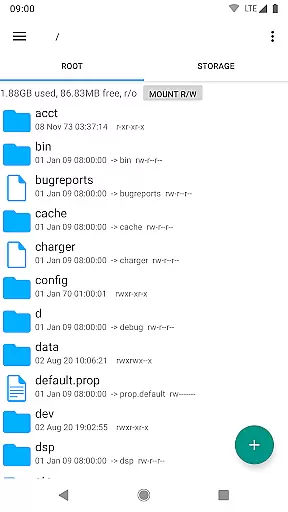
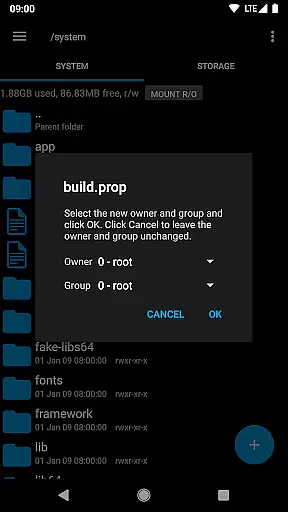
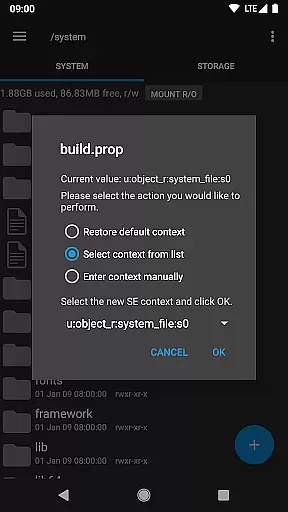
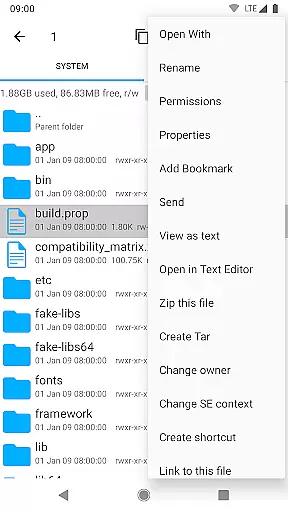
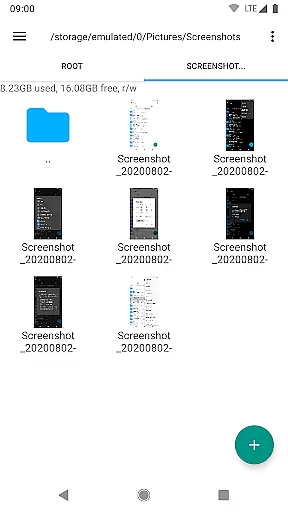
Root Explorer stands as a premier file management solution tailored for root users, granting unrestricted access to Android's entire file system, including the critical data folder. This powerful app enables advanced file operations and system-level modifications that are typically inaccessible through standard file managers.
The app is designed with productivity in mind, offering features such as multiple tabs, cloud storage integration (Google Drive, Box, Dropbox), network support (SMB), SQLite database viewer, and a built-in Text Editor. It also supports creating and extracting various archive formats, executing scripts, and changing file permissions. These capabilities make it an indispensable tool for power users who require granular control over their device's file system.
Whether you're a developer needing to modify system files or a tech-savvy user looking to optimize your device, Root Explorer provides the tools necessary to accomplish complex tasks efficiently. Its comprehensive feature set and reliable performance have earned it a reputation as the go-to solution for advanced file management on rooted Android devices.
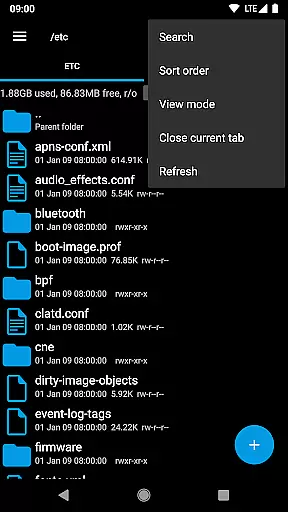
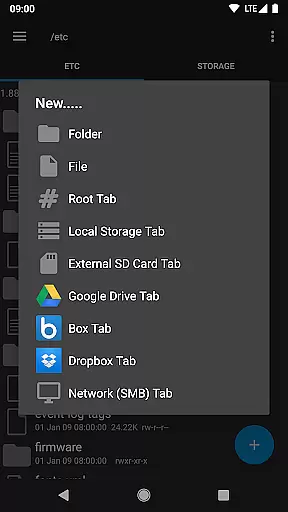
Root Explorer distinguishes itself through its extensive feature set that caters to both basic and advanced file management needs. The application supports multiple tabs, streamlining navigation across different directories and making multitasking more efficient. Integration with popular cloud services like Google Drive, Box, and Dropbox ensures seamless access to files stored in the cloud, while SMB support facilitates network-based file sharing.
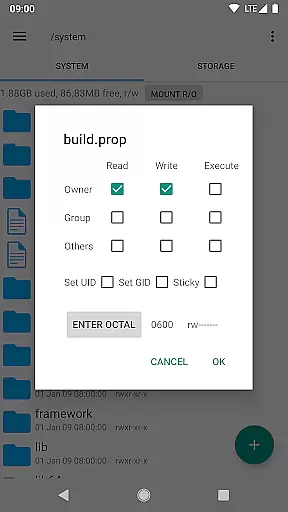
Among its standout features are the SQLite database viewer and Text Editor, which allow users to directly modify databases and text files within the app. The ability to create and extract ZIP, TAR/GZIP, and RAR archives adds versatility to file handling. Additionally, Root Explorer offers advanced functionalities such as script execution, permission modification, and symbolic link creation, empowering users to perform system-level changes with ease.
Each feature is meticulously implemented to enhance user experience without compromising security or stability. The app's intuitive interface makes these powerful tools accessible even to less experienced users, while its robust functionality satisfies the demands of seasoned professionals. With regular updates and responsive customer support, Root Explorer maintains its position as the leading choice for comprehensive file management on rooted Android devices.
Root Explorer excels in core task management by offering a comprehensive suite of tools for file handling. This includes multiple tabs for easy navigation, support for cloud services like Google Drive and Dropbox, and network (SMB) support.
The app allows users to perform complex tasks such as executing scripts, remounting drives, and managing permissions with ease. These features ensure that users can efficiently handle their file management needs without any hassle.
With the ability to create and extract zip or tar/gzip files, and even extract rar archives, Root Explorer provides versatile options for organizing and accessing data. The APK binary XML viewer and SQLite database viewer further enhance its utility for advanced users.
Overall, the app's robust task management capabilities make it an indispensable tool for root users seeking complete control over their Android file system.
Cross-device synchronization is a key feature of Root Explorer, ensuring reliable access to files across different platforms. With support for cloud services like Google Drive, Box, and Dropbox, users can seamlessly sync their data.
The app's network (SMB) support enables smooth file sharing and synchronization between devices on the same network. This ensures that users can access their files from anywhere, at any time, without worrying about data loss or inconsistencies.
Root Explorer also offers functionalities like sending files via email or Bluetooth, making cross-device file transfers quick and convenient. Image thumbnails provide visual previews, enhancing the user experience when browsing through media files.
By combining these features, Root Explorer delivers a reliable and efficient solution for managing files across multiple devices, catering to both casual and power users.
Unrestricted file access
Comprehensive feature set
Intuitive user interface
Reliable performance
Responsive customer support
Requires root access
Complex for beginners
Premium price point
Occasional compatibility issues
Limited appeal to non-root users

Secure, fast, open-source, VNC and SSH Remote Desktop for Windows, Linux and Mac
 4.70
4.70
The long-awaited modern gallery app for your Nextcloud server
4.70
Easily read and manage all your PDF files
4.10
Automates browsing any website and notifies you of important changes or events
4.30
The Pro Version of Android's tiniest Notepad app. Just 0.3MB but feature-packed!
4.60
aCalendar+ makes your day, week and month
4.70
Font maker keyboard with your own handwriting
4.10
Functional QR scanner and barcode reader that requires little storage space.
4.60
Share files & memories safely. Keep your photos and videos secure.
4.40
Scientific calculator for Android - looks and operates like the real thing!
4.90
Quickly and easily keep track of your work shifts
4.70
Subscribe to Webcal & .ics calendars and keep them up-to-date!
4.50
Experience Reading - Night Mode for Documents
4.40
Access, manage and transfer files on Android, PC, Mac, NAS and cloud storages.
4.30
Todo reminder
4.10
Experience and share your SolidWorks designs on your Android® phone and tablet.
2.50
Easiest event planning, volunteer signups & parent teacher conference scheduling
2.20
Ads Free App! Editor, Hide File, Copy, Move, Delete and Rename.. all facility av
1.70
A comprehensive suite of tools designed specifically for Lactation Consultants
4.1


User Reviews