


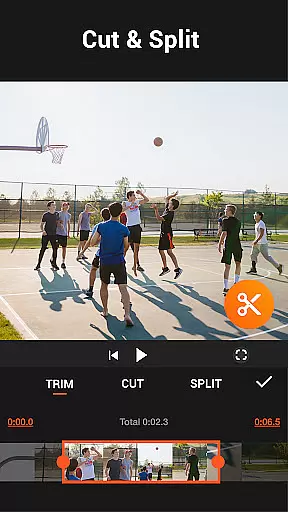
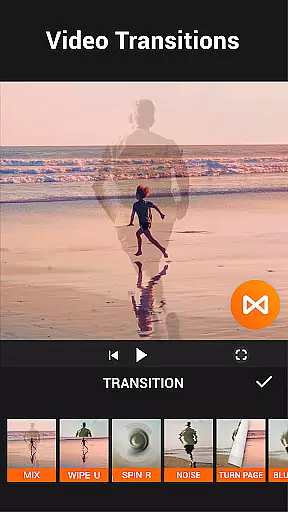


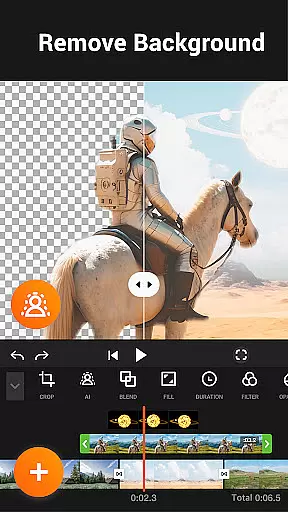

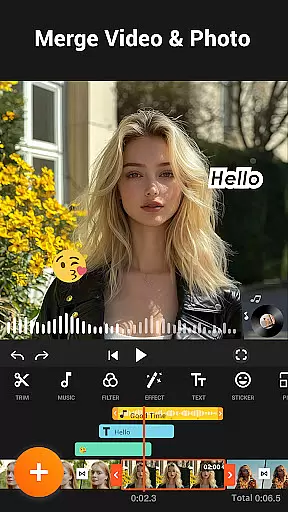
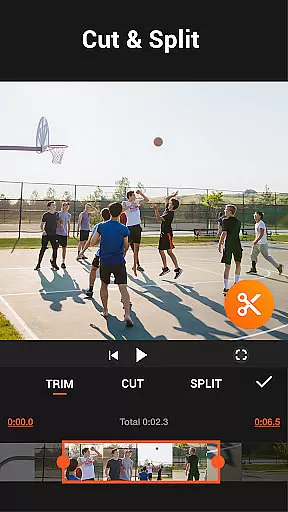
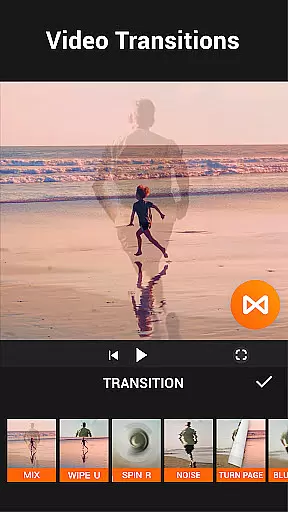


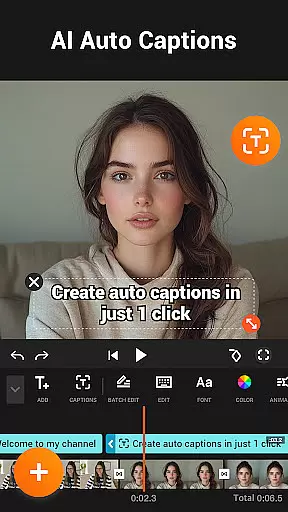
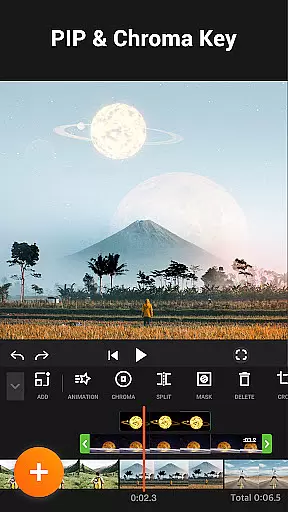

YouCut is a versatile video editing app designed for both casual users and content creators. It offers professional-grade tools including AI-powered features like auto captions and background removal. The app allows seamless video merging, cutting, trimming, and speed adjustments without compromising quality.
With its intuitive interface, YouCut makes it easy to create engaging photo slideshows, add music tracks, and apply stunning visual effects. Whether you're editing videos for YouTube or social media, the app's no-watermark policy and ad-free workspace ensure a smooth creative process.
The app is particularly beneficial for users who need quick yet high-quality edits. Its powerful compression technology reduces file sizes significantly while maintaining HD resolution, making it perfect for sharing across various platforms.
YouCut stands out with its comprehensive feature set tailored for modern video editing needs. The app includes AI Video Boost tools that automate complex tasks such as speech-to-text captioning and instant background removal, streamlining the editing process.
Users can take advantage of multi-layer timeline editing, chroma key effects, and precise speed controls ranging from 0.2× to 100×. These capabilities enable creators to produce cinematic-quality videos with custom transitions and filters.
Additional functionalities include aspect ratio adjustment, color correction tools, and a robust video compressor that supports resolutions up to 4K. These features collectively empower users to optimize their videos for different platforms while retaining professional-grade quality.
Video format compatibility is a crucial feature for any video editing application, ensuring that users can work with a wide range of video files without conversion hassles. YouCut excels in this area by supporting multiple formats, allowing creators to import and export videos in their desired resolutions and codecs.
The app supports high-definition video editing, including 4K resolution, which is essential for professional-quality output. This flexibility ensures that whether you're creating content for YouTube, Instagram, or other platforms, the final product maintains its quality across devices.
YouCut also provides tools for compressing video size while retaining visual fidelity, making it easier to share files on social media or via messaging apps without excessive data usage. The compression feature is particularly useful for users who need to balance quality with file size.
By offering broad format support and advanced compression options, YouCut empowers users to focus on their creative process rather than technical limitations, enhancing both productivity and satisfaction.
AI-powered editing features are revolutionizing the way users interact with video editing software, providing intelligent tools that simplify complex tasks. YouCut incorporates several AI-driven functionalities, such as auto captions, background removal, and video enhancement, which significantly reduce the time and effort required for professional-grade edits.
The auto captions feature uses speech-to-text technology to generate accurate subtitles for talking videos, making content more accessible and engaging for diverse audiences. This tool is invaluable for creators who produce tutorials, vlogs, or educational content where clarity is paramount.
Another standout AI capability is the background removal tool, which allows users to erase video backgrounds instantly. This feature is ideal for creating green screen effects or isolating subjects for dynamic compositions. Additionally, the video enhancement option improves overall quality with just one tap, ensuring that every frame looks polished and vibrant.
These AI-powered tools not only streamline the editing process but also democratize content creation by enabling even novice editors to achieve impressive results. With YouCut's innovative approach, users can elevate their storytelling without needing extensive technical expertise.
User-friendly interface
AI-powered editing tools
No watermark on exports
High-quality compression
Ad-free experience
Limited advanced features
Fewer tutorials
Occasional bugs
Basic audio tools
Heavy on storage

Auto video maker with music & exclusive filters. Video editing made simple.
 4.50
4.50
Your media, on your terms.
4.10
Cast Videos from Web Browser, IPTV to Roku, Chromecast, DLNA, Smart TV +more
4.60
Cast to Chromecast, Xbox, Fire Stick, Roku, DLNA, Smart TV & No Feature Limited!
4.50
AirMirror is Receiver for Screen Mirroring and Casting from Apple Devices.
3.60
Turn your phone into a wireless camera!
4.20
The essential companion to your Blue Iris PC software
2.50
Make videos you’re proud to share with Edits, a video editor for creators.
4.70
Capture the moment and Cut
3.40
Fast & easy HD video downloader for all formats, support 4K playback & download.
4.60
Browser + Remote for Roku to stream webvideos, online movies and livestreams
4.60
KineMaster, Your Ultimate Video Editor!
4.40
This app was created to edit the metadata of music files.
4.20
Browser for Samsung TV to stream webvideos, online movies and livestreams in HD
4.10
All format media Player, no need video converter any more!
4.00
Explore the largest library of free GIFs, Stickers & Memes - or create your own!
3.90
Save photos and videos from social apps in one tap.
3.60
Mix with Virtual DJ directly from your phone or tablet !
3.10
Play and download HD videos from all sources — fast, simple, and all-in-one.
4.5


User Reviews