
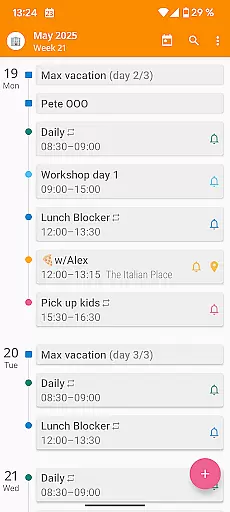

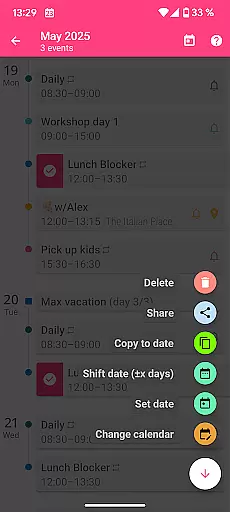
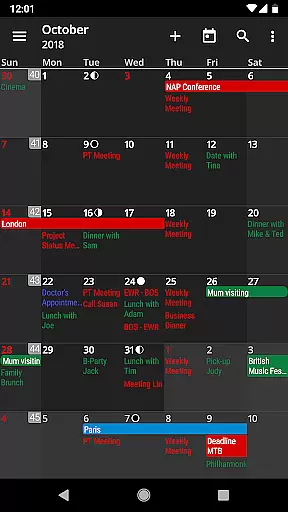
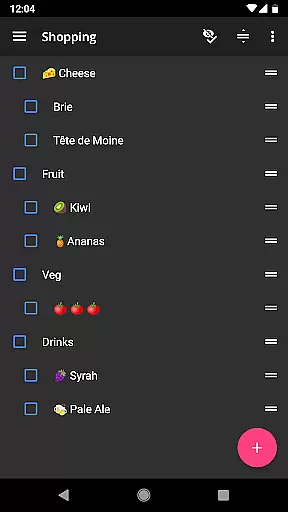
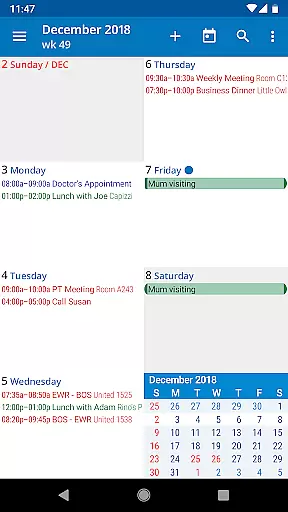
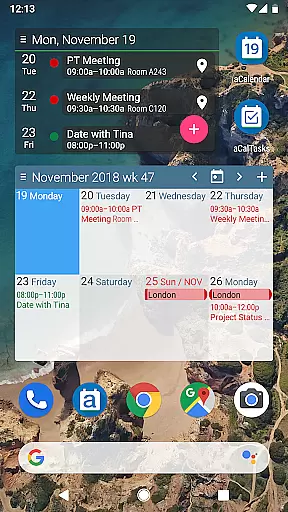
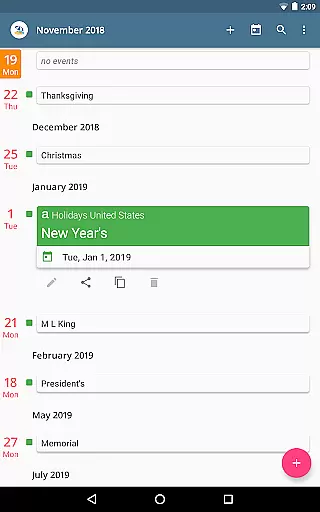
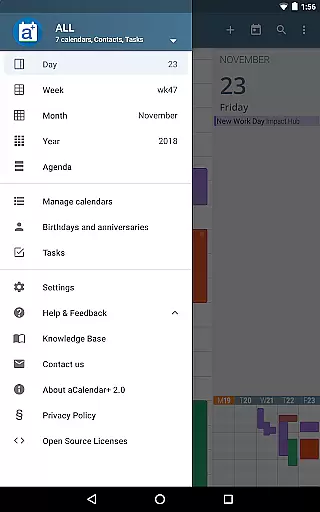
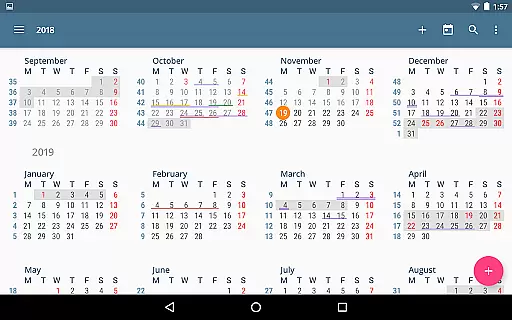
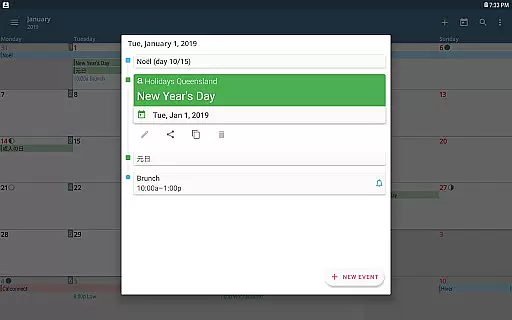
aCalendar+ is a premium productivity app that enhances your daily, weekly, and monthly planning with its comprehensive calendar and task management features. Designed for efficiency, the app offers intuitive navigation with smooth transitions between day, week, month, and year views.
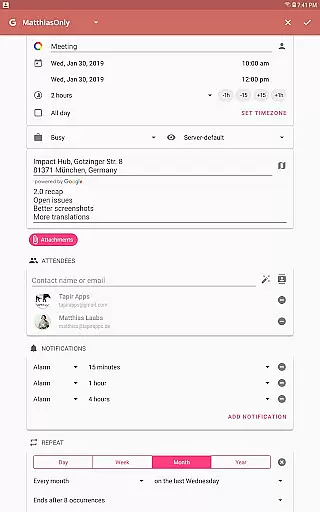
One of the standout features of aCalendar+ is its ability to manage public holidays and school holidays, along with advanced business functionalities such as inviting attendees and sharing events as ICS files. The app also supports Google Tasks and CalDAV/OpenTasks, making it versatile for both personal and professional use.
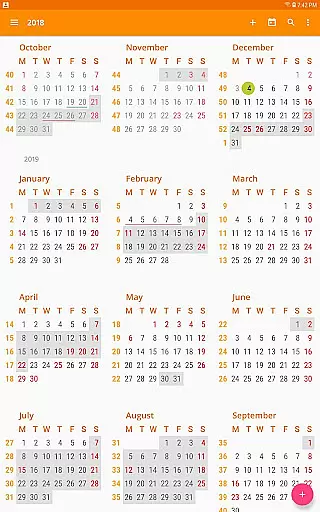
With over 100 color options, customizable event font sizes, and fullscreen widgets, aCalendar+ allows users to tailor their experience to fit their unique preferences. By using Android's native calendar backend and synchronization, it ensures seamless integration and reliability. This makes it an ideal tool for those seeking an efficient and visually appealing way to organize their schedules.
aCalendar+ stands out with its rich feature set tailored for productivity enthusiasts. The app provides extra functionalities like configurable public holidays, additional color themes, and business-oriented features such as attendee invitations and private profiles. These features ensure that users can customize their calendars to suit both personal and professional needs.
The app excels in task management by integrating Google Tasks and supporting tasks from CalDAV/OpenTasks. Users can enjoy flexible recurrence options for events, per-event colors, and custom event font sizes. Additionally, the app displays birthdays and anniversaries with photos from the address book, enhancing personalization.
Usability is further enhanced through intuitive gestures such as vertical swiping to navigate the calendar, horizontal swiping to switch views, and long-press actions to add or drag events. With support for more than 30 languages and a commitment to privacy, aCalendar+ delivers a robust, user-friendly experience that respects user data while providing extensive customization options.
Task management is a cornerstone of productivity applications, and aCalendar+ excels in this area by offering users comprehensive tools to manage their schedules effectively. The app provides multiple views including day, week, month, and year, allowing for detailed planning and organization.
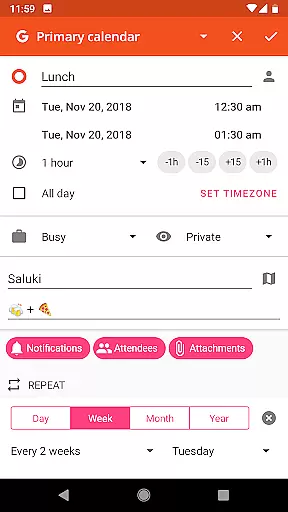
aCalendar+ goes beyond basic scheduling by integrating advanced features such as flexible recurrence options for events. Users can set recurring events with unique patterns like every 3 weeks or every Mon, Wed, and Fri, ensuring that even the most complex schedules can be accommodated.
In addition to managing events, aCalendar+ also supports task management through Google Tasks or tasks from CalDAV/OpenTasks. This allows users to keep track of their to-do lists alongside their calendar events, providing a unified view of their responsibilities and appointments.
The intuitive navigation and smooth transitions between different views make it easy for users to maintain an overview of their commitments while also being able to drill down into specific details when needed. With over 100 colors to choose from for calendar and event coloring, users can visually organize their tasks and meetings according to priority or category.
Cross-device synchronization is vital for users who need access to their calendars and tasks across multiple devices. aCalendar+ leverages Android's native calendar backend and synchronization capabilities to ensure that all user data is consistently updated and accessible wherever they are.
The app supports real-time updates, meaning any changes made on one device will be immediately reflected on all others. Whether you're adding a new event, modifying an existing one, or checking off completed tasks, you can trust that your information will be synchronized without delay.
Furthermore, aCalendar+ offers fullscreen widgets which enhance accessibility and convenience. These widgets provide at-a-glance information and quick access to frequently used functions, making it easier for users to stay on top of their schedules regardless of the device they are using.
With its focus on privacy and security, aCalendar+ ensures that your data remains protected during synchronization. The app respects user privacy and does not send private data anywhere unless explicitly configured by the user, giving peace of mind while enjoying seamless cross-device functionality.
User-friendly interface
Extensive customization
Advanced task management
Seamless synchronization
Privacy-focused design
Premium version costly
Feature overload for some
Limited free version
Occasional sync issues
Complex for beginners

QuickBooks Workforce lets teams view pay info and track time in one place.
 4.70
4.70
All in one sketching tool. Technical and General drawing. Online Maps support.
3.70
A simple, portable logger for POTA, SOTA, Field Day, and more
4.5
Absolutely the best CNC machinist speed and feed calculator around. fswizard.com
4.60
ID.me Authenticator is a simple and free Two Factor Authentication solution
3.50
Simple notepad & memo. Take notes, to-do list, shopping list with reminders.
4.80
Okta MFA
4.70
AI Chatbot and AI writing assistant powered by ChatGPT.
4.60
QuickEdit is a fast, stable and full featured text and code editor.
4.20
Native client for Forgejo and Gitea
5.00
Scientific calculator for Android - looks and operates like the real thing!
4.90
The Pro Version of Android's tiniest Notepad app. Just 0.3MB but feature-packed!
4.60
The AI assistant that thinks with you - write, code, and solve complex tasks
4.60
To do list widget with a notebook organizer, checklist, simple shopping list
4.60
Send files, sync SMS, notifications & clipboard across devices via local network
4.40
A Pixel Art watchface inspired by other iconic 90s designs for Wear OS devices!
4.40
Create and edit presentations with Google Slides, part of Google Workspace.
4.00
Take control of your clipboard with Clipper!
3.90
Create study competitions, track your hours, and stay consistent with friends
4.1


User Reviews