
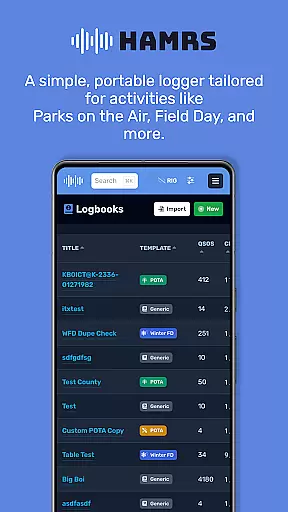
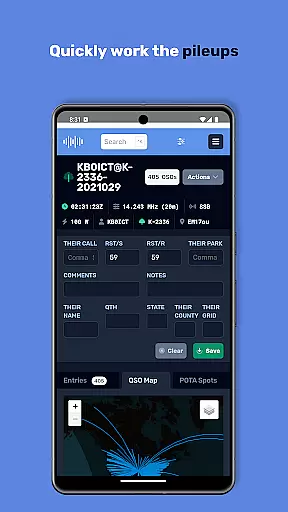
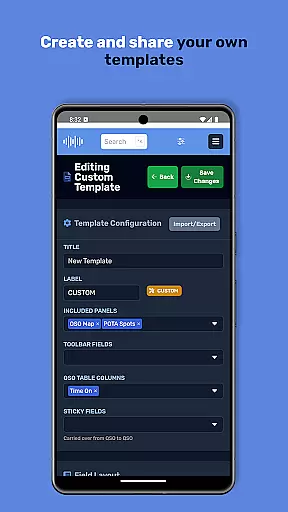
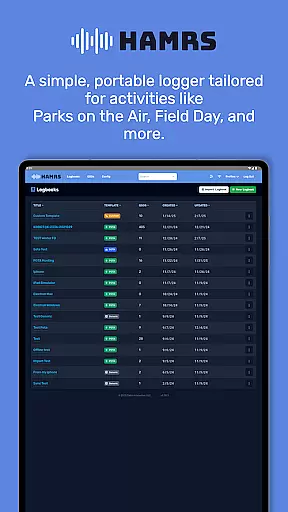
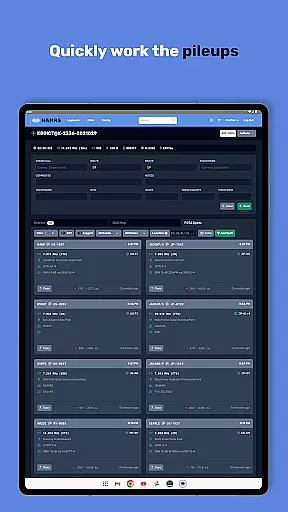
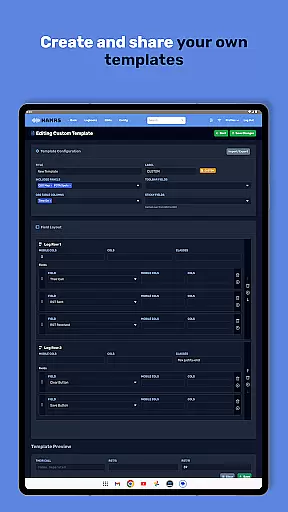
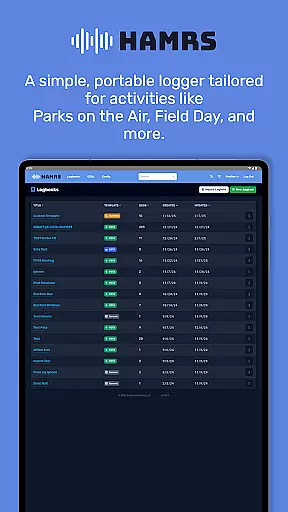
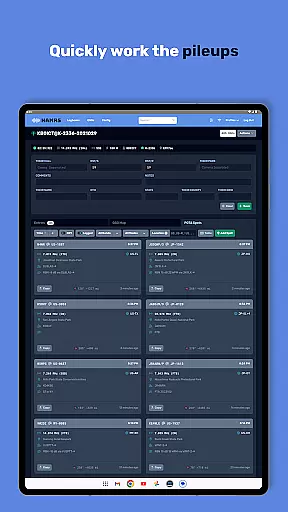
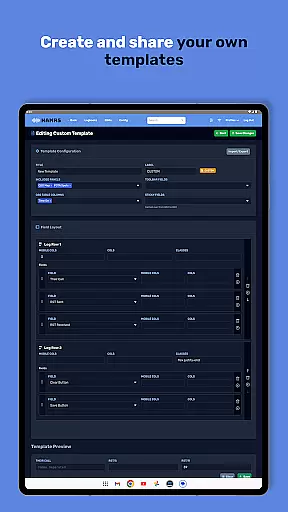
HAMRS Pro is a powerful productivity tool designed specifically for amateur radio enthusiasts. This completely re-written application offers a streamlined logging experience with specialized templates for portable activities such as Parks on the Air and Field Day.
The app's intuitive interface allows users to quickly tab through fields during contact logging, view operator QTH information when connected to the internet, and effortlessly export ADI files. The direct upload feature to QRZ makes managing your amateur radio activities more efficient than ever.
Whether you're participating in field operations or managing your radio contacts from home, HAMRS Pro provides a comprehensive solution that saves time and enhances your amateur radio experience.
HAMRS Pro stands out with its specialized features tailored for amateur radio operators. The application has been completely rebuilt to provide a seamless user experience across various operating scenarios.
Key features include intelligent field navigation that enables quick data entry during contact sessions, real-time QTH information lookup using internet connectivity, and simplified ADI file export functionality. Additionally, the app offers direct QRZ uploading capabilities, eliminating extra steps in your workflow.
These features work together to create a productivity-enhancing tool that helps amateur radio operators focus more on their activities and less on administrative tasks.
Efficient task management is essential for amateur radio enthusiasts who need to log their activities seamlessly. HAMRS Pro offers a streamlined interface that allows users to navigate through fields quickly, making contact logging intuitive and fast.
The app supports tailored templates designed specifically for portable activities such as Parks on the Air and Field Day. This ensures that users can manage their tasks effectively without being bogged down by unnecessary complexities.
With an internet connection, operators can view QTH information, enhancing their ability to log contacts accurately. The ease of tabbing through fields and viewing critical data makes task management in HAMRS Pro both efficient and user-friendly.
Cross-device synchronization is crucial for users who operate across multiple devices. HAMRS Pro ensures reliable synchronization, allowing users to upload their logs directly to QRZ from within the app.
This feature provides a seamless experience when managing amateur radio logs, ensuring that all your data is up-to-date and accessible wherever you are. The ability to export ADI files easily further enhances synchronization reliability.
Whether you're at home or in the field, HAMRS Pro's synchronization capabilities ensure that your logging activities are always current and accurate, providing peace of mind and enhancing productivity.
User-friendly interface
Efficient data entry
Direct QRZ integration
Specialized activity templates
Reliable ADI export
Limited to amateur radio
Internet required for QTH
Premium features locked
Steep learning curve
Occasional sync issues

Create study competitions, track your hours, and stay consistent with friends
 4.5
4.5
Professional calendar app for Google Calendar, MS Outlook & Exchange
4.20
Direct Chat without saving contacts & Dual WA Account on Single Device
4.70
The upgraded version of Name Wheel with AI and the power to add your own wheels.
4.1
Device's storage information in a simple and clear graphical form (infographics)
4.10
Secure, open-source, SPICE and SSH Remote Desktop for QEMU KVM virtual machines
4.00
Great calculator for Android named one of USA TODAY's "25 Essential Apps".
4.90
Experience and share your SolidWorks designs on your Android® phone and tablet.
2.50
Browse and view your photos and videos from the phone with photo & video hide.
4.10
Native client for Forgejo and Gitea
5.00
Use powerful, industry-leading AI tools to generate visual charts from any data
4.80
Secure, fast, open-source, Remote Desktop Client for Windows and Linux with SSH
4.60
A lightweight JSON & XML files creator, editor and viewer (Premium Version)
4.40
A customizable calendar for your Wear OS watch
4.20
All in One PDF Reader: Manage, Read and Edit your Documents
4.20
Make apps & sites with natural language prompts
4.10
Font maker keyboard with your own handwriting
4.10
⏰ Finally a timer app which can run multiple timers simultaneously on your watch
3.90
ID.me Authenticator is a simple and free Two Factor Authentication solution
3.50


User Reviews