
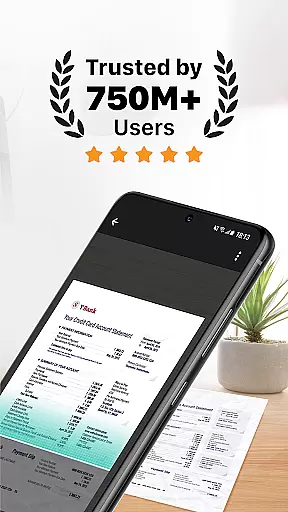
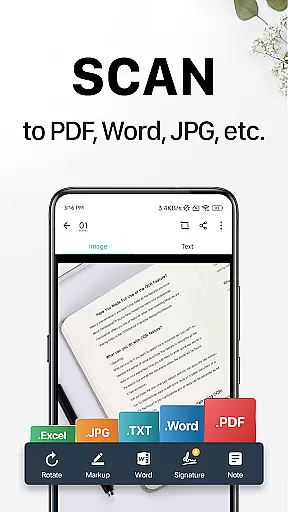
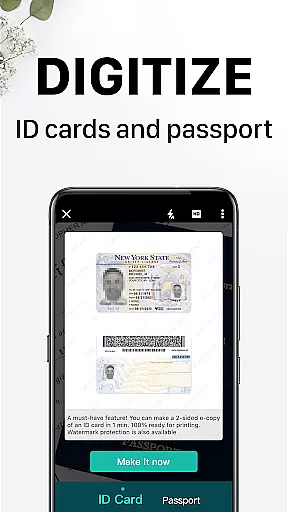
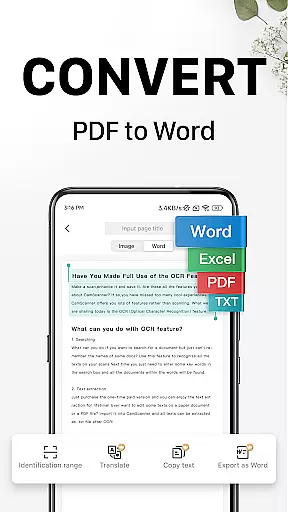
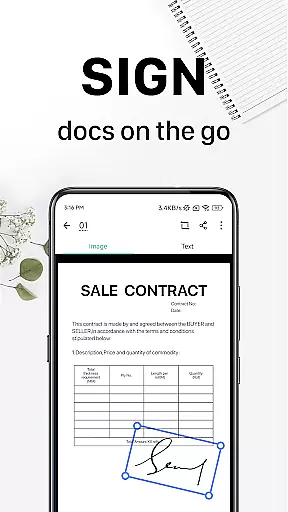
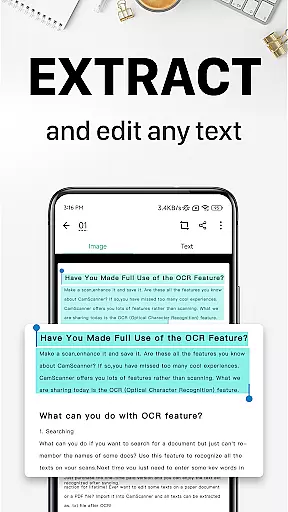
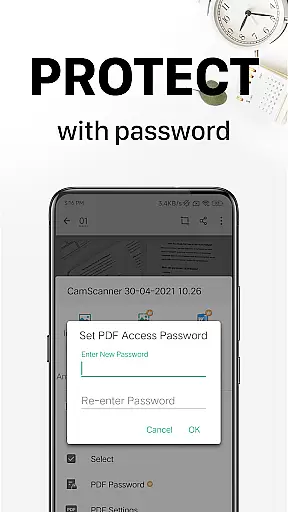
CamScanner is a versatile productivity app that transforms your mobile device into a portable scanner. With advanced OCR technology, it allows users to scan, save, and share documents in various formats including PDF, JPG, Word, and TXT. The app optimizes scan quality through smart cropping and auto-enhancement features, ensuring clear and sharp outputs.
Beyond basic scanning, CamScanner offers text extraction capabilities, wireless printing, remote fax services, and advanced document editing tools. Users can annotate documents, add watermarks, and secure important files with password protection. The app also supports cross-platform syncing, allowing seamless access across multiple devices.
Ideal for professionals and students alike, CamScanner helps streamline document management and boosts productivity. Whether you need to digitize receipts, notes, or business cards, this app provides a comprehensive solution for all your scanning needs.
CamScanner stands out with its comprehensive feature set designed to enhance productivity. The app's quick document digitization allows users to scan various types of paper documents using their mobile camera. Its intelligent cropping and auto-enhancement ensure premium scan quality with optimal colors and resolutions.
The OCR functionality enables users to extract text from images or PDFs for easy searching, editing, and sharing. Documents can be shared in multiple formats through various channels, including social media and email. Additionally, the app supports wireless printing and remote faxing to over 30 countries, eliminating the need for physical printers or fax machines.
Advanced editing tools allow users to annotate documents and add customized watermarks. The quick search feature uses tags and OCR content recognition to help users find specific documents effortlessly. With security features like password protection and cross-platform syncing, CamScanner ensures both convenience and data safety for its users.
CamScanner excels in core task management by offering a comprehensive suite of productivity tools. The app allows users to digitize documents quickly using their mobile device's camera, transforming physical paperwork into digital formats such as PDF, JPG, Word, or TXT files.
One standout feature is the advanced document editing capability, which includes annotation tools and the option to add customized watermarks. This ensures that users can modify and personalize their documents with ease, enhancing both functionality and security.
The quick search functionality further streamlines task management. By tagging documents and utilizing OCR technology to recognize text within images, CamScanner makes retrieving specific files effortless. This saves users valuable time and boosts overall efficiency.
Additionally, the ability to sync across platforms means users can access their documents from any device, ensuring seamless productivity whether at home, in the office, or on the go. This cross-platform synchronization is crucial for maintaining workflow continuity.
Cross-device synchronization is a pivotal feature of CamScanner, ensuring reliable access to documents regardless of the device being used. Users who sign up for an account can sync their scanned documents across smartphones, tablets, and computers, accessing them via the CamScanner website or app.
This synchronization process is not only seamless but also secure. With options to protect confidential content through password settings, users can safeguard their documents while enjoying the convenience of cloud storage. This dual focus on accessibility and security highlights CamScanner's commitment to user-centric design.
Moreover, the app supports wireless printing and remote fax capabilities, extending its utility beyond simple document management. These features allow users to print documents instantly or send faxes to over 30 countries without needing additional applications or drivers.
By providing unlimited access memberships, CamScanner ensures that users can enjoy these robust synchronization features without limitations. Subscribers benefit from enhanced functionality, making it an indispensable tool for anyone seeking reliable and versatile document management solutions.
User-friendly interface
High-quality scans
Advanced OCR technology
Cross-platform syncing
Comprehensive editing tools
Premium features locked
Subscription required
Limited free trial
Ads in free version
Occasional bugs

QuickBooks Workforce lets teams view pay info and track time in one place.
 4.70
4.70
Mind Map and brainstorm, note taking and idea collection
4.80
Todo reminder
4.10
ID.me Authenticator is a simple and free Two Factor Authentication solution
3.50
Calendar 2023 widget for Android. Appointment scheduler, planner, and reminder
4.60
Docker, Kubernetes management over Portainer Mobile
4.40
A Pixel Art watchface inspired by other iconic 90s designs for Wear OS devices!
4.40
Browse and view your photos and videos from the phone with photo & video hide.
4.10
Put a lock on your cloud: Take the security of your data into your own hands
3.70
Great calculator for Android named one of USA TODAY's "25 Essential Apps".
4.90
Seamlessly integrate data and reports to build your presentation to impress
4.80
Direct Chat without saving contacts & Dual WA Account on Single Device
4.70
A beautiful digital clock with autostart and many other functions
4.70
Experience Reading - Night Mode for Documents
4.40
A lightweight JSON & XML files creator, editor and viewer (Premium Version)
4.40
Automates browsing any website and notifies you of important changes or events
4.30
Mega cloud explorer plugin for Solid Explorer
3.80
Create study competitions, track your hours, and stay consistent with friends
4.1
A comprehensive suite of tools designed specifically for Lactation Consultants
4.3


User Reviews