
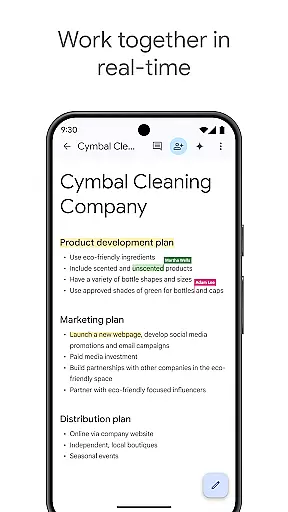
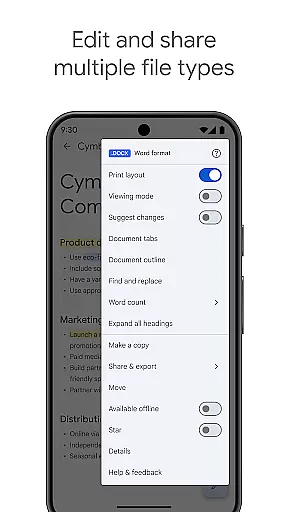
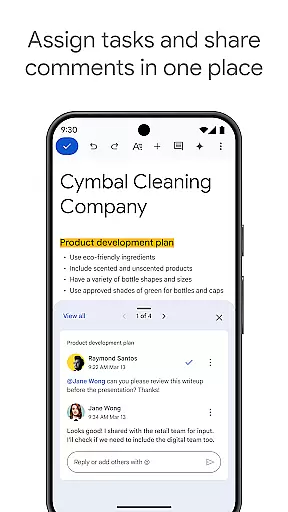
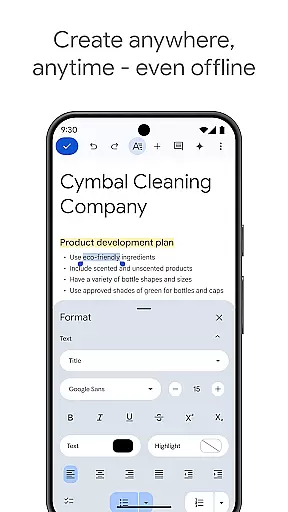
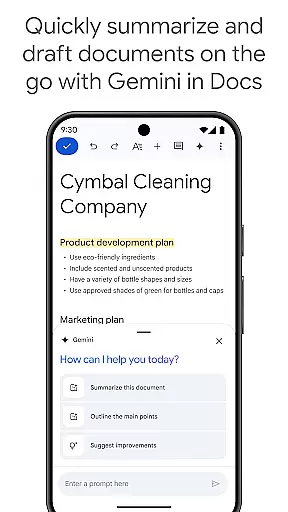
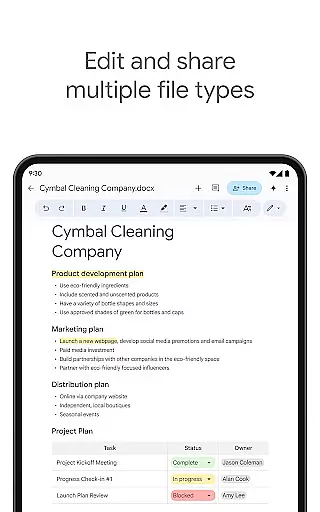
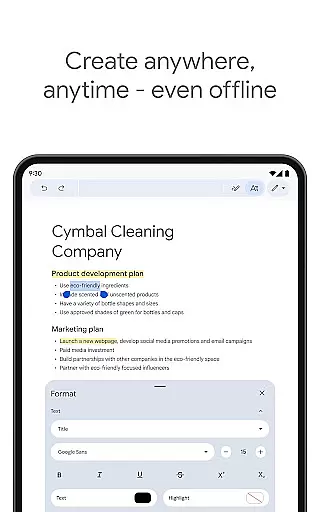
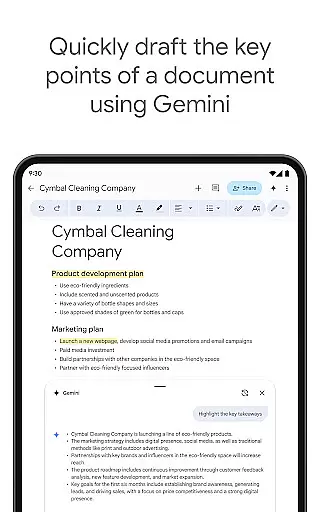
Google Docs is a versatile productivity app that allows users to create, edit, and collaborate on documents directly from their Android devices. The app supports real-time collaboration, enabling teams to work together seamlessly by sharing documents, editing content, leaving comments, and assigning action items without any delays. With its offline mode functionality, Google Docs ensures that users can capture ideas and complete tasks even without an internet connection. Additionally, the app provides easy-to-use templates that help save time and enhance document presentation. Google Docs also supports multiple file types, including Microsoft Word files, and offers seamless conversion and export options.
One of the standout features of Google Docs is its integration with Google Workspace, which unlocks additional premium features for paid subscribers. These include AI-powered writing suggestions through Gemini in Docs, the ability to draft various document types on the go, and unique image creation tools to customize documents. This makes Google Docs not just a document editor but a comprehensive productivity tool suitable for individuals and teams alike. Whether you're working on a quick note or a detailed report, Google Docs provides the flexibility and power needed to get the job done efficiently.
Google Docs stands out due to its robust feature set tailored for productivity enthusiasts. One of its core functionalities is real-time collaboration, where multiple users can simultaneously edit a document, leave comments, and assign tasks. This feature is particularly beneficial for remote teams who need to stay connected and maintain workflow efficiency. Another significant feature is the offline mode, which allows users to continue working on their documents even when they are not connected to the internet. Once online, all changes sync automatically, ensuring no work is lost.
The app also includes a variety of templates that cater to different needs, such as resumes, letters, and reports, helping users save time and effort in formatting. Furthermore, Google Docs supports a wide range of file types, including Microsoft Word files, making it easy to import, edit, and export documents without compatibility issues. For Google Workspace subscribers, additional features like AI-powered writing assistance and custom image creation provide an enhanced editing experience. These capabilities ensure that Google Docs remains a top choice for anyone looking to streamline their document management and collaboration processes.
Task management is a cornerstone of productivity applications, and Google Docs excels in this area by providing users with robust tools to handle documents efficiently. The app allows real-time collaboration, enabling multiple users to work on the same document simultaneously. This feature is crucial for teams spread across different locations, ensuring everyone stays on the same page.
Google Docs supports creating, editing, and sharing documents effortlessly. With functionalities like adding comments and action items directly within the document, it streamlines communication and task delegation among team members. These capabilities ensure that projects move forward smoothly without unnecessary delays caused by miscommunication or lack of updates.
Moreover, Google Docs offers offline mode, allowing users to continue working even without an internet connection. This flexibility ensures productivity isn't hampered by connectivity issues. Once back online, all changes sync automatically, maintaining document integrity and version control. Such features make Google Docs an indispensable tool for managing tasks effectively.
Cross-device synchronization is vital for users who switch between multiple devices throughout their day. Google Docs provides reliable synchronization across smartphones, tablets, and computers, ensuring that your documents are always up-to-date regardless of the device you use. This seamless integration enhances workflow continuity and boosts overall productivity.
The app's cloud-based infrastructure means that every change made to a document is instantly saved and synced across all linked devices. Whether you're drafting a report on your phone during a commute or finalizing it on your desktop at home, you can trust that your progress is preserved. This reliability eliminates the risk of losing important work due to device failure or forgotten manual saves.
Additionally, Google Docs supports various file formats, including Microsoft Word files, which broadens its usability. Users can open, edit, and convert these files without compatibility issues, further enhancing cross-device functionality. By offering consistent performance and dependable synchronization, Google Docs ensures that users can focus on their work rather than worrying about technical glitches.
User-friendly interface
Real-time collaboration
Offline mode available
Wide file compatibility
AI-powered suggestions
Limited advanced formatting
Requires Google account
Occasional sync issues
Basic template library
Internet required for full features

Take control of your clipboard with Clipper!
 3.90
3.90
Auto-shutoff Alarm with Sunrise, Sunset & Fixed Options.
3.50
Total remote control for your Android device, PC and cloud services (IFTTT)!
4.20
The upgraded version of Name Wheel with AI and the power to add your own wheels.
4.3
Fill, sign & send docs, forms, agreements & contracts via electronic signature.
4.50
PDF scanner & converter for files, photos, lottery, QR codes. One swipe away!
4.50
ID.me Authenticator is a simple and free Two Factor Authentication solution
3.50
The AI assistant that thinks with you - write, code, and solve complex tasks
4.60
AI Chatbot and AI writing assistant powered by ChatGPT.
4.60
Scan paperwork into PDF/JPG, generate your own e-signature and send fax or email
4.70
Secure, fast, open-source, Remote Desktop Client for Windows and Linux with SSH
4.60
Functional QR scanner and barcode reader that requires little storage space.
4.60
To do list widget with a notebook organizer, checklist, simple shopping list
4.60
Tally and goal counter for Wear OS & mobile
4.50
When you Focus, so will your Bean in this cozy focus timer
4.30
Access, manage and transfer files on Android, PC, Mac, NAS and cloud storages.
4.30
Todo reminder
4.10
Intelligent AI Assistant
4.10
Customizable calendar widget for seamless event sync, planning & scheduling.
4.00


User Reviews