
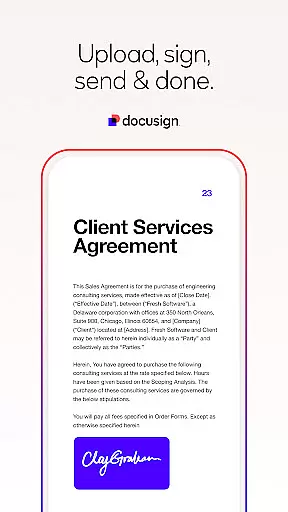
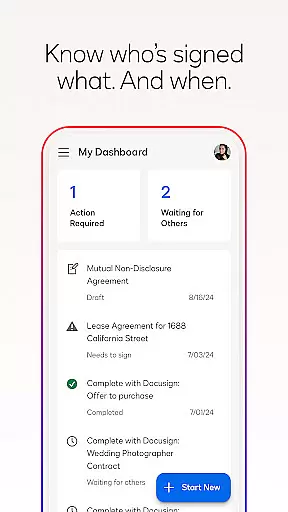

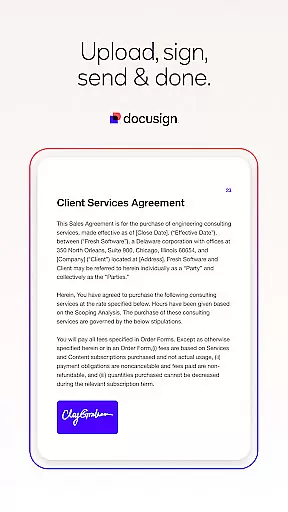

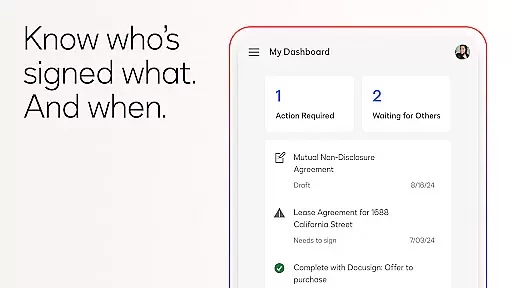
Docusign is the leading Intelligent Agreement Management platform that revolutionizes how businesses and individuals manage agreements. Its core functionality centers around secure eSignature capabilities, allowing users to sign documents from virtually anywhere, at any time, using almost any device. The app simplifies the entire agreement process by offering tools for creating digital signatures, uploading documents, and managing workflows.
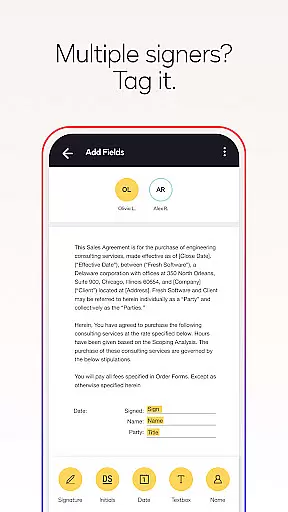
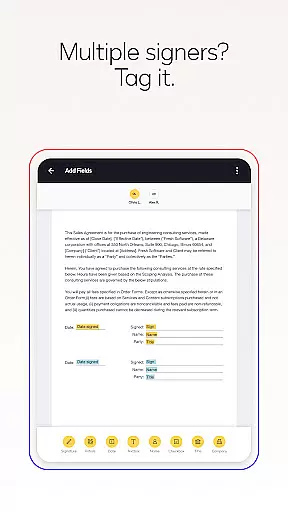
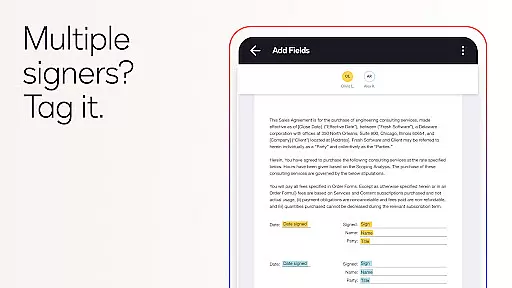
One of Docusign's standout features is its streamlined document management system. Users can import files, prepare them with specific signing tags, and set up workflows for multiple signers. This makes it ideal for businesses that need to send out contracts or agreements regularly. Whether you're handling NDAs, sales contracts, or lease agreements, Docusign provides a secure and legally binding solution that ensures compliance with global standards like the eSign Act.
Docusign offers a comprehensive suite of features designed to enhance productivity and simplify agreement processes. One of its key functionalities is the ability to create customized digital signatures directly on your device. This feature allows users to maintain their unique signature style while ensuring security and authenticity. Additionally, the app supports multiple document formats including PDFs, Word documents, Excel sheets, and images, making it versatile for various use cases.
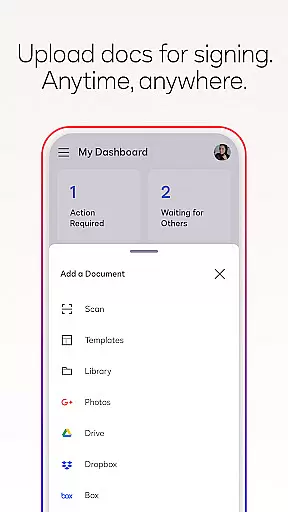
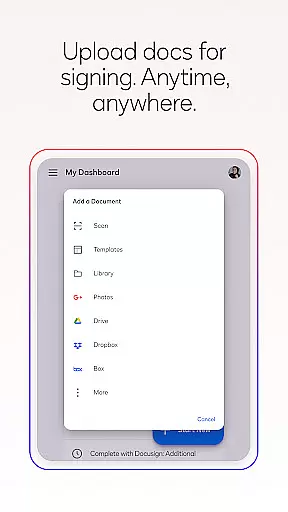
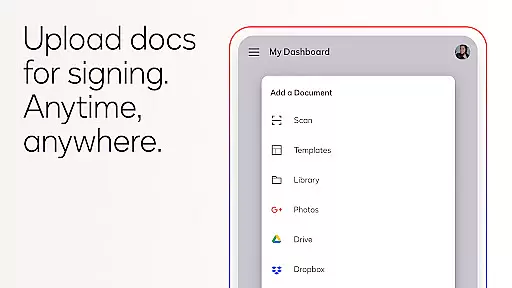
The app also excels in document management and workflow automation. Users can upload documents easily via email, cloud storage services like Google Drive and Dropbox, or even photo scanning. Once uploaded, documents can be prepared with 'Sign Here' tags that guide signers precisely where to sign or add information. Docusign further enhances user experience with real-time push notifications, reminding signers to complete documents and providing updates when agreements are signed. These features collectively ensure a seamless and efficient agreement process.
In the realm of productivity, core task management is pivotal for organizing and executing work efficiently. DocuSign revolutionizes this area by streamlining the agreement process through its eSignature capabilities.
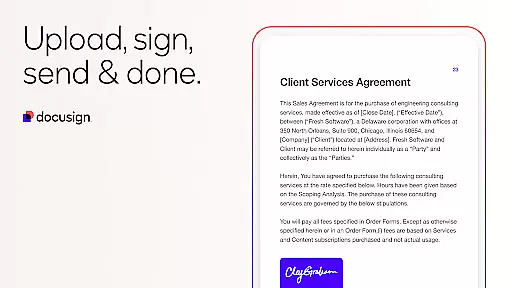
DocuSign's task management approach allows users to create customized digital signatures, upload documents from various sources, and manage agreements directly from their devices. This seamless integration ensures that tasks related to document signing are handled with utmost efficiency and ease.
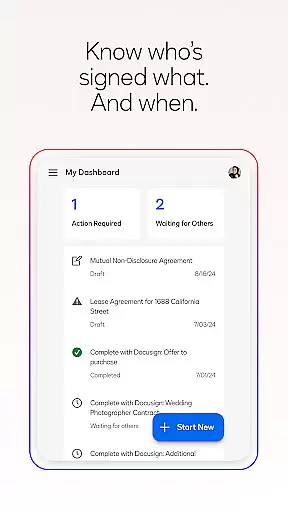
The application provides real-time push notifications when a document has been signed, ensuring that users can keep track of their tasks without delay. With the ability to remind signers or void documents with a single tap, DocuSign empowers users to maintain control over their agreement processes.
Ultimately, DocuSign's core task management features save time and reduce complexity, allowing individuals and businesses to focus on their primary objectives while ensuring all necessary agreements are executed promptly and securely.
Cross-device synchronization is essential for maintaining workflow continuity across different platforms and devices. DocuSign excels in this area by providing reliable synchronization that ensures users have access to their documents whenever and wherever needed.
With DocuSign, users can upload documents easily via email, Google Drive, DropBox, Box, Evernote, Salesforce, or photo scanning. This versatility in document sourcing ensures that no matter where a user is or what device they are using, they can continue their work without interruption.
The app supports both in-person and remote signing, adapting documents for mobile to fit the size and orientation of the signeru2019s device. This responsive signing functionality guarantees that every interaction with a document is smooth and intuitive, regardless of the device being used.
By offering unlimited free signing for all parties and trusted by millions worldwide, DocuSign ensures that cross-device synchronization does not just meet but exceeds expectations, providing a dependable solution for managing agreements across multiple devices.
Easy-to-use interface
Secure document handling
Wide format support
Real-time notifications
Legally compliant signatures
Limited free sending
Premium features costly
Subscription required
No offline mode
Complex setup for beginners

Secure, fast, open-source, VNC and SSH Remote Desktop for Windows, Linux and Mac
 4.70
4.70
Experience real multitasking on your Android!
4.00
A simple, portable logger for POTA, SOTA, Field Day, and more
4.3
Pwnagotchi companion app
4.20
All in One PDF Reader: Manage, Read and Edit your Documents
4.20
Activate Two Factor Authentication (2FA or Multi OTP), Password manager and more
4.10
The AI assistant that thinks with you - write, code, and solve complex tasks
4.60
Put a lock on your cloud: Take the security of your data into your own hands
3.70
QuickEdit is a fast, stable and full featured text and code editor.
4.20
Native client for Forgejo and Gitea
5.00
Direct Chat without saving contacts & Dual WA Account on Single Device
4.70
Calendar 2023 widget for Android. Appointment scheduler, planner, and reminder
4.60
PDF scanner & converter for files, photos, lottery, QR codes. One swipe away!
4.50
Translate text/voice/photos in 150+ languages. Offline & fast translator app.
4.50
Subscribe to Webcal & .ics calendars and keep them up-to-date!
4.50
Make apps & sites with natural language prompts
4.10
Customizable calendar widget for seamless event sync, planning & scheduling.
4.00
Secure, open-source, SPICE and SSH Remote Desktop for QEMU KVM virtual machines
4.00
⏰ Finally a timer app which can run multiple timers simultaneously on your watch
3.90


User Reviews