
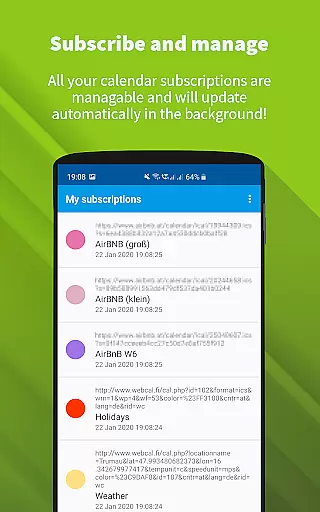
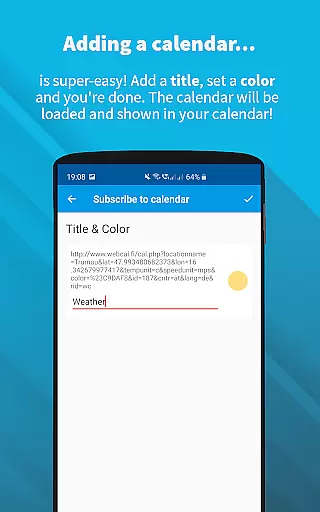
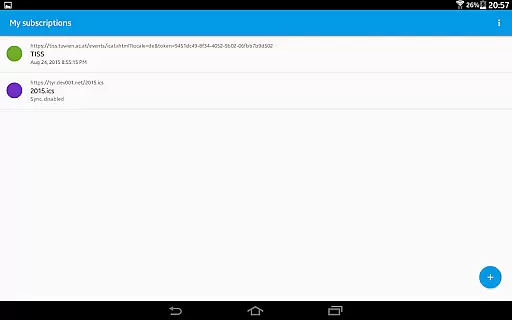
ICSx⁵ is a powerful productivity tool designed for managing external calendar files on Android devices. This app specializes in subscribing to and synchronizing Webcal iCalendar/.ics files, ensuring users have the most up-to-date calendar information at all times. With seamless integration into your device's native calendar app, ICSx⁵ allows you to effortlessly stay on top of important events.
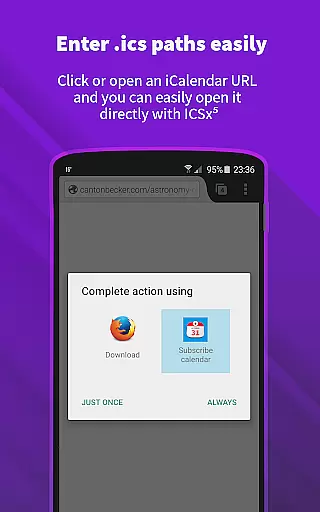
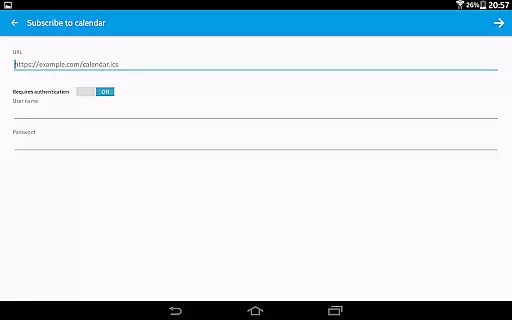
The app supports one-way synchronization, enabling users to subscribe to Webcal feeds like shared iCloud calendars, import .ics files from local storage, and even open webcal:// URLs directly from their browser. It also offers advanced features such as intelligent update checks to save bandwidth and support for authentication and HTTPS. Whether it’s high holidays, sports events, or academic schedules, ICSx⁵ ensures that all your calendar data is perfectly synced and displayed in your preferred calendar app.
Designed with privacy and security in mind, ICSx⁵ is completely open-source. No personal data is transferred to third-party servers, making it a reliable choice for users who prioritize transparency and control over their information. Its innovative technology and user-friendly interface make it an essential tool for anyone looking to streamline their calendar management.
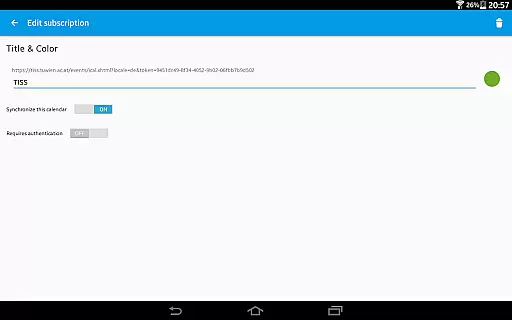
ICSx⁵ stands out with its robust feature set tailored for efficient calendar management. One of its key capabilities is the ability to subscribe to Webcal feeds, which automatically synchronizes shared calendars (such as those from iCloud) at regular intervals. This ensures that users always have access to the latest updates without manual intervention. Additionally, the app allows users to pick and import .ics files directly from their device’s local storage, expanding its versatility for various use cases.
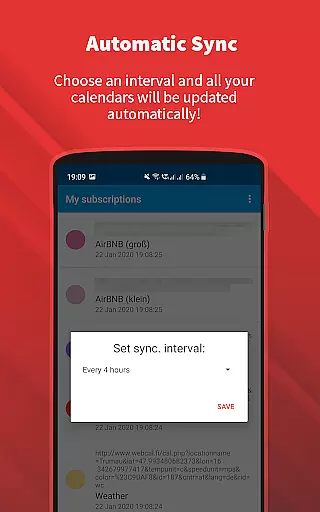
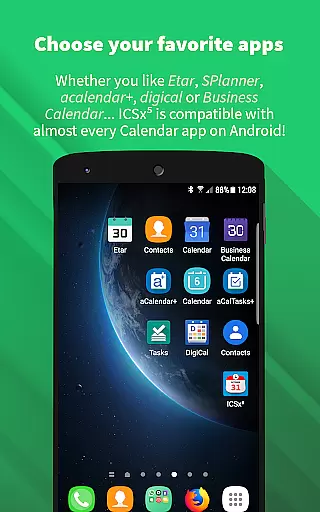
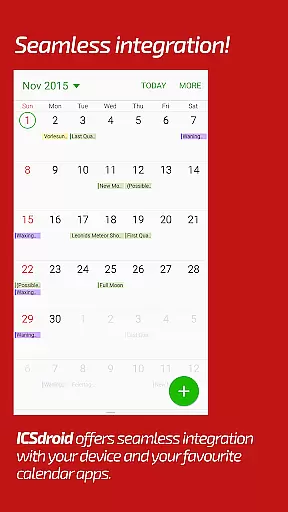
Another notable feature is its seamless integration with other calendar apps on Android. Once synchronized, all events are delivered flawlessly to the user’s chosen calendar app, maintaining a unified and clutter-free experience. The app also includes advanced functionalities such as setting custom sync schedules and employing intelligent update checks to minimize bandwidth usage. Support for authentication and HTTPS guarantees secure connections when accessing sensitive calendar data.
What truly sets ICSx⁵ apart is its commitment to privacy and transparency. Unlike many other productivity tools, it does not require a Google account or transfer any personal data to external servers. As an open-source project developed by the creators of DAVx⁵, ICSx⁵ reflects a high standard of security and reliability. These features collectively make it an indispensable tool for users seeking efficient, secure, and customizable calendar management.
Effective task management is essential for productivity applications, serving as the backbone for organizing and executing tasks efficiently. ICSxu2075 excels in this domain by allowing users to subscribe to Webcal feeds and manage iCalendar/.ics files seamlessly. This means you can effortlessly add holidays, sports events, or academic schedules to your calendar, ensuring that all important dates are captured and visible in your preferred calendar app on Android.
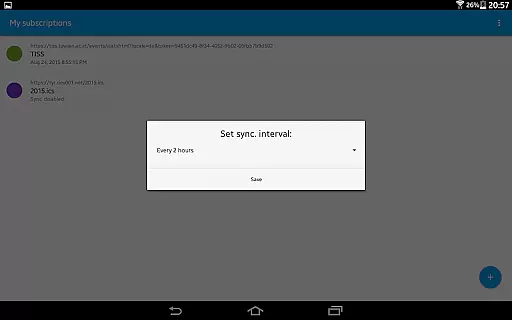
The app employs cutting-edge synchronization technology, ensuring that your calendar data is always up-to-date. By setting a sync schedule, users can control how often the app checks for updates, thus maintaining an accurate and current view of their tasks and events. The intelligent update checker not only keeps your calendar updated but also conserves bandwidth, making it efficient for both the user and the network.
Authentication and HTTPS support further enhance the security of your calendar data, providing peace of mind while managing potentially sensitive information. With these features, ICSxu2075 ensures that your calendar entries are not just managed effectively but also kept secure from unauthorized access.
Cross-device synchronization is crucial for users who rely on multiple devices to manage their schedules and tasks. ICSxu2075 addresses this need by offering reliable synchronization capabilities that ensure your calendar data is consistent across all your devices. Whether you're using a smartphone, tablet, or any other Android device, the app guarantees that your subscribed calendars and imported .ics files are perfectly synced.
One of the standout features of ICSxu2075 is its ability to integrate seamlessly with other calendar apps, enhancing its versatility and convenience. This compatibility ensures that regardless of the calendar app you prefer, ICSxu2075 will fit right into your existing setup without any hiccups. Furthermore, the app supports opening webcal:// and webcals:// URLs directly from your Android web browser, streamlining the process of adding new calendar subscriptions.
Privacy and security are at the forefront of ICSxu2075's design philosophy. As an open-source application, it prioritizes user privacy by ensuring that no data is transferred to external servers except the chosen synchronization server. This approach not only protects your personal information but also eliminates the need for a Google Calendar or account, offering a more private and secure way to manage your calendar data across devices.
User-friendly interface
Seamless calendar integration
Open-source and secure
Bandwidth-efficient updates
Supports HTTPS and authentication
No two-way sync capability
Limited to Android platform
Requires manual setup
No built-in calendar view
Advanced features may overwhelm beginners

Easily read and manage all your PDF files
 4.10
4.10
Secure, fast, open-source, Remote Desktop Client for Windows and Linux with SSH
4.60
App Lock with fingerprint, password: Lock apps & hide photos with lock screens
4.60
Cloud storage, automatic phone backup, and more.
4.10
Tally and goal counter for Wear OS & mobile
4.50
Great calculator for Android named one of USA TODAY's "25 Essential Apps".
4.90
A Pixel Art watchface inspired by other iconic 90s designs for Wear OS devices!
4.40
Scientific calculator for Android - looks and operates like the real thing!
4.90
AT&T Internet customers can use this app to personalize their Wi-Fi network.
4.40
Seamlessly integrate data and reports to build your presentation to impress
4.80
The Pro Version of Android's tiniest Notepad app. Just 0.3MB but feature-packed!
4.60
Send files, sync SMS, notifications & clipboard across devices via local network
4.40
Secure your apps with lock screens, use custom themes and different features.
4.40
Professional calendar app for Google Calendar, MS Outlook & Exchange
4.20
Find and delete junk files & block unwanted notifications & manage files
3.70
Code on-the-go with VScode for Android. Edit,debug and collaborate from mobile!!
3.10
Experience and share your SolidWorks designs on your Android® phone and tablet.
2.50
Ads Free App! Editor, Hide File, Copy, Move, Delete and Rename.. all facility av
1.70
The upgraded version of Name Wheel with AI and the power to add your own wheels.
4.2


User Reviews