
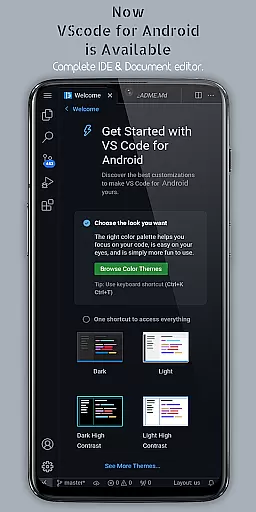
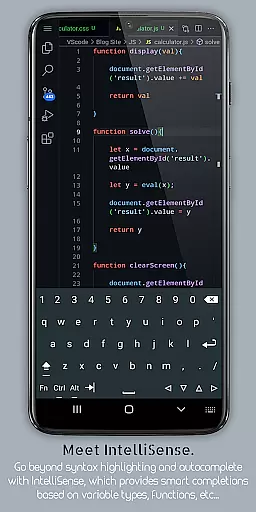
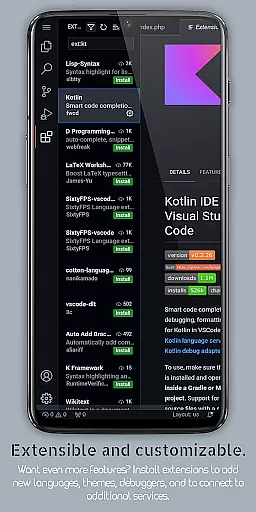
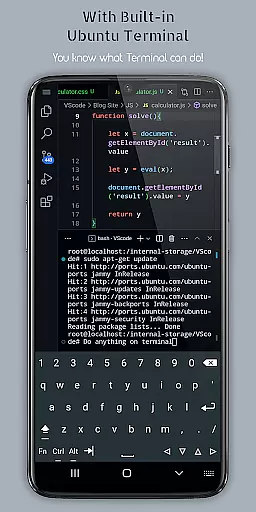
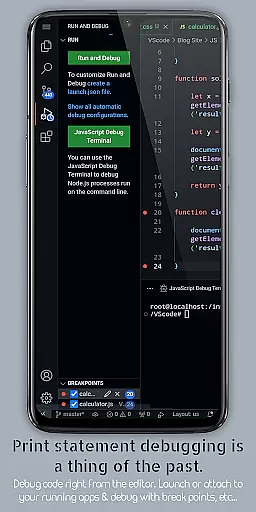
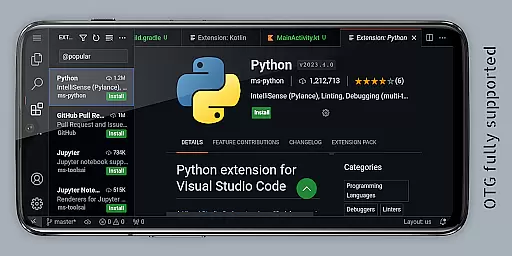
VScode for Android is a powerful code editor that brings the full functionality of desktop Visual Studio Code to mobile devices. With support for debugging, syntax highlighting, and IntelliSense, it enables developers to write, edit, and debug code on-the-go. The app supports multiple programming languages including HTML, Python, Java, and C++, making it versatile for various coding projects.
One standout feature is its immersive display experience with fullscreen mode, which hides system bars for uninterrupted coding sessions. Additionally, VScode for Android offers remote access capabilities through a web browser using the device's IP address and port 8080. This makes it an ideal tool for developers who need flexible, location-independent access to their coding environment.
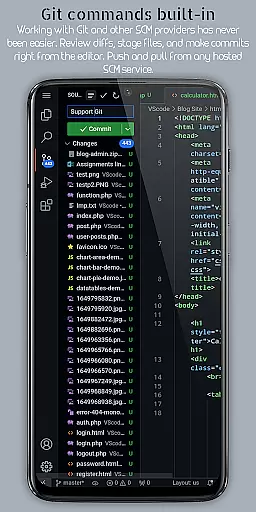
VScode for Android stands out with its comprehensive set of features designed to enhance productivity. It includes built-in support for Git, customizable keyboard shortcuts, and multi-cursor editing, allowing users to make simultaneous changes across different parts of their code. These features ensure that developers can maintain their workflow without interruption.
The app also provides a built-in terminal and split view editing, enabling users to work on multiple files side-by-side. Its integrated task runner automates common tasks, while language-specific settings allow customization based on the programming language being used. These robust functionalities help streamline the coding process and improve efficiency for developers working on complex projects.
Task management is a cornerstone of productivity applications, and VScode for Android excels in this area by offering integrated tools that streamline coding workflows. The app provides an integrated task runner that allows users to automate common tasks, ensuring efficiency and consistency across projects.
With features like multi-cursor editing and split view editing, developers can work on multiple files simultaneously, enhancing multitasking capabilities. These functionalities are crucial for managing complex coding projects where time and precision are of the essence.
Moreover, the built-in terminal and language-specific settings enable users to customize their environment based on specific project needs. This level of customization ensures that each coding session is optimized for maximum productivity.
The ability to manage workspaces effectively also contributes to seamless task management. Users can easily organize and switch between different projects within the app, making it an invaluable tool for developers who juggle various coding assignments.
Cross-device synchronization is vital for users who operate in multi-platform environments, and VScode for Android addresses this need with its remote access feature. By allowing users to connect to the app via a web browser using their phone's IP address and port 8080, it ensures that coding sessions can continue uninterrupted, regardless of location.
This reliable synchronization means that whether you're at home, in the office, or on the move, your development environment remains consistent and up-to-date. It eliminates the barriers of physical devices, providing flexibility and continuity in your workflow.
In addition to remote access, the app supports Git and other version control systems directly from the editor. This embedded functionality facilitates collaboration and ensures that code changes are tracked and synchronized across all user devices.
By focusing on these robust synchronization features, VScode for Android empowers developers to maintain a cohesive and efficient workflow, no matter where they choose to code.
Powerful code editor
Supports multiple languages
Built-in Git support
Customizable interface
Remote access capability
Requires learning curve
Complex for beginners
Limited mobile functionality
Needs stable internet
Potential performance issues

AI Video AI Image Private LLM AI Browser Llama Gemma Ollama Connect LLM Studio
 4.5
4.5
All in one sketching tool. Technical and General drawing. Online Maps support.
3.70
Send files, sync SMS, notifications & clipboard across devices via local network
4.40
Automates browsing any website and notifies you of important changes or events
4.30
Mind Map and brainstorm, note taking and idea collection
4.80
All document reader, all in one file viewer read PDF, DOCX, XLS, PPT, TXT files.
4.60
Calendar 2023 widget for Android. Appointment scheduler, planner, and reminder
4.60
Tally and goal counter for Wear OS & mobile
4.50
Scientific calculator for Android - looks and operates like the real thing!
4.90
Best Tool for the professionals Electrician, Electrical contractors, etc.
4.90
We're working to become the best machining app on the market! www.cncdirt.com
4.80
Use powerful, industry-leading AI tools to generate visual charts from any data
4.80
aCalendar+ makes your day, week and month
4.70
Quickly and easily keep track of your work shifts
4.70
Planet Free VPN - The best Fast Unlimited and Secure VPN Without Logs
4.50
Docker, Kubernetes management over Portainer Mobile
4.40
Pwnagotchi companion app
4.20
Intelligent AI Assistant
4.10
Create study competitions, track your hours, and stay consistent with friends
4.4


User Reviews