
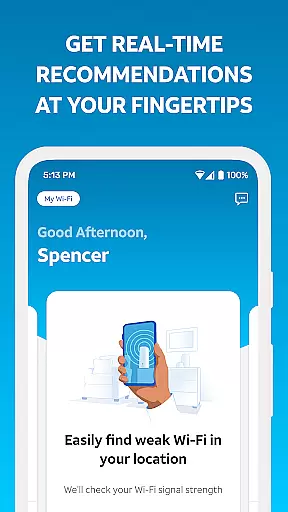
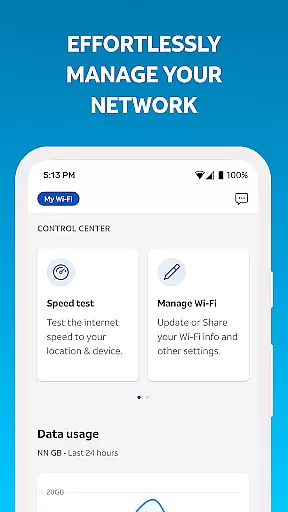
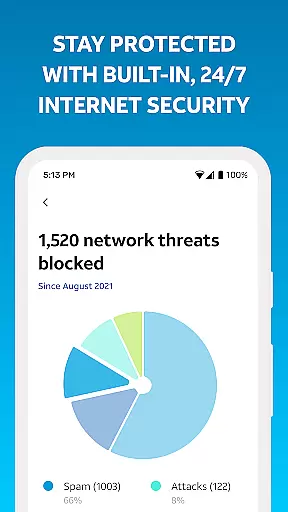
Smart Home Manager is a productivity-focused application designed to simplify the management of your AT&T Internet service. The app provides an intuitive interface for users to set up and manage their home network without needing technical assistance. With this tool, you can easily configure Wi-Fi settings, monitor connected devices, and personalize device names.
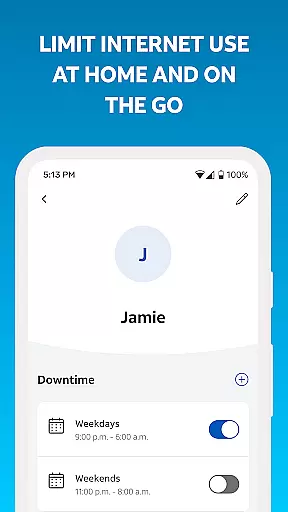
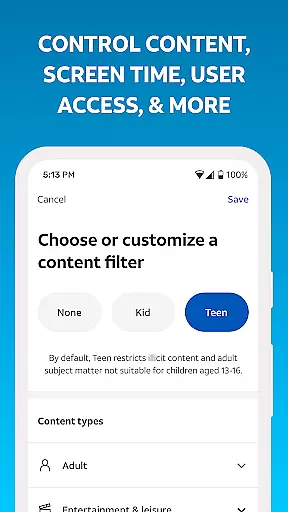
Beyond basic setup, Smart Home Manager offers advanced features such as parental controls, downtime scheduling, and the ability to pause Wi-Fi access for specific devices. It also includes diagnostic tools to test internet speed, identify weak signal areas, and check overall network health. These capabilities ensure that your home network remains efficient and secure, providing peace of mind for you and your family.
This app is particularly useful for families looking to manage screen time and maintain a healthy digital environment at home. By offering comprehensive control over your network, Smart Home Manager empowers users to optimize their internet experience while addressing common connectivity issues seamlessly.
Smart Home Manager stands out with its robust feature set tailored for home network management. One of its key functionalities is technician-free troubleshooting, allowing users to resolve common network issues independently. This feature not only saves time but also reduces reliance on external support.
The app enables easy customization of your Wi-Fi network name and password, ensuring your network remains secure. Additionally, it provides visibility into all devices connected to your network, allowing you to personalize device names and manage access effectively. Advanced features like parental controls and downtime schedules help families regulate screen time, promoting healthier digital habits.
Other notable features include the ability to test internet speed, pinpoint weak signal spots, and receive notifications about network issues or outages. These tools collectively enhance your network's performance and reliability, making Smart Home Manager an essential app for AT&T Internet customers seeking comprehensive network control.
Task management is a critical component of productivity applications, enabling users to organize, track, and complete tasks efficiently. Smart Home Manager excels in this area by offering intuitive tools for managing your home network.
The app allows you to easily view and update your Wi-Fi network name and password, see connected devices, and personalize device names. These features ensure that you have a clear overview of your network, making it simpler to manage multiple tasks related to your home connectivity.
Additionally, Smart Home Manager provides advanced functionalities such as creating profiles, setting parental controls, and scheduling downtime to manage screen time. This comprehensive approach helps families maintain a healthy balance with technology while ensuring smooth operation of their home network.
By integrating essential network management tools into one user-friendly interface, Smart Home Manager enhances productivity by streamlining the way users interact with their home Wi-Fi system.
Cross-device synchronization is vital for maintaining consistency and reliability across different platforms. Smart Home Manager ensures that all your devices are synchronized seamlessly, providing a cohesive experience whether you're at home or on the go.
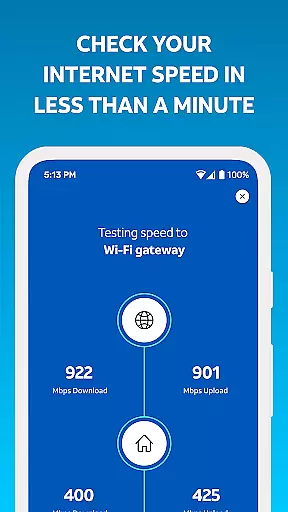
With the ability to pause Wi-Fi access for any device and test Internet speed to your Wi-Fi gateway, Smart Home Manager offers reliable control over your network. These features ensure that every device connected to your network performs optimally, without interruptions.
Moreover, the app notifies users of any issues or service outages and allows them to restart their Wi-Fi gateway directly from the app. This proactive approach minimizes downtime and maintains synchronization across all devices, enhancing overall network reliability.
Smart Home Manager's robust synchronization capabilities make it an indispensable tool for AT&T Internet service customers, ensuring that your home network remains efficient and up-to-date regardless of the device you use.
User-friendly interface
Comprehensive network control
Advanced parental controls
Efficient troubleshooting tools
Real-time network monitoring
Limited to AT&T customers
Dependent on gateway model
No offline functionality
Requires account login
Occasional bugs reported

Seamlessly integrate data and reports to build your presentation to impress
 4.80
4.80
Unlock AutoNotification
4.00
⏰ Finally a timer app which can run multiple timers simultaneously on your watch
3.90
IP Camera Viewer - Android TV : RTSP Surveillance camera viewer for Android TV
4.2
Multilingual translator for text, voice, and image translation!
4.90
Subscribe to Webcal & .ics calendars and keep them up-to-date!
4.50
Secure, open-source, SPICE and SSH Remote Desktop for QEMU KVM virtual machines
4.00
Use powerful, industry-leading AI tools to generate visual charts from any data
4.80
Okta MFA
4.70
The long-awaited modern gallery app for your Nextcloud server
4.70
aCalendar+ makes your day, week and month
4.70
A beautiful digital clock with autostart and many other functions
4.70
Client for Nextcloud Deck
4.60
Planet Free VPN - The best Fast Unlimited and Secure VPN Without Logs
4.50
All in One PDF Reader: Manage, Read and Edit your Documents
4.20
Make apps & sites with natural language prompts
4.10
Activate Two Factor Authentication (2FA or Multi OTP), Password manager and more
4.10
Intelligent AI Assistant
4.10
Experience real multitasking on your Android!
4.00


User Reviews