

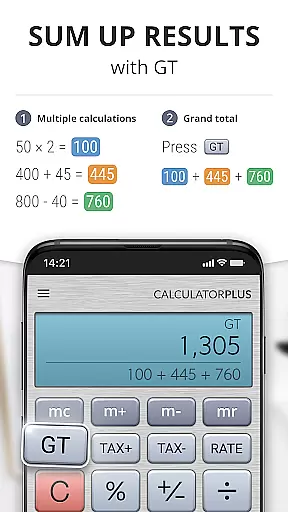
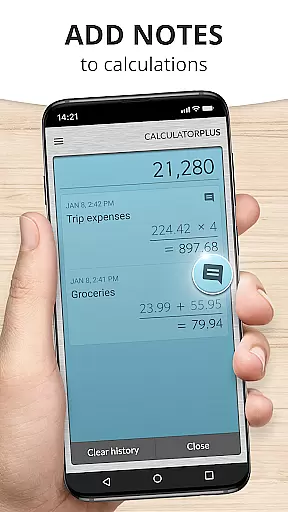
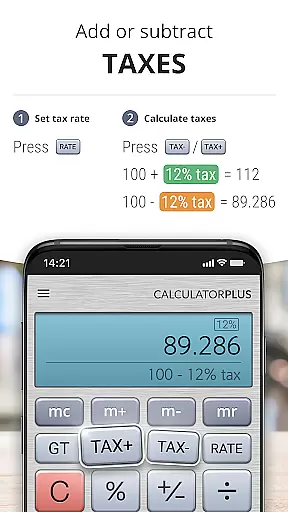
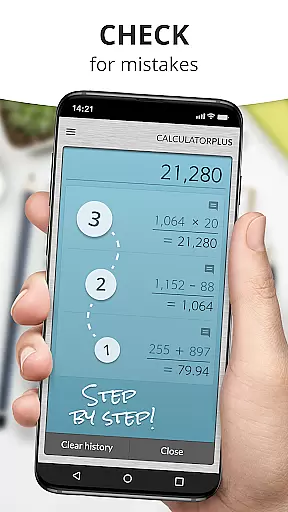

Calculator Plus stands out as a premier productivity application designed for Android users who require efficiency and precision in their calculations. As a smart alternative to traditional handheld calculators, this app offers an intuitive interface with advanced functionalities that cater to various needs, from everyday arithmetic to more complex computations.
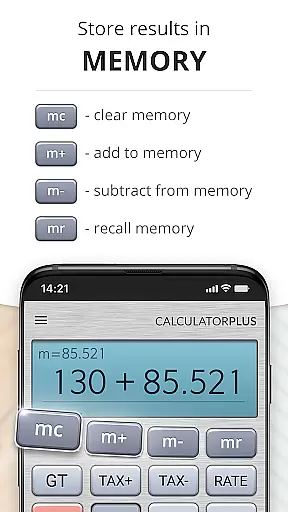
The app's standout feature is its ability to save and review past calculations, making it invaluable for tasks like budgeting, homework, or tax preparation. Its user-friendly design incorporates elegant typography and clear display of numbers, ensuring maximum readability. Additionally, the memory function allows users to maintain running totals while offering the flexibility to correct errors without restarting.
Whether you're a student managing assignments, a professional handling financial reports, or simply someone who values accuracy in daily calculations, Calculator Plus provides a reliable solution that enhances productivity on your mobile device.
Calculator Plus boasts an array of features that redefine the standard calculator experience. One notable aspect is its elegant typography, which presents calculations in a clear, easy-to-read format complete with appropriate comma placements. This visual clarity ensures users can effortlessly track their computations without confusion.
Another remarkable feature is the automatic memory function, which retains all calculations so users can revisit them at any time. This eliminates the need to re-enter data and allows for seamless continuation of work even after closing the app. The inclusion of backspace functionality further enhances user control by enabling quick corrections without starting over.
For those requiring advanced mathematical operations, swiping aside memory keys reveals additional functions while maintaining an uncluttered interface. With these comprehensive capabilities, Calculator Plus transforms routine calculations into an efficient and enjoyable experience on both phones and tablets.
Calculator Plus excels in core task management by offering a seamless calculation experience. The app allows users to save and review past calculations effortlessly, making it an ideal tool for various tasks such as shopping, homework, or financial planning.
The functionality of the app ensures that users never have to retype previous entries, thanks to its memory feature that retains all computations until the user decides to clear them. This saves time and reduces errors, enhancing productivity significantly.
Moreover, Calculator Plus provides advanced math functions accessible by simply swiping aside standard memory keys. This adaptability caters to both basic and complex computational needs without compromising ease of use.
While Calculator Plus does not explicitly advertise cross-device synchronization, its reliable performance on Android devices ensures consistent user experience. Users can depend on the app to maintain their calculation history securely on any compatible device they use.
The app's robust memory functionality guarantees that whether you're switching between devices or taking a break, your data remains intact. This reliability is crucial for users who require uninterrupted access to their calculations across different scenarios.
Additionally, the intuitive interface design supports quick adaptation regardless of the device being used, ensuring that users enjoy a uniform experience with no learning curve when transitioning between devices.
User-friendly interface
Automatic memory retention
Clear typography
Backspace functionality
Advanced math options
Limited customization
No graphing capabilities
Occasional ads
Premium version cost
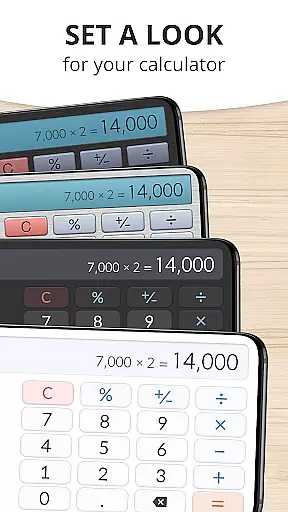
Basic theme options

A customizable calendar for your Wear OS watch
 4.20
4.20
Seamlessly integrate data and reports to build your presentation to impress
4.80
Take control of your clipboard with Clipper!
3.90
Create study competitions, track your hours, and stay consistent with friends
4.3
Send files, sync SMS, notifications & clipboard across devices via local network
4.40
The upgraded version of Name Wheel with AI and the power to add your own wheels.
4.2
Todo reminder
4.10
Quickly and easily keep track of your work shifts
4.70
Ultimate Virtual AI Character for immersive Roleplay Chat. Perfect Companion
3.90
8 custom complications. Custom Time Fonts. Beautiful color schemes. A++ Design.
5.00
Direct Chat without saving contacts & Dual WA Account on Single Device
4.70
aCalendar+ makes your day, week and month
4.70
Client for Nextcloud Deck
4.60
App Lock with fingerprint, password: Lock apps & hide photos with lock screens
4.60
Functional QR scanner and barcode reader that requires little storage space.
4.60
A simple Whisper AI keyboard for reliable speech transcription and rewording
4.60
This small app MUST BE INSTALLED after purchase, else license won't work
4.40
Mega cloud explorer plugin for Solid Explorer
3.80
AI Video AI Image Private LLM AI Browser Llama Gemma Ollama Connect LLM Studio
4.0


User Reviews