



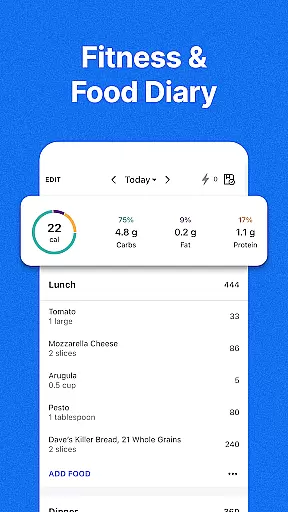
MyFitnessPal is a comprehensive health and fitness app designed specifically for Android Wear users. This powerful calorie tracker and food journal allows you to monitor your nutrition, track macros, log workouts, and analyze your overall progress directly from your smartwatch. With over 20 million foods in its database and integration with 40+ apps and devices, it provides a complete solution for managing your health on the go.
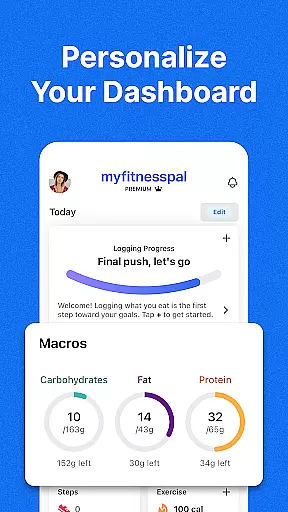
The app's standout feature is its ability to sync seamlessly with Wear OS, enabling users to quickly log meals, track water intake, and monitor macronutrients right from their watch face. Whether you're tracking your steps during a workout or logging meals at a restaurant, MyFitnessPal makes health management convenient and accessible. Its personalized dashboards and goal-setting features help users maintain motivation while working toward their fitness objectives.
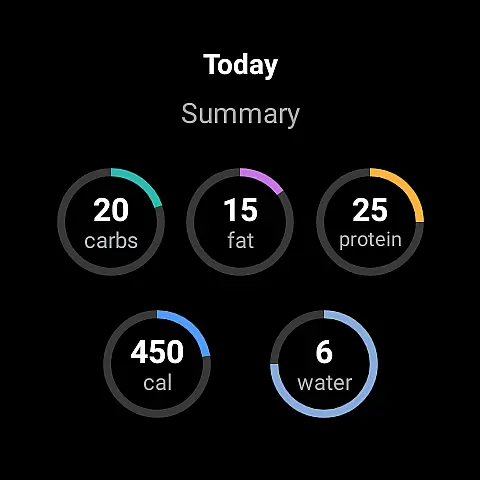
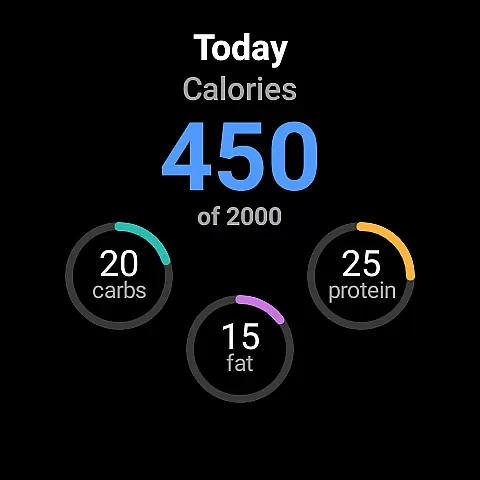
MyFitnessPal offers an impressive array of features tailored for Android Wear users. The app's integrated fitness tracker automatically records your daily activities and syncs them with your nutritional data, providing a holistic view of your health journey. With the Wear OS complications, users can access key metrics like calorie intake, macronutrient breakdowns, and hydration levels directly from their watch face.
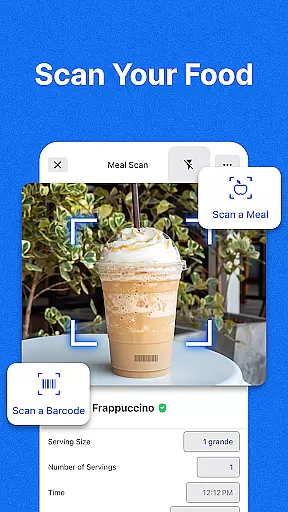
Premium subscribers gain access to advanced features including barcode scanning, meal planning tools, and personalized nutrition insights. The app's intermittent fasting tracker and keto-friendly carb monitoring make it suitable for various dietary approaches. Additionally, the social connectivity features allow users to join active communities, share progress, and find motivation through the MyFitnessPal forums, creating a supportive environment for achieving fitness goals.
Companion app integration is essential for users who want a seamless experience between their mobile devices and wearable technology. MyFitnessPal offers robust companion app features that ensure data flows smoothly between your smartphone and Wear OS devices.
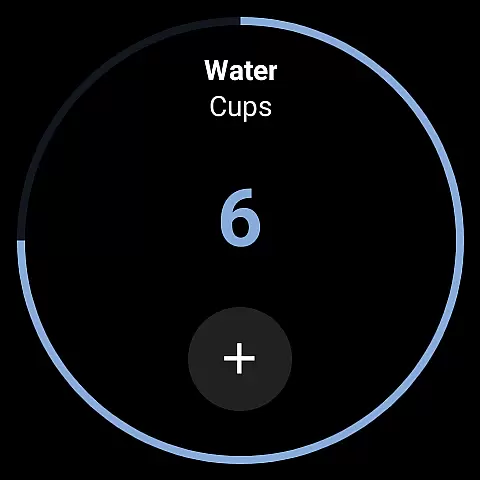
The app allows you to track calories, macros, and even water intake directly from your Wear OS watch. This means you can log meals or check your daily progress without needing to pull out your phone. The complications added to the home screen of your watch provide quick access to these features, making it easier than ever to stay on top of your health goals.
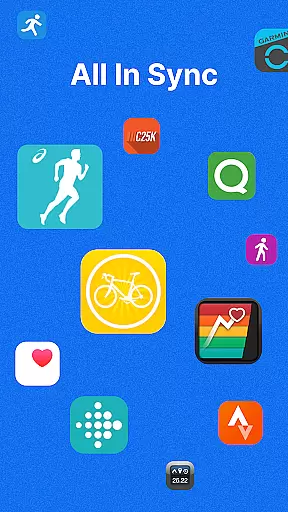
By integrating with over 40 different apps and devices, MyFitnessPal ensures that all your fitness data is centralized. Whether you're using a smartwatch or another fitness tracker, the ability to sync this information provides a comprehensive view of your health metrics. This interconnected ecosystem not only saves time but also enhances accuracy in tracking various aspects of your wellness journey.
Ultimately, the companion app integration within MyFitnessPal empowers users by providing flexibility and convenience. With real-time updates and synchronized data across devices, maintaining an active lifestyle becomes more manageable and efficient, helping you achieve better results in reaching your personal health objectives.
Wear OS and device compatibility are crucial factors when selecting a fitness application. MyFitnessPal excels in this area by offering extensive support for Wear OS devices, ensuring that users can access its powerful features directly from their smartwatches.
This compatibility allows users to utilize the built-in calorie counter, water tracker, and macro tracker right on their wrists. By adding complications to the home screen of your Wear OS device, MyFitnessPal makes it simple to log nutrients at a glance, streamlining the process of monitoring your dietary intake throughout the day.
In addition to supporting Wear OS, MyFitnessPal connects with more than 40 other apps and devices, including popular fitness trackers and smartwatches. This broad compatibility ensures that no matter what technology you use, your data remains consistent and up-to-date across platforms. Such integration helps maintain accurate records of your activities, meals, and overall progress.
With reliable Wear OS and device compatibility, MyFitnessPal enhances user experience by delivering a cohesive and uninterrupted tracking system. This ensures that whether you're working out, grocery shopping, or simply going about your day, your health metrics are always accessible, helping you stay committed to your fitness goals.
User-friendly interface
Extensive food database
Seamless Wear OS integration
Comprehensive tracking options
Active community support
Premium subscription required
Occasional syncing issues
Limited free features
Some inaccurate entries
Ads in free version

A customizable Christmas watch face for Wear OS with a countdown.
 4.20
4.20
Wear Os Watch Face - Animated Snow Effect & Christmas Lights
4.3
an Analog Watch Face for winter season with freeze winter background for Wear OS
4.2
Simple Analog-Digital Watchface For Wear OS 3.0 and Up Smartwatches
4.5
Digital watch face with big numbers and many customization for Wear OS devices
4.40
Authentic military-tactical design with ZULU time! Realistic and functional!
3.80
Structured watch face with seven complications and modular UI elements
3.90
Stay in touch with your friends and family using LINE!
3.40
Hybrid Vibrant Health Watch Face for Wear OS
4.1
Christmas Theme Watch Face for Wear Os
5.00
Period, ovulation & pregnancy tracker. Fertility insights & menstrual calendar.
4.90
Kia Access makes getting your vehicle information easier than ever
4.60
Locate your family members by GPS phone location tracker everywhere and anytime
4.30
Your music, your playlists, and more—offline and unlimited.
4.20
"PER27 Galaxy Digital" is a digital Wear OS watch face designed by PERSONA
4.10
Precision analog watch face with 7 complications and style options
4.0
A watch face that fuses motorsport precision with contemporary smartwatch design
4.5
Artistic Digital Watchface
4.1
Sleek, highly customizable watch face inspired by Galaxy Watch Circle Dashboard.
4.5


User Reviews