
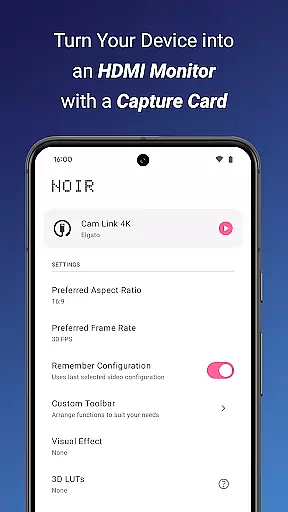
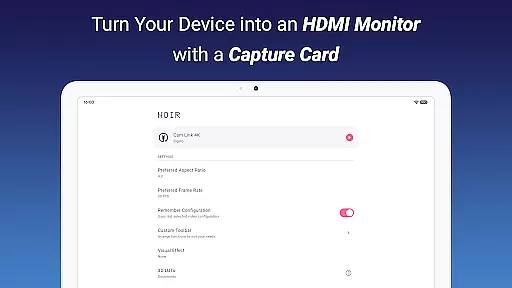
Noir Pro is a professional-grade video player and editor designed for users who require advanced features and high performance. This app transforms your device into a versatile monitor for various HDMI-output devices, including gaming consoles, laptops, and cameras. With support for UVC video streaming and UAC audio streaming, Noir Pro offers a choice between OpenGL ES and Vulkan for the graphics backend, ensuring optimal performance on different devices.
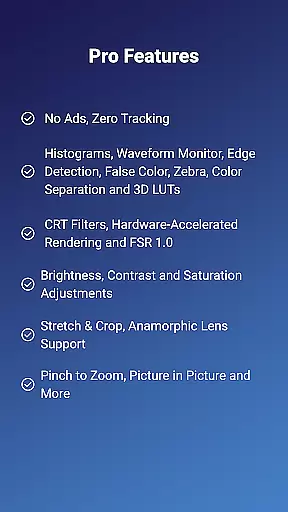
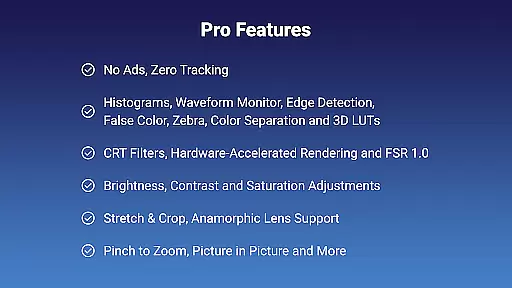
The app boasts an array of pro features such as 3D LUTs, Waveform Monitor, Histogram, Edge Detection, False Color, Zebra, Color Separation, CRT Filters, FSR 1.0, Pinch to Zoom, Stretch and Crop, Anamorphic Lens Support, and adjustments for Brightness, Contrast, and Saturation. Additionally, it provides app-specific volume control, Picture in Picture Mode, and in-app screenshot capabilities, making it an indispensable tool for professionals and enthusiasts alike.
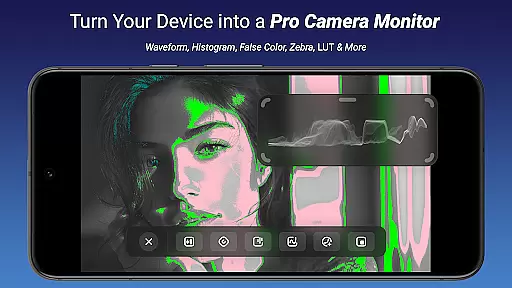
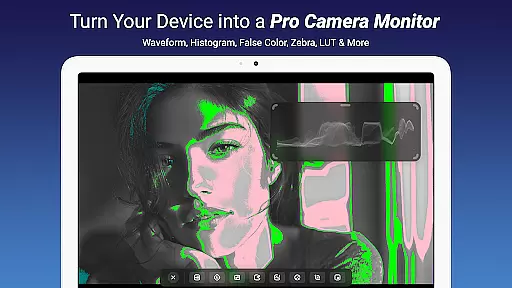
Noir Pro stands out with its comprehensive suite of professional features tailored for video editing and playback. The app supports advanced video monitoring tools like Waveform Monitor and Histogram, which are crucial for precise color grading and exposure adjustments. Its Edge Detection and False Color functionalities assist in achieving perfect focus and exposure, while the Zebra tool helps in identifying overexposed areas of the image.
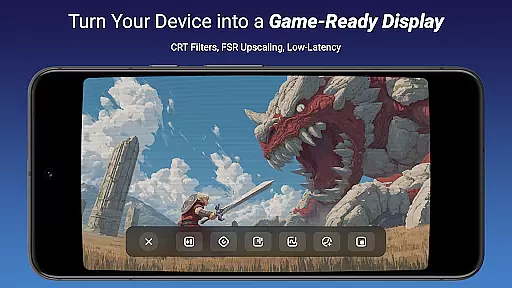
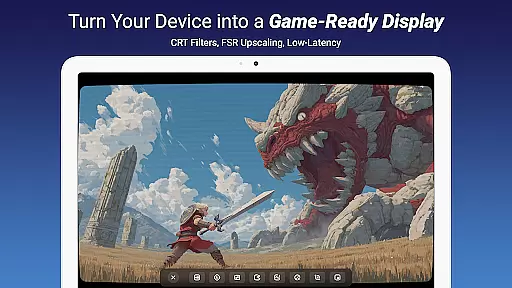
One of the key highlights is the support for 3D LUTs, allowing users to apply complex color corrections with ease. The inclusion of CRT Filters and FSR 1.0 enhances the visual experience by providing retro aesthetics and improved image quality. Furthermore, Noir Pro's compatibility with USB-C capture cards enables users to utilize their devices as portable displays for gaming consoles, laptops, cameras, and microscopes, thus broadening its application scope significantly.
Video format compatibility is a crucial feature for any video player and editor, ensuring that users can work with a wide range of video files without the need for conversion. Noir Pro supports an extensive array of formats, including MJPEG, which is particularly beneficial when using USB 2.0 capture cards. This flexibility allows content creators and gamers to focus on their projects or gameplay without worrying about format restrictions.
The application's support for both OpenGL ES and Vulkan graphics backends further enhances its ability to handle various video streams efficiently. Users can choose the backend that best suits their device's capabilities, optimizing performance and visual quality. This dual-backend support ensures smooth playback and editing experiences, even with high-resolution videos.
For professionals who require precise color grading and analysis, Noir Pro offers advanced features like Waveform Monitor, Histogram, and False Color. These tools are essential for achieving accurate color representation across different formats. The app's compatibility with UVC video streaming and UAC audio streaming makes it a versatile choice for connecting cameras, gaming consoles, and other HDMI-output devices.
By supporting modern standards and offering specialized tools, Noir Pro empowers users to create and edit content seamlessly. Whether you're monitoring camera footage, using your device as a secondary display, or streaming content from various sources, this app provides the necessary format support to get the job done efficiently and effectively.
AI-powered editing features have revolutionized the way users interact with video content, providing intelligent tools that enhance productivity and creativity. Noir Pro incorporates several AI-driven functionalities, such as Edge Detection, Color Separation, and CRT Filters, which automate complex tasks and deliver professional-grade results with minimal effort. These features enable users to achieve sophisticated visual effects that would otherwise require extensive manual adjustments.
The inclusion of FSR 1.0 (FidelityFX Super Resolution) demonstrates Noir Pro's commitment to leveraging cutting-edge technology for improved performance. This feature allows users to upscale lower-resolution videos while maintaining impressive image quality, making it ideal for enhancing older footage or optimizing content for different display sizes. Additionally, the app's Brightness, Contrast, and Saturation Adjustments benefit from AI optimization, ensuring consistent and natural-looking enhancements.
Noir Pro also offers innovative solutions for specific use cases, such as Anamorphic Lens Support and Zebra patterns for exposure control. These specialized tools cater to professional videographers and photographers who demand precise control over their creative process. The app's intuitive interface makes these advanced features accessible to both beginners and experienced editors alike.
With its comprehensive suite of AI-powered editing tools, Noir Pro significantly reduces the time and expertise required to produce high-quality video content. From basic adjustments to complex post-processing tasks, the application streamulates workflows and empowers users to focus on their creative vision rather than technical limitations.
Advanced video monitoring tools
Support for 3D LUTs
Comprehensive color correction options
Versatile connectivity options
High-performance graphics backend
Requires specific hardware for full functionality
Some features may be overwhelming for beginners
Premium price point
Limited to devices with USB-C ports
Occasional compatibility issues with certain devices

You can play SWF format file!
 2.50
2.50
IPTV-Smarters Player Pro M3U - Watch Live Stream TV Channels with Chromecast
4.00
Your media, on your terms.
4.10
Create & edit videos with AI
4.30
Cast to Smart TV, Fire TV. Cast video, photo - Fast & Stable!
3.90
Manage your IPTV live channels and VOD playlists (no playlist included)
3.80
Connect EasyCap or UVC devices for recording and broadcast video/audio stream
3.60
This app is an emulator of some specific IPTV boxes
3.50
Cast movies, tv shows and live streams to Chromecast, Roku, DLNA, Fire TV & more
4.60
An easy-to-use and all-round screen recorder with audio
4.80
A Quick and Pro Video Editor
4.70
Fast, private downloading, video saving, social media
4.50
HD video maker with no watermark, no ads & vlog maker with music, PIP, text
4.50
Turn your phone into a wireless camera!
4.20
Make your own Animations, Video and Photo Edits, Visual Effects, and more!
4.00
Fast private browser with secure, seamless access & supported video downloads!
4.00
Capture images & record videos for USB Camera, Webcam, Microscopes, Endoscopes
3.80
AirMirror is Receiver for Screen Mirroring and Casting from Apple Devices.
3.60
Video player with powerful streaming playback and various convenient features.
2.10


User Reviews