Site Audit Pro is a powerful productivity tool designed to simplify the auditing process for businesses across various industries. This mobile application allows users to efficiently record issues, capture photos, assign tasks, and generate customizable reports that can be shared instantly. With over 40,000 businesses worldwide already benefiting from its capabilities, Site Audit Pro has proven to be an invaluable asset in enhancing productivity and streamlining audit management.
The app's standout feature is its ability to produce professional audit reports on-the-go, eliminating the need to return to the office for documentation. Whether you're conducting safety inspections, creating punch lists, or providing quotations, Site Audit Pro ensures your findings are collated and presented with a personal and professional touch. Its adaptability to different industries makes it a versatile tool for audits, inspections, snagging, site walks, and checklists.
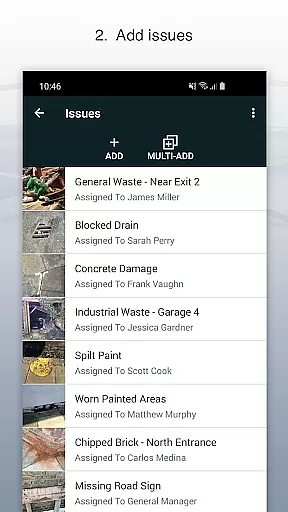
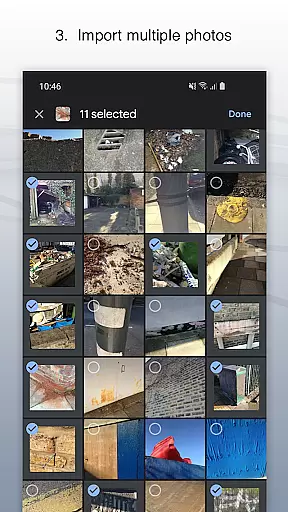
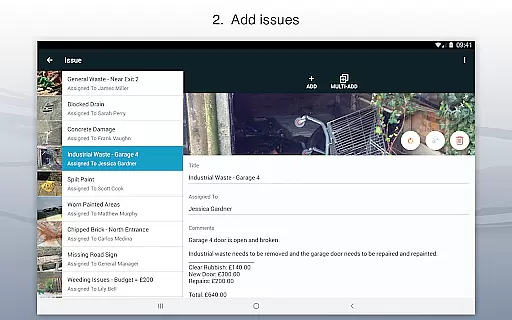
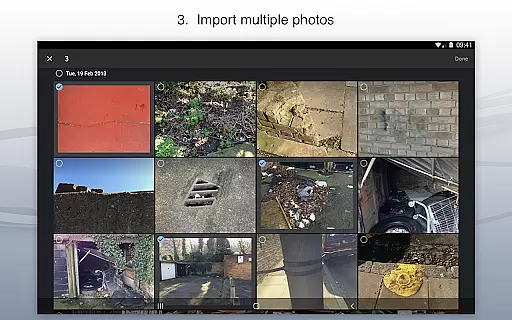
Site Audit Pro offers a comprehensive suite of features tailored to meet the needs of modern businesses. Users can document issues by attaching photos, titles, assignees, and comments, ensuring all relevant information is captured accurately. The photo annotation functionality allows users to highlight critical details within images, making it easier to communicate specific points.
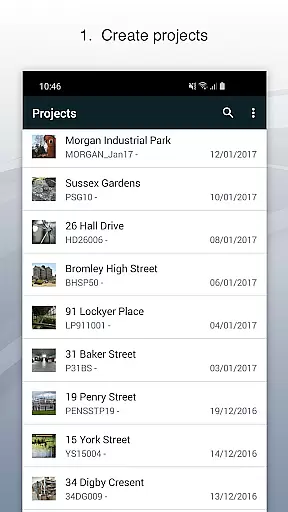
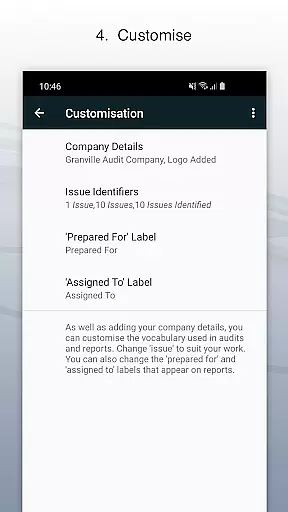
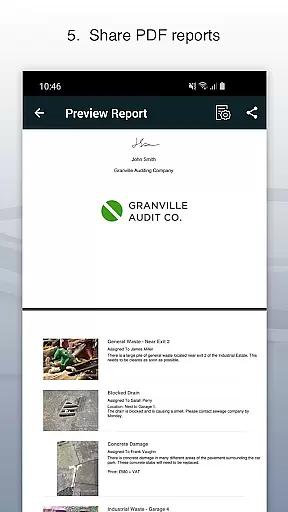
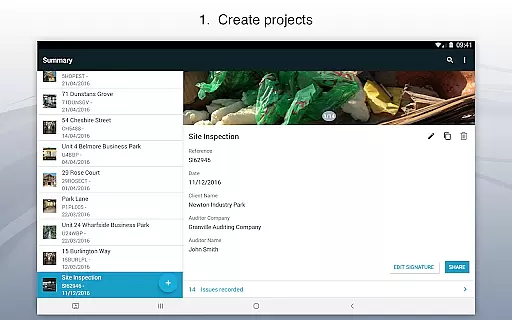
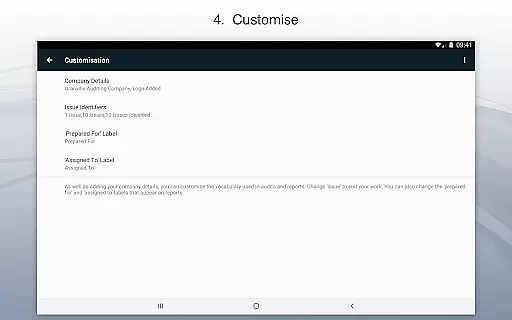
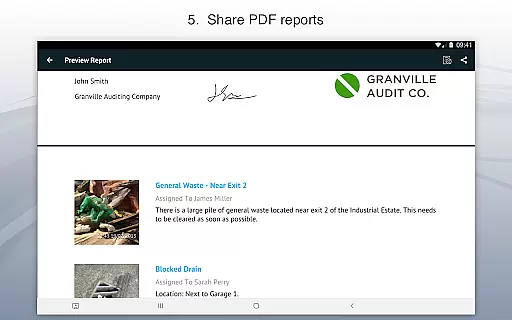
Organization is made simple with the ability to categorize issues into projects, complete with site and client details unique to each job. Sharing professional audit reports is seamless, as the app supports exporting documents as PDFs via email, Dropbox, and other platforms. Additionally, businesses can customize their reports by incorporating company names, logos, auditor names, and signatures, adding a personalized touch to every document generated.
Site Audit Pro excels in core task management by providing a comprehensive suite of tools designed to streamline the auditing process. The app allows users to record issues efficiently, attach relevant photos, and assign tasks to specific team members with ease.
The application's strength lies in its ability to organize these tasks into distinct projects, ensuring that each audit or inspection is methodically structured. Users can input detailed site and client information for each project, making it easier to manage multiple audits simultaneously without confusion.
This systematic approach to task management significantly enhances productivity. By having all necessary information at their fingertips, users can perform audits more quickly and share findings instantly through customizable reports, eliminating the need to return to the office for report generation.
Ultimately, Site Audit Pro transforms how businesses handle audits by integrating essential task management features that save time and improve accuracy, allowing teams to focus on implementing solutions rather than managing paperwork.
Cross-device synchronization is a critical feature of Site Audit Pro, ensuring that all data captured during audits is reliably synced across multiple devices. This functionality allows teams to work seamlessly, regardless of their physical location, by maintaining up-to-date information on all connected devices.
The app achieves this through robust cloud-based infrastructure that automatically updates any changes made to audit reports or task assignments. Whether you're adding new issues, annotating photos, or modifying project details, every alteration is instantly reflected across all devices linked to the same account.
This level of synchronization reliability offers significant advantages for collaborative work environments. Team members can access the most current audit information from any device, facilitating real-time communication and decision-making processes. It also provides peace of mind knowing that important data won't be lost if one device fails or becomes unavailable.
By prioritizing cross-device synchronization, Site Audit Pro ensures that businesses can maintain consistent and accurate records, enhancing overall efficiency and enabling teams to respond swiftly to emerging issues during audits or inspections.
User-friendly interface
Customizable reports
Photo annotation tools
Task assignment options
Industry adaptability
Limited free version
Occasional bugs
Premium cost
Learning curve
Offline limitations

The long-awaited modern gallery app for your Nextcloud server
 4.70
4.70
Take control of your clipboard with Clipper!
3.90
Create study competitions, track your hours, and stay consistent with friends
4.1
The upgraded version of Name Wheel with AI and the power to add your own wheels.
4.0
Easiest event planning, volunteer signups & parent teacher conference scheduling
2.20
App Lock with fingerprint, password: Lock apps & hide photos with lock screens
4.60
Multilingual translator for text, voice, and image translation!
4.90
Quickly and easily keep track of your work shifts
4.70
Lightweight PDF, Word, Excel reader.
4.60
Seamlessly integrate data and reports to build your presentation to impress
4.80
Understand anything with a personalized AI research assistant
4.80
Fill, sign & send docs, forms, agreements & contracts via electronic signature.
4.50
Automates browsing any website and notifies you of important changes or events
4.30
Total remote control for your Android device, PC and cloud services (IFTTT)!
4.20
Professional calendar app for Google Calendar, MS Outlook & Exchange
4.20
Device's storage information in a simple and clear graphical form (infographics)
4.10
Make your handwriting beautiful, even more than pen on paper.
3.60
ID.me Authenticator is a simple and free Two Factor Authentication solution
3.50
Code on-the-go with VScode for Android. Edit,debug and collaborate from mobile!!
3.10


User Reviews