
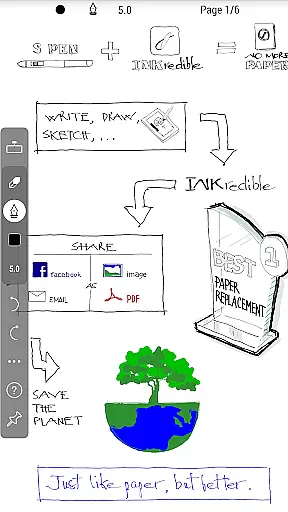
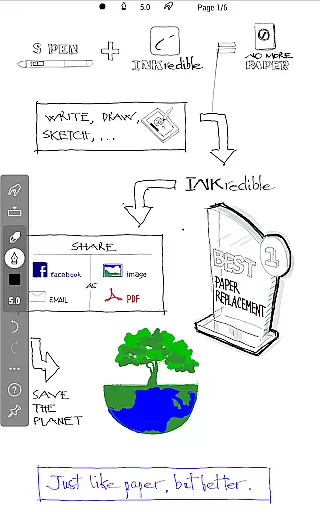
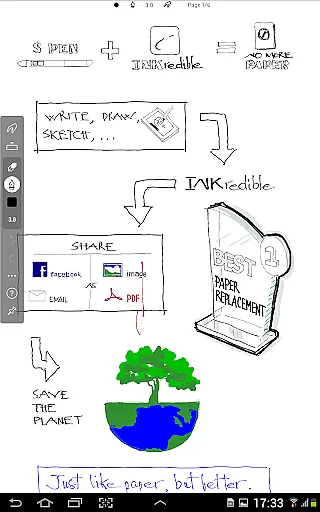
INKredible PRO is a premium handwriting app designed to deliver an exceptional writing experience on tablets. Priced at $9, it includes all in-app purchase features of INKredible and offers free future updates. The app inherits the best inking technology from the popular Notes Plus app, now enhanced with automatic palm and wrist rejection. This ensures that writing on a tablet feels as natural and fluid as using a pen on paper, if not better.
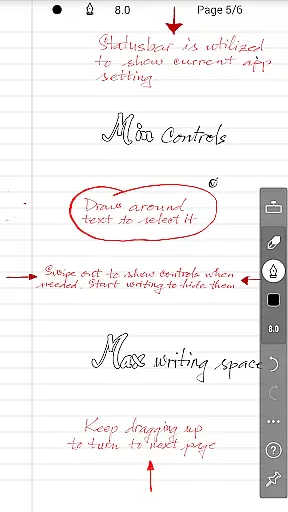
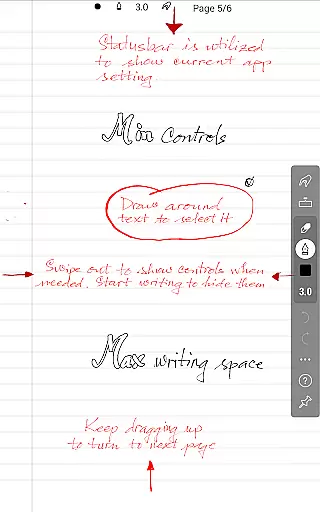
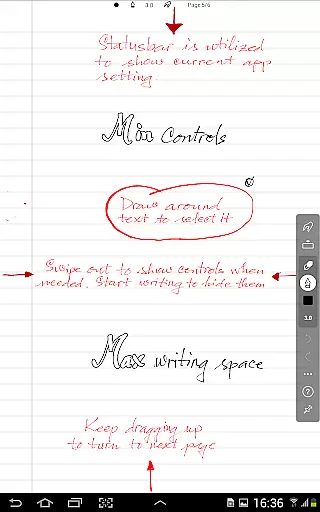
The app focuses on simplicity and beauty. It provides a distraction-free environment by minimizing UI controls, offering users a clean slate for writing. With over three years of R&D in vector-graphics inking technology, INKredible PRO makes handwriting look more beautiful than on paper. The sophisticated manipulation of Bezier curves ensures that your notes look stunning at any resolution, whether for printing or displaying purposes.
INKredible PRO is perfect for students, professionals, and anyone who values the traditional pen-and-paper experience but desires the convenience and versatility of digital tools. Its unique features make it stand out among other handwriting apps, providing users with an unparalleled writing experience.
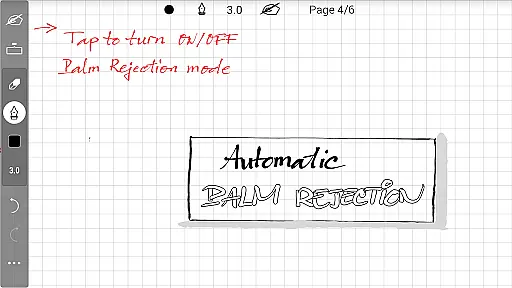
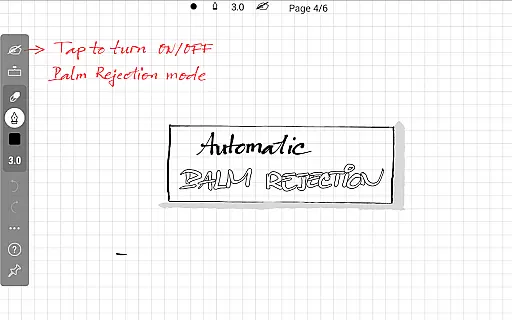
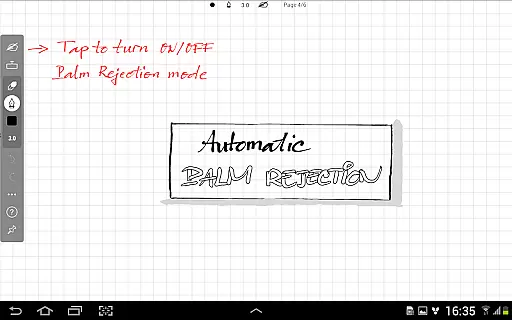
INKredible PRO boasts several standout features that enhance the writing experience on tablets. One of its key features is the automatic palm and wrist rejection technology, which allows users to write naturally without worrying about unintended touches. This feature, inherited from the acclaimed Notes Plus app, ensures a seamless and fluid writing experience.
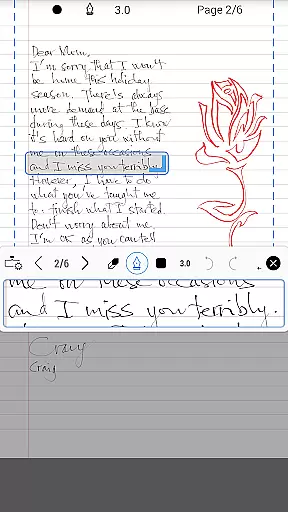
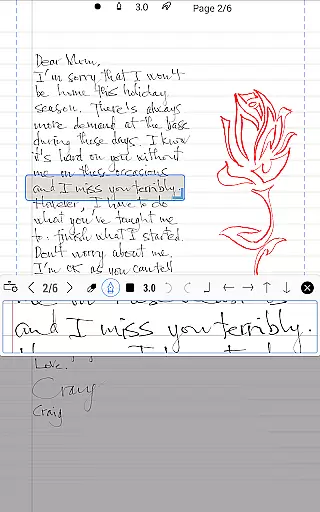
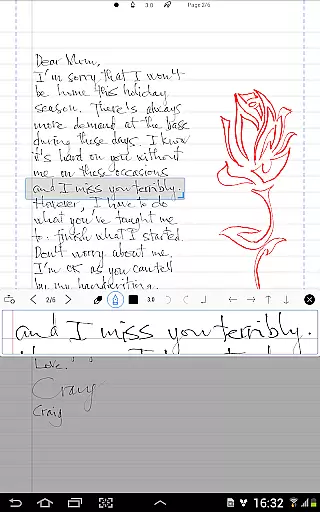
The app also excels in its vector-graphics inking technology. After more than three years of research and development, INKredible PRO uses sophisticated Bezier curve manipulations to make handwriting appear more beautiful than on traditional paper. This technology ensures that your notes look crisp and clear at any resolution, making them ideal for both printing and digital display.
Additionally, INKredible PRO is designed to be simple and distraction-free. Most of the time, users will find themselves writing on a blank sheet with no visible UI controls or buttons. This minimalist approach helps users focus entirely on their content, enhancing productivity and creativity. Whether you are taking notes in a meeting or jotting down ideas, INKredible PRO provides the perfect digital canvas.
In the realm of productivity applications, core task management is pivotal for organizing and prioritizing tasks efficiently. INKredible PRO excels in this area by offering a streamlined interface that remains distraction-free, focusing solely on the writing experience. This minimalist approach ensures that users can concentrate on their primary tasks without unnecessary interruptions or complex navigations.
The app's dedication to simplicity does not compromise its functionality. With an automatic palm and wrist rejection feature, INKredible PRO allows users to write naturally, mimicking the traditional pen-and-paper experience. This seamless interaction is crucial for maintaining focus on content creation or note-taking, which are often integral components of task management.
Furthermore, the absence of UI controls during the writing process enhances user immersion, making task completion more intuitive and engaging. Users can fully immerse themselves in their work, knowing that future updates will bring even more features without additional costs. This assurance of continuous improvement solidifies INKredible PRO's position as a reliable tool for managing essential writing tasks effectively.
Cross-device synchronization is a cornerstone of modern productivity tools, ensuring that work is accessible across multiple platforms. While INKredible PRO emphasizes a superior writing experience on tablets, it also guarantees that all created content is reliably synced and available wherever needed. This reliability is vital for users who switch between devices throughout their day.
Although specific details about cloud integration are not provided in the description, the app's commitment to including all in-app purchase features suggests comprehensive support for saving and retrieving documents. Such functionality typically encompasses automatic backups and real-time syncing, preventing data loss and facilitating collaboration.
Moreover, the promise of free future updates indicates ongoing enhancements to synchronization capabilities. As digital workflows become increasingly complex, having a dependable system for accessing notes and writings from any location becomes indispensable. INKredible PRO positions itself as a robust solution for those seeking both exceptional handwriting simulation and trustworthy cross-device access, ensuring productivity is never hindered by technical limitations.
Superior inking technology
Automatic palm rejection
Beautiful handwriting rendering
Distraction-free interface
Free future updates
Higher price point
Limited additional features
No collaborative tools
Requires compatible device
Learning curve for new users

Experience real multitasking on your Android!
 4.00
4.00
The upgraded version of Name Wheel with AI and the power to add your own wheels.
4.1
A lightweight JSON & XML files creator, editor and viewer (Premium Version)
4.40
IP Camera Viewer - Android TV : RTSP Surveillance camera viewer for Android TV
4.2
Subscribe to Webcal & .ics calendars and keep them up-to-date!
4.50
Quickly and easily keep track of your work shifts
4.70
Secure your apps with lock screens, use custom themes and different features.
4.40
Daily processing of PDF documents.
4.40
Set up, print, and get support—in one place
4.20
Great calculator for Android named one of USA TODAY's "25 Essential Apps".
4.90
Understand anything with a personalized AI research assistant
4.80
Secure, fast, open-source, VNC and SSH Remote Desktop for Windows, Linux and Mac
4.70
Stay on top of your to-dos with Google Tasks, part of Google Workspace.
4.60
Enjoy classic gameplay with customizable features and retro-style graphics.
4.30
Total remote control for your Android device, PC and cloud services (IFTTT)!
4.20
Pwnagotchi companion app
4.20
Todo reminder
4.10
Customizable calendar widget for seamless event sync, planning & scheduling.
4.00
Remotely view listen control and record cameras.
3.70


User Reviews