![Disk & Storage Analyzer [PRO] logo](https://cdn.linksharehub.com/ocp/?u=https%3A%2F%2Fl2.fancapitalize.com%2Fimages%2F2025%2F12%2Fe6da4367704733d389803d59b763e052.jpg&t=webp)
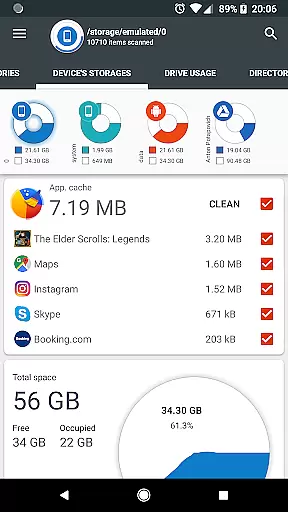
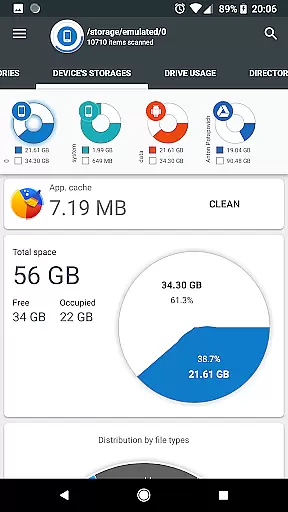
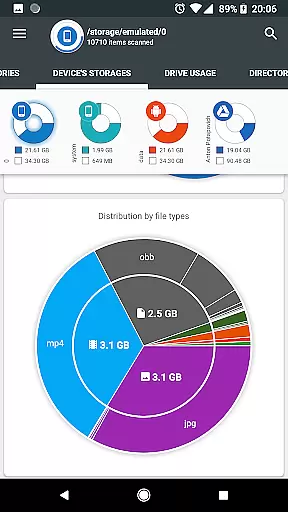
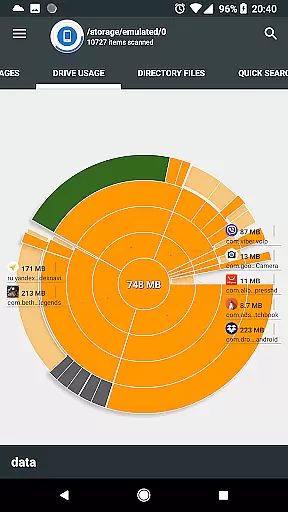
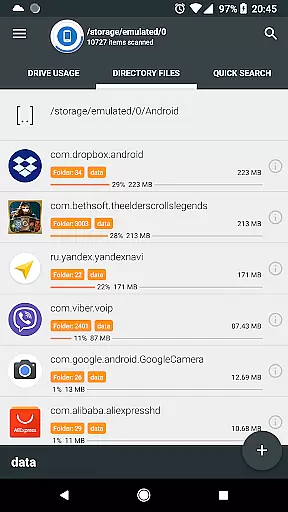
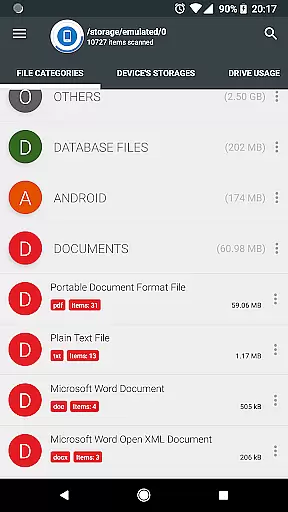
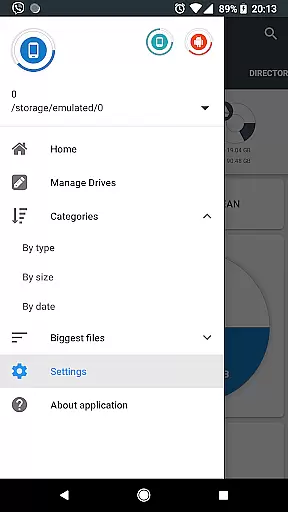
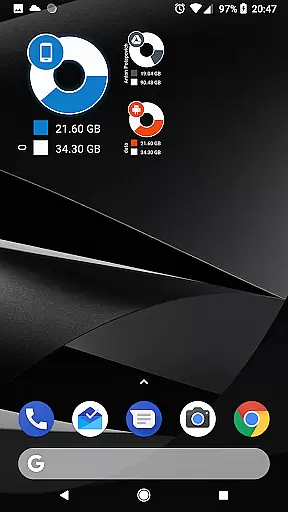
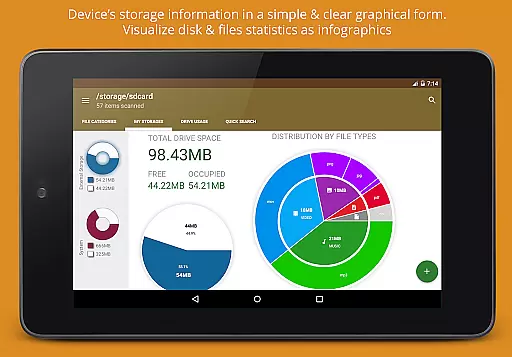
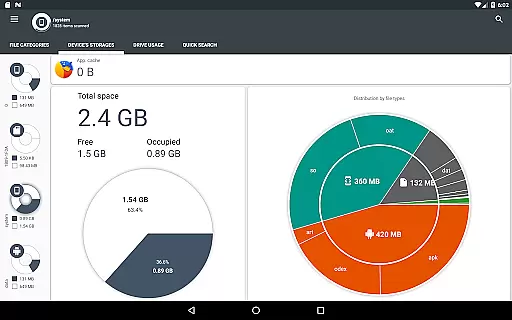
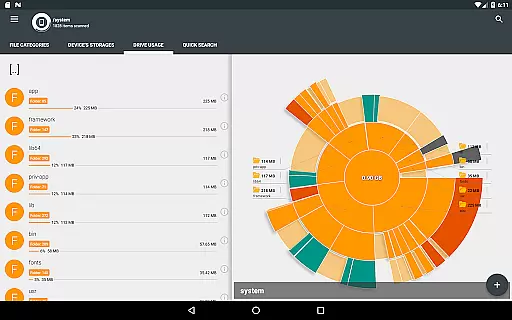
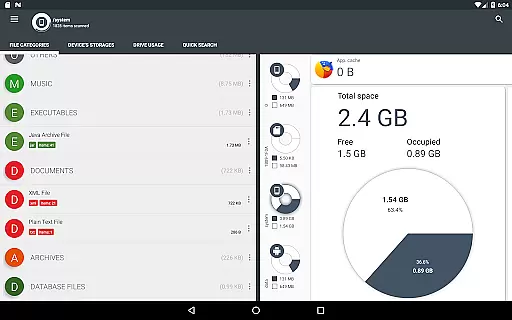
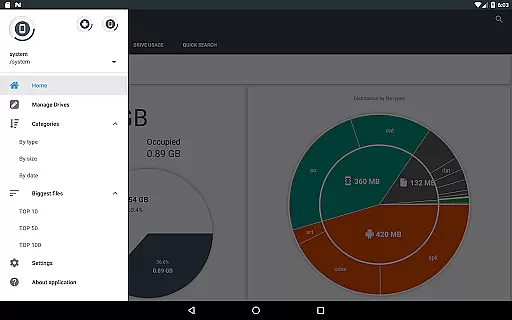
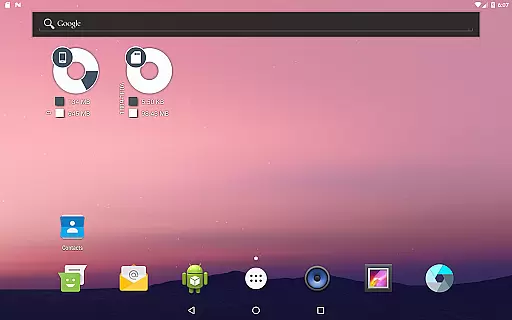
Disk & Storage Analyzer [PRO] is a comprehensive productivity tool designed to help users manage their device's storage efficiently. This app provides detailed insights into internal and external storage, USB devices, and cloud drives through clear graphical representations like pie charts and sunburst diagrams.
With its advanced file analysis capabilities, the app allows users to view specific file data such as name, path, size, and last modified date. It also supports integration with cloud services like Google Drive and Dropbox, enabling users to analyze cloud storage usage similarly. Additionally, it offers features for managing installed applications, including cache cleaning and app deletion.
This app is ideal for users who need to optimize their device's storage regularly. By providing visualizations and detailed reports, Disk & Storage Analyzer [PRO] helps users make informed decisions about their data management, ultimately enhancing their device's performance.
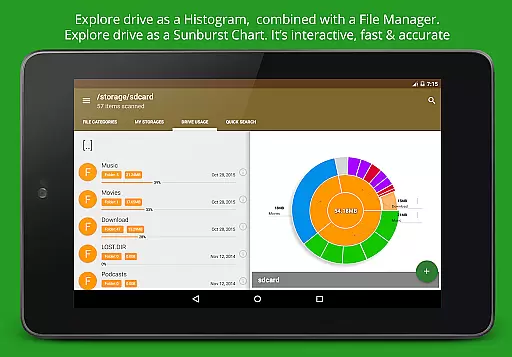
The standout feature of Disk & Storage Analyzer [PRO] is its robust visualization tools. The app represents folders and files using Sunburst charts, allowing users to see nested levels of directories and subdirectories sorted by size. This interactive chart lets users click on sectors to explore deeper levels of their storage hierarchy.
Another significant feature is its ability to connect to various cloud drives. Users can access and analyze data from Google Drive, Dropbox, and Yandex.Disk seamlessly. The app reads file-specific data from these services to build comprehensive usage statistics and diagrams.
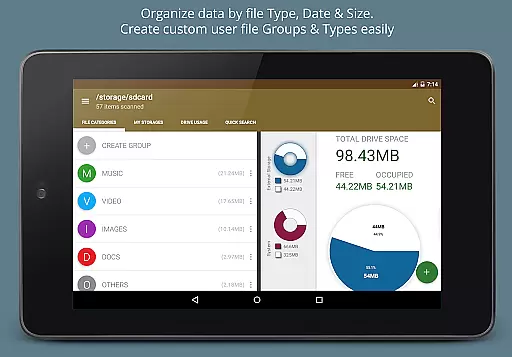
Additionally, the app includes a global search function that indexes files at startup, displaying results quickly on the Quick Search page. Users can perform actions like opening, deleting, or sharing files directly from search results. The app also categorizes files by type, size, and date, offering a structured view of all stored data.
Disk & Storage Analyzer [PRO] excels in core task management by offering users a comprehensive suite of tools to monitor and manage their device's storage efficiently. The application provides detailed insights into file usage, categorizing data across internal and external storage, SD cards, and USB devices.
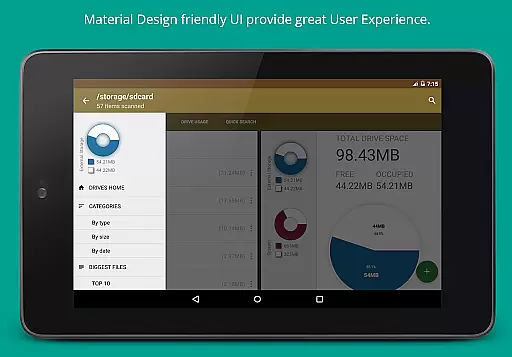
Through an intuitive interface, the app displays statistics in easy-to-understand graphical formats such as pie charts and sunburst diagrams. This visualization helps users quickly identify which files or categories are consuming the most space, enabling them to make informed decisions about data management.
Additionally, the app allows users to take direct actions based on these insights, such as cleaning cache, deleting unnecessary files, or removing unused applications. These features collectively enhance productivity by streamlining storage management tasks, ensuring that users can maintain optimal device performance without hassle.
The reliability of cross-device synchronization is another standout feature of Disk & Storage Analyzer [PRO]. By supporting connections to various cloud drives like Google Drive, Dropbox, and Yandex.Disk, the app ensures seamless access to your files regardless of the storage medium.
Upon connecting a cloud drive, the application reads essential file-specific data including name, path, size, and last modified date. This information is then used to build detailed statistics and visual reports, providing a unified view of your data across all connected devices and platforms.
This synchronization capability not only enhances accessibility but also fortifies data integrity and backup processes. Users can rest assured that their critical files are consistently updated and securely stored, minimizing the risk of data loss and ensuring reliable access whenever needed.
User-friendly interface
Comprehensive cloud integration
Advanced file visualization
Efficient cache management
No ads
Requires many permissions
May have stability issues
Limited to storage analysis
No backup functionality
Paid version only

Experience Reading - Night Mode for Documents
 4.40
4.40
Take control of your clipboard with Clipper!
3.90
Planet Free VPN - The best Fast Unlimited and Secure VPN Without Logs
4.50
8 custom complications. Custom Time Fonts. Beautiful color schemes. A++ Design.
5.00
Simple and reliable communication between inmates, friends and family
3.20
All document reader, all in one file viewer read PDF, DOCX, XLS, PPT, TXT files.
4.60
Calendar 2023 widget for Android. Appointment scheduler, planner, and reminder
4.60
Quickly and easily keep track of your work shifts
4.70
Scientific calculator for Android - looks and operates like the real thing!
4.90
Android Wallet Password Manager
4.80
Mind Map and brainstorm, note taking and idea collection
4.80
The long-awaited modern gallery app for your Nextcloud server
4.70
The Pro Version of Android's tiniest Notepad app. Just 0.3MB but feature-packed!
4.60
Secure, fast, open-source, Remote Desktop Client for Windows and Linux with SSH
4.60
Stay on top of your to-dos with Google Tasks, part of Google Workspace.
4.60
A simple Whisper AI keyboard for reliable speech transcription and rewording
4.60
When you Focus, so will your Bean in this cozy focus timer
4.30
A Revolutionary All-in-One Artificial Intelligence Tools
3.80
ID.me Authenticator is a simple and free Two Factor Authentication solution
3.50


User Reviews