


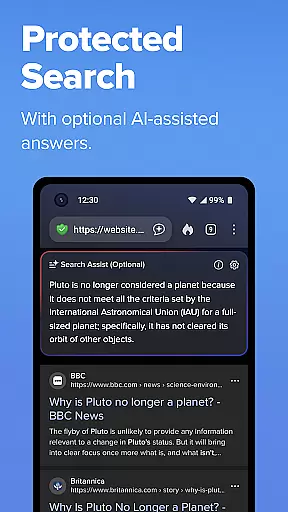
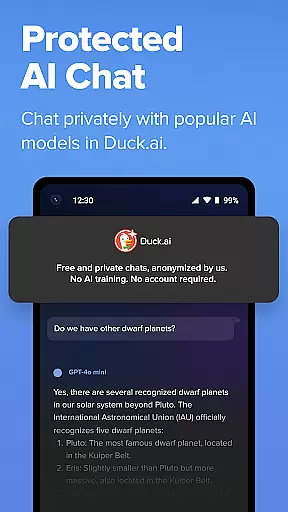
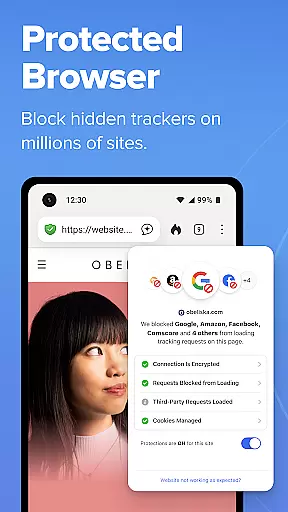

DuckDuckGo is a privacy-focused search and browsing application designed to protect users' personal information from being tracked by hackers, scammers, and invasive companies. With its built-in search engine that operates like Google but without tracking user searches, DuckDuckGo offers a secure alternative for online activities. The app includes features such as ad tracker blocking, cookie blocking, and private AI interactions through Search Assist and Duck.ai.
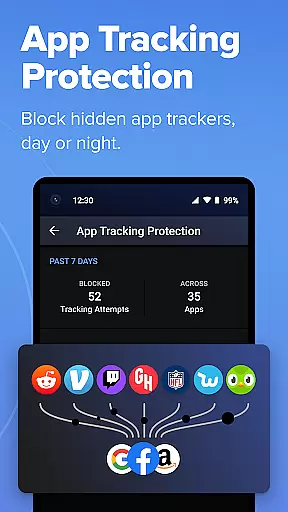
Users can benefit from enhanced browsing protections including 3rd-party tracker loading prevention, YouTube video viewing without targeted ads, automatic encryption enforcement, and protection against fingerprinting. Optional features like Email Protection and App Tracking Protection further enhance user privacy across different platforms. DuckDuckGo also provides a subscription service offering advanced AI models, personal information removal services, and identity theft restoration.
DuckDuckGo stands out with its comprehensive approach to privacy protection. The app blocks most trackers before they load, ensuring that users' browsing history remains shielded. Its ad tracker and cookie blocking capabilities prevent data collection by third-party companies, while the optional Email Protection feature masks real email addresses with @duck.com aliases.
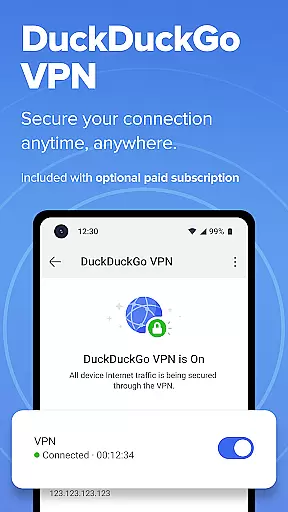
In addition to these core functionalities, DuckDuckGo offers unique tools like Duck Player for watching YouTube videos without targeted ads and HTTPS enforcement for securing data transfers. Users can sync bookmarks and passwords securely across devices and utilize the Fire Button to clear tabs and browsing data instantly. The app's subscription model includes a VPN service, access to advanced AI models, and assistance in removing personal information from data-selling sites.
At the heart of DuckDuckGo's functionality is its ability to manage tasks related to online privacy and security. This browser excels in providing users with tools that ensure their personal information remains protected while navigating the web.
The app achieves this through a combination of features such as tracker blocking, cookie protection, and encryption enforcement. These elements work together seamlessly to create an environment where user data is not easily accessible to third parties.
For users, this means peace of mind knowing that their searches, browsing history, and personal details are shielded from unwanted collection. The integrated privacy protections allow individuals to browse without fear of being tracked or profiled.
Ultimately, DuckDuckGo transforms the way people interact with the internet by placing control back into their hands. With these robust task management capabilities, users can focus on their online activities without compromising their privacy.
DuckDuckGo offers reliable cross-device synchronization that ensures a consistent and secure browsing experience across all your devices. This feature is crucial for users who switch between smartphones, tablets, and computers throughout their day.
The synchronization process includes encrypted bookmarks and passwords, which are securely backed up and accessible wherever you use DuckDuckGo. By maintaining this continuity, the app makes it simple to pick up where you left off, no matter which device you're using.
This reliability extends to optional features like Email Protection and App Tracking Protection, ensuring comprehensive coverage regardless of the platform. Such consistency reinforces trust in the applicationu2019s ability to safeguard personal information.
By prioritizing secure and dependable synchronization, DuckDuckGo enhances productivity and convenience without sacrificing privacy. Users benefit from knowing their data remains protected and synchronized, allowing them to browse confidently across multiple devices.
Enhanced Privacy
No Tracking
Secure Browsing
Private AI Chat
Optional Subscription Benefits
Limited Advanced Features
Less Popular
Fewer Integrations
Basic UI Design
Paid Subscription Required

A Revolutionary All-in-One Artificial Intelligence Tools
 3.80
3.80
Mega cloud explorer plugin for Solid Explorer
3.80
Planet Free VPN - The best Fast Unlimited and Secure VPN Without Logs
4.50
Make your handwriting beautiful, even more than pen on paper.
3.60
IP Camera Viewer - Android TV : RTSP Surveillance camera viewer for Android TV
4.4
Pwnagotchi companion app
4.20
CalenGoo is a very flexible and feature-rich calendar app
4.40
Enjoy classic gameplay with customizable features and retro-style graphics.
4.30
* block pre-roll ads, pop-up and forced redirect ads * Samsung certification app
4.00
QuickBooks Workforce lets teams view pay info and track time in one place.
4.70
Direct Chat without saving contacts & Dual WA Account on Single Device
4.70
Subscribe to Webcal & .ics calendars and keep them up-to-date!
4.50
Automates browsing any website and notifies you of important changes or events
4.30 4.20
4.20
Total remote control for your Android device, PC and cloud services (IFTTT)!
4.20
All in One PDF Reader: Manage, Read and Edit your Documents
4.20
Font maker keyboard with your own handwriting
4.10
Simple and reliable communication between inmates, friends and family
3.20
The upgraded version of Name Wheel with AI and the power to add your own wheels.
4.2


User Reviews