
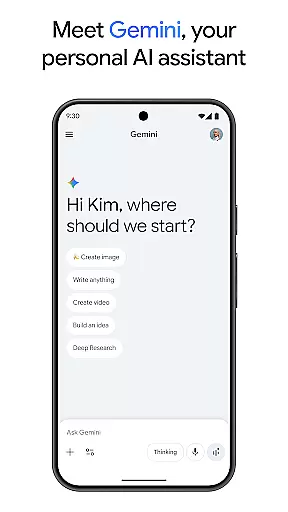
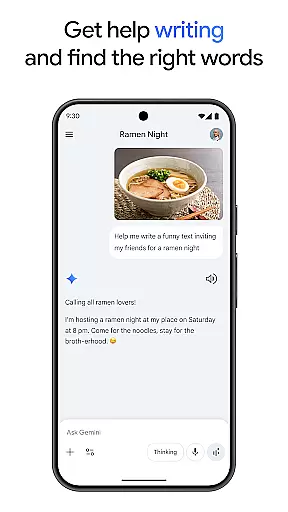
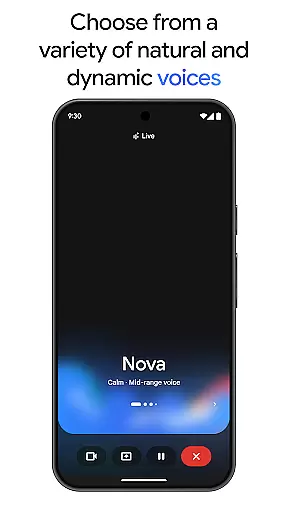
Gemini is a powerful AI assistant developed by Google, designed to enhance both creativity and productivity. This app provides direct access to Google's advanced family of AI models right on your phone. With Gemini, users can brainstorm ideas, simplify complex topics, and even rehearse for important events using the Gemini Live feature. The app also offers unique capabilities such as Canvas for bringing ideas to life, transforming files into podcasts, and creating stunning images from simple text descriptions.
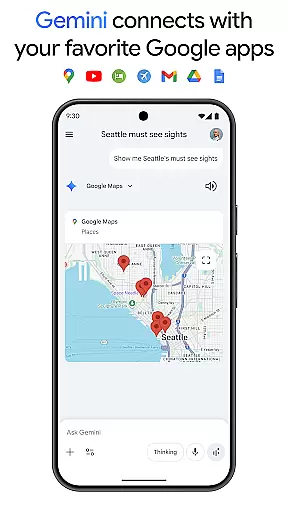
Additionally, Gemini integrates seamlessly with popular Google apps like Search, YouTube, Maps, and Gmail, making it an essential tool for both personal and professional use. Whether you're studying, planning trips, or working on complex projects, Gemini delivers summaries, deep dives, and source links in one convenient place. The app offers both free and premium plans, with Pro and Ultra subscriptions unlocking more advanced features and higher processing capacities.
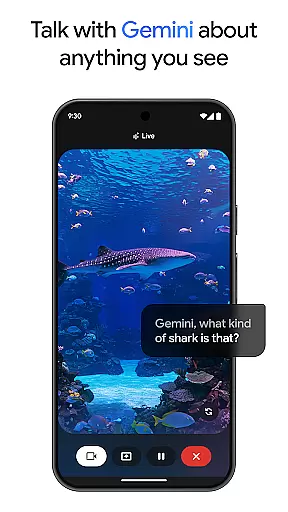
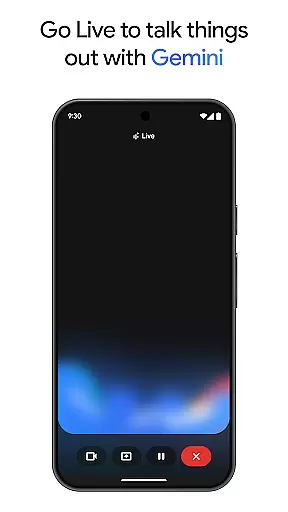
Gemini stands out with its diverse range of innovative features tailored to boost productivity and creativity. One of its key functionalities is Gemini Live, which allows users to engage in dynamic conversations by sharing their camera or screen, facilitating real-time interaction with the AI on virtually any topic. Another remarkable feature is Canvas, enabling users to create prototypes of apps, games, web pages, infographics, and more, all from a simple prompt.
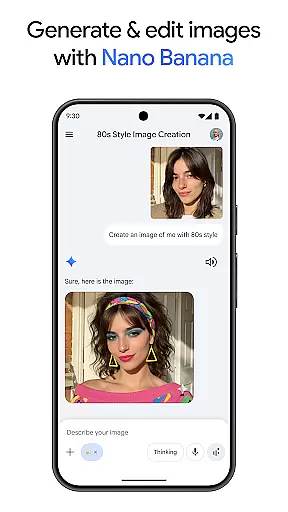
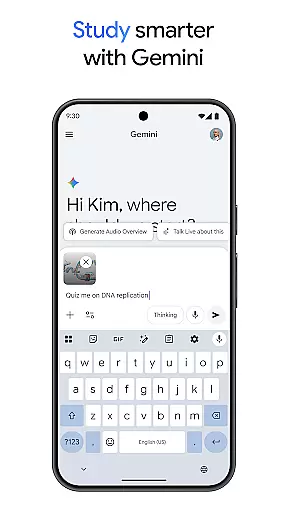
The app also supports multimedia content creation, such as generating and editing images and turning files into podcasts. For professionals and students, Gemini offers tools for quiz and flashcard creation, interactive visuals, and real-world examples to aid in learning. Furthermore, the Pro and Ultra subscription plans provide enhanced capabilities, including a 1M token context window, access to Google’s most capable AI models, and exclusive features like video generation with Veo 3.1 Fast and Deep Research on 3 Pro.
Gemini by Google redefines core task management by integrating advanced AI capabilities into everyday workflows. The app allows users to brainstorm ideas, simplify complex topics, and rehearse for important moments through its Gemini Live feature. This ensures that productivity is not just about completing tasks but enhancing the quality of work.
With tools like Canvas, Gemini enables users to bring their ideas to life by creating apps, games, web pages, infographics, and more. This functionality supports a seamless transition from conceptualization to prototype, making project management more efficient and creative. Users can also connect with essential Google apps such as Search, YouTube, Google Maps, and Gmail, streamlining their workflow across platforms.
The app further enhances productivity by offering features like quiz and flashcard creation, interactive visuals, and real-world examples, which are particularly beneficial for studying and exploring new topics. By turning any file into a podcast, Gemini ensures that users can access information anytime, anywhere, thus optimizing their learning and working experience.
Cross-device synchronization is a cornerstone of Gemini's productivity suite, ensuring that users have reliable access to their data and AI models across multiple devices. With direct access to Googleu2019s best family of AI models on your phone, Gemini provides a consistent experience whether you're using a smartphone, tablet, or computer.
Gemini's robust synchronization capabilities allow users to share their camera or screen in conversations, facilitating real-time collaboration and discussion. This feature is particularly useful for teams working remotely or individuals who need to switch between devices frequently without losing context or data integrity.
By upgrading to the Pro or Ultra plans, users can enjoy an industry-leading 1M token context window, enabling Gemini to process up to 1,500 pages of text or 30k lines of code. This high level of access ensures that complex tasks and projects are handled smoothly across devices, maintaining performance and reliability. Additionally, exclusive features like video generation with Veo 3.1 and Deep Research on 3 Pro further enhance cross-device functionality, providing users with cutting-edge tools to boost their productivity.
Advanced AI models
Real-time interaction
Multimedia support
Seamless Google integration
Premium features available
Premium plan costly
Complex for beginners
Limited free features
High system requirements
Privacy concerns

Client for Nextcloud Deck
 4.60
4.60
Unlock AutoNotification
4.00
Todo reminder
4.10
Fill, sign & send docs, forms, agreements & contracts via electronic signature.
4.50
PDF scanner & converter for files, photos, lottery, QR codes. One swipe away!
4.50
Translate text/voice/photos in 150+ languages. Offline & fast translator app.
4.50
Quickly and easily keep track of your work shifts
4.70
Understand anything with a personalized AI research assistant
4.80
Seamlessly read, manage, and organize all your PDF files solution in one place
4.40
Lightweight PDF, Word, Excel reader.
4.60
Subscribe to Webcal & .ics calendars and keep them up-to-date!
4.50
Planet Free VPN - The best Fast Unlimited and Secure VPN Without Logs
4.50
Send files, sync SMS, notifications & clipboard across devices via local network
4.40
A Pixel Art watchface inspired by other iconic 90s designs for Wear OS devices!
4.40
Professional calendar app for Google Calendar, MS Outlook & Exchange
4.20
Font maker keyboard with your own handwriting
4.10
Activate Two Factor Authentication (2FA or Multi OTP), Password manager and more
4.10
Find and delete junk files & block unwanted notifications & manage files
3.70
Experience and share your SolidWorks designs on your Android® phone and tablet.
2.50


User Reviews