
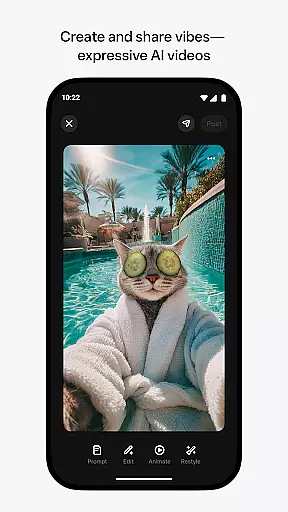
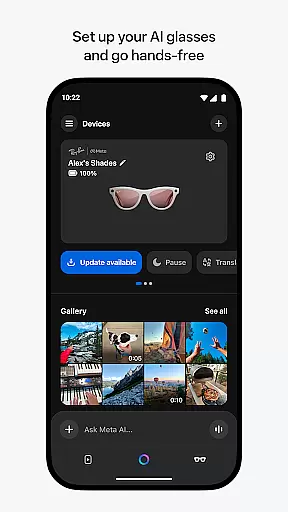
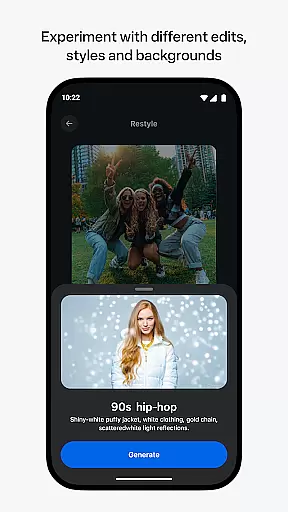
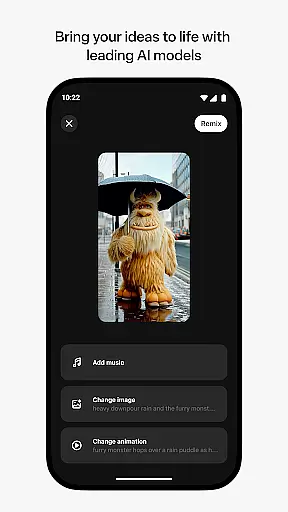
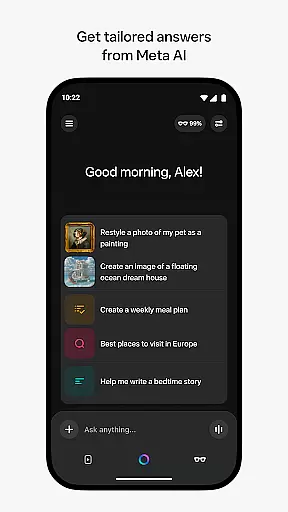
Meta AI is a productivity app that allows users to create and share AI-generated videos with custom animations, music, and more. The app provides tailored answers and inspiration on-the-go, making it an ideal tool for creative professionals and hobbyists alike. With Meta AI, users can describe their desired video concept and experiment with various edits and styles to produce the perfect vibe. Additionally, the app serves as a companion for managing Meta AI glasses, enabling hands-free operation and seamless media management.
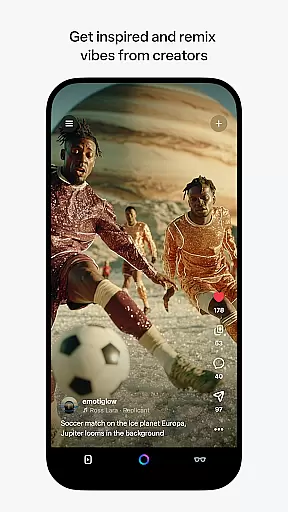
The app also features a feed where users can discover vibes from other AI creators and instantly remix them into something new. This collaborative environment fosters creativity and innovation, allowing users to build upon each other's work. Whether you're looking to generate quick answers or seeking recommendations, Meta AI offers personal assistance through voice or text, ensuring you have the support you need throughout your day.
Meta AI stands out with its industry-leading AI models that generate creative videos. Users can customize animations, music, and other elements to bring their visions to life. The app's intuitive interface allows for easy experimentation with different edits and styles, empowering users to craft unique content effortlessly. Moreover, the ability to pair and manage AI glasses adds another layer of functionality, making it a versatile tool for various tasks.
In addition to video creation, Meta AI provides a platform for collaboration and discovery. The feed showcases vibes from other AI creators, encouraging remixing and innovation. Users can engage with this community to gain inspiration and refine their skills. For those needing quick answers or recommendations, the app offers personal AI assistance via voice or text, ensuring comprehensive support at all times.
Meta AI offers a robust platform for creating and managing AI-generated videos, making it an essential tool for productivity. The app allows users to describe their vision and generate custom animations and music tailored to their needs.
With intuitive controls, users can easily remix and edit videos, experimenting with different styles to perfect their creations. This flexibility ensures that managing creative tasks is both efficient and enjoyable.
The app also provides quick access to industry-leading AI models, streamlining the process of video production. Users can focus on their creative output without being bogged down by technical details.
Additionally, Meta AI supports hands-free operation through AI glasses, enhancing productivity for users who need to multitask. This feature makes it easier to manage tasks on-the-go, providing a seamless experience for busy professionals.
Cross-device synchronization is a standout feature of Meta AI, ensuring that users can seamlessly transition between devices without losing progress on their projects. Whether you're using your phone, tablet, or AI glasses, your work remains consistent and up-to-date.
The app's companion feature for AI glasses allows users to import and share media effortlessly. This means that whether you're at home or on the move, your projects are always within reach, ready for you to continue where you left off.
Reliability is key when it comes to synchronization, and Meta AI excels in this area. The app ensures that all your data is securely backed up and accessible from any device, minimizing the risk of lost work.
Moreover, Meta AI's synchronization capabilities extend to collaborative projects, allowing teams to work together efficiently. By maintaining consistency across devices, the app enhances team productivity and ensures everyone stays on the same page.
User-friendly interface
Customizable animations
Voice and text support
AI glasses integration
Creative community feed
Limited country availability
Feature rollout delays
Premium subscription costs
Learning curve for beginners
Dependent on internet connection

Take control of your clipboard with Clipper!
 3.90
3.90
Planet Free VPN - The best Fast Unlimited and Secure VPN Without Logs
4.50
The upgraded version of Name Wheel with AI and the power to add your own wheels.
4.3
Todo reminder
4.10
Multilingual translator for text, voice, and image translation!
4.90
Enjoy classic gameplay with customizable features and retro-style graphics.
4.30
Secure your apps with lock screens, use custom themes and different features.
4.40
Understand anything with a personalized AI research assistant
4.80
Seamlessly read, manage, and organize all your PDF files solution in one place
4.40
Best Tool for the professionals Electrician, Electrical contractors, etc.
4.90
We're working to become the best machining app on the market! www.cncdirt.com
4.80
Quickly and easily keep track of your work shifts
4.70
Functional QR scanner and barcode reader that requires little storage space.
4.60
Experience Reading - Night Mode for Documents
4.40
Docker, Kubernetes management over Portainer Mobile
4.40
When you Focus, so will your Bean in this cozy focus timer
4.30
Font maker keyboard with your own handwriting
4.10
The ultimate file manager for rooted devices. The original and still the best.
4.00
Remotely view listen control and record cameras.
3.70


User Reviews