
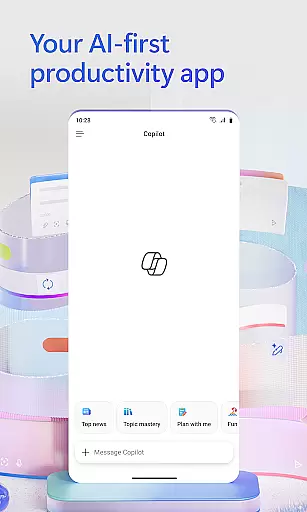
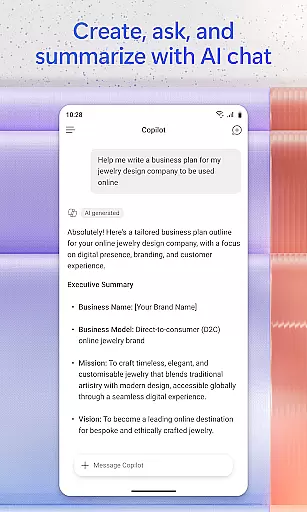
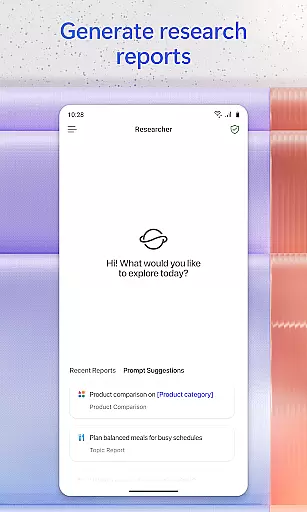
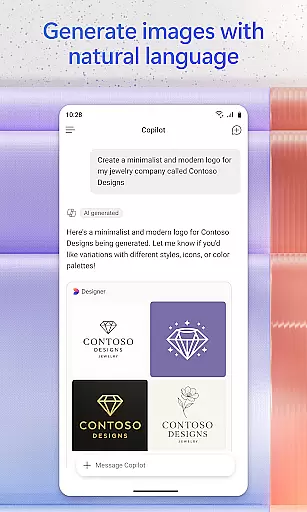
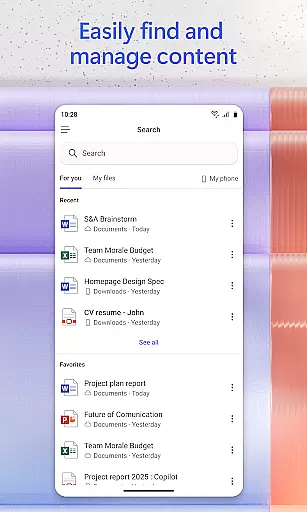
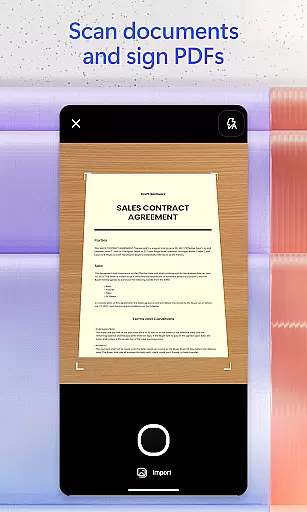
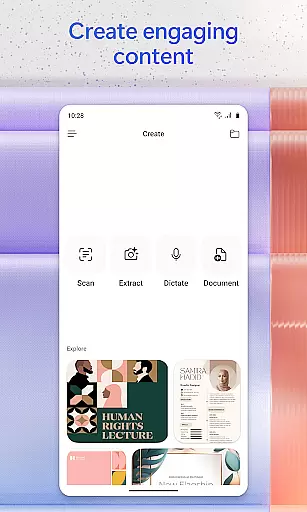
Microsoft 365 Copilot is an AI-powered productivity application designed to streamline tasks both at work and home. The app integrates multiple functionalities into a single platform, allowing users to interact with an AI assistant, create and edit various types of content, scan documents, manage projects, and quickly locate files. This unified approach helps users accomplish more without increasing their workload.
The app's AI assistant can summarize documents stored in the cloud or on your device, draft emails, analyze spreadsheets through natural language commands, and even interact via voice for hands-free operation. With features like accelerated learning tools, expert insights from built-in AI agents, and creative content generation, Microsoft 365 Copilot offers a comprehensive solution for enhancing productivity. Whether you need to find specific files, prepare presentations, or manage complex projects, this app provides the necessary tools to get the job done efficiently.
Microsoft 365 Copilot stands out with its diverse range of features tailored to boost productivity. One of its core functionalities is the AI assistant, which allows users to perform tasks such as summarizing documents, drafting emails, and analyzing spreadsheets using simple natural language commands. Additionally, the voice interaction feature enables hands-free operation, making it easier to prepare for the day, get answers, and brainstorm ideas without needing to type.
Beyond the AI assistant, the app offers tools for content creation and editing, including images, posters, banners, videos, and surveys, all supported by easy-to-use templates. Users can also scan various types of documents, photos, and notes directly through the mobile app. Project management is simplified with Copilot Notebooks, which help organize ideas, documents, and links while providing summaries and connections between different pieces of information. These robust features ensure that users have everything they need to stay productive, whether they are working on individual tasks or collaborating on larger projects.
Microsoft 365 Copilot revolutionizes core task management by integrating AI-driven features that streamline workflows. The app allows users to interact with their documents and projects through natural language, making it easier to summarize content, draft emails, or analyze spreadsheets without navigating complex menus.
The application's ability to manage tasks is further enhanced by its voice interaction feature, which enables hands-free operation. This functionality is particularly useful for multitasking professionals who need quick answers or assistance in brainstorming ideas while on the move.
Moreover, Microsoft 365 Copilot simplifies project management by consolidating ideas, documents, and links into a single platform. With Copilot Notebooks, users can ask the AI to summarize information and connect the dots between different pieces of content, ensuring that all team members are aligned and informed.
By providing easy access to Word, Excel, PowerPoint, and PDFs within one app, Microsoft 365 Copilot ensures that users can efficiently upload, edit, and save documents directly from their mobile devices. This comprehensive approach to task management helps users stay productive regardless of their location.
One of the standout features of Microsoft 365 Copilot is its reliable cross-device synchronization, which ensures that users have seamless access to their files and projects across multiple devices. Whether you're switching from your desktop to your mobile phone or vice versa, the app maintains real-time updates so that you never miss a beat.
This synchronization extends beyond just document editing; it includes the ability to scan documents, photos, notes, and more using the mobile app. Once scanned, these items are instantly available on any other device where the user is logged in, promoting flexibility and continuity in work processes.
Additionally, Microsoft 365 Copilot supports uploading Word, Excel, or PDF files from a phoneu2019s storage, allowing users to retrieve answers from Copilot and save newly created files directly back to their device. This bidirectional flow of information enhances productivity by keeping all necessary resources at the user's fingertips.
With support for various account typesu2014including work, school, or personal Microsoft accountsu2014users can sign in securely and trust that their data will be synchronized reliably across platforms. This level of integration and accessibility underscores Microsoft's commitment to providing a robust productivity tool that meets the demands of modern professionals.
User-friendly interface
Versatile AI assistant
Comprehensive content creation
Efficient document scanning
Integrated project management
Limited free features
Requires specific licenses
Potential privacy concerns
Dependent on internet connectivity
Learning curve for new users

QuickBooks Workforce lets teams view pay info and track time in one place.
 4.70
4.70
Send files, sync SMS, notifications & clipboard across devices via local network
4.40
The upgraded version of Name Wheel with AI and the power to add your own wheels.
4.4
Make your handwriting beautiful, even more than pen on paper.
3.60
Pwnagotchi companion app
4.20
App Lock with fingerprint, password: Lock apps & hide photos with lock screens
4.60
Font maker keyboard with your own handwriting
4.10
A simple Whisper AI keyboard for reliable speech transcription and rewording
4.60
AI Chatbot and AI writing assistant powered by ChatGPT.
4.60
Native client for Forgejo and Gitea
5.00
Secure, fast, open-source, VNC and SSH Remote Desktop for Windows, Linux and Mac
4.70
aCalendar+ makes your day, week and month
4.70
Secure, fast, open-source, Remote Desktop Client for Windows and Linux with SSH
4.60
All document reader, all in one file viewer read PDF, DOCX, XLS, PPT, TXT files.
4.60
Fill, sign & send docs, forms, agreements & contracts via electronic signature.
4.50
CalenGoo is a very flexible and feature-rich calendar app
4.40
A Pixel Art watchface inspired by other iconic 90s designs for Wear OS devices!
4.40
Intelligent AI Assistant
4.10
Find and delete junk files & block unwanted notifications & manage files
3.70


User Reviews