
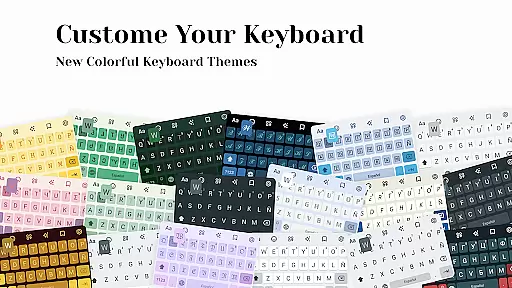
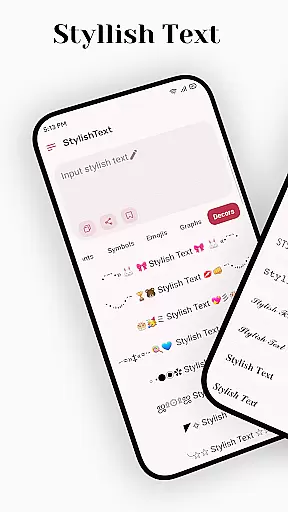
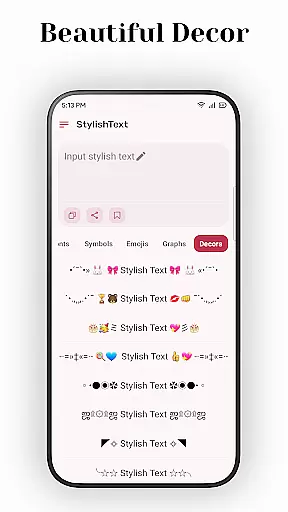
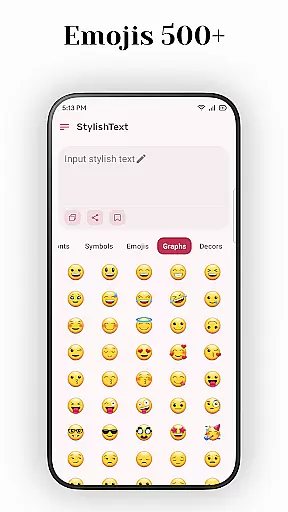
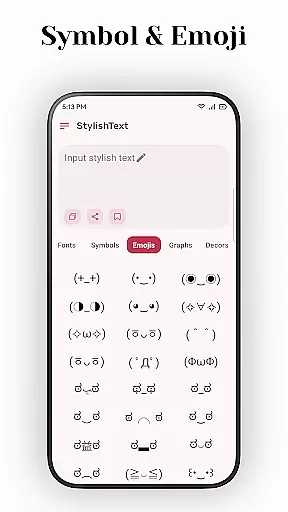
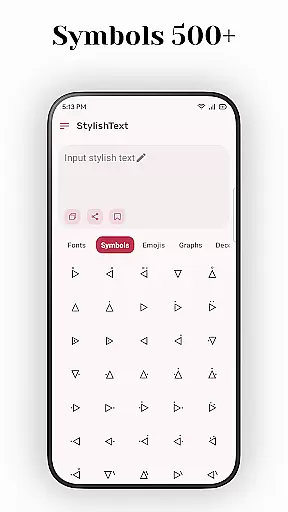
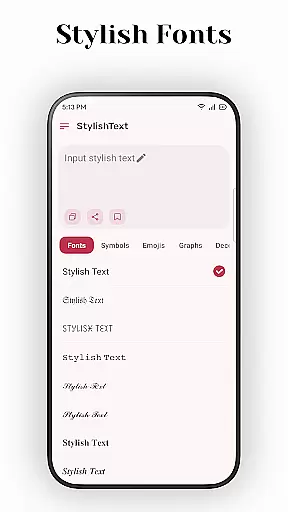
Stylish Text is a creative tool designed for users who want to enhance their text with unique fonts and symbols. This app allows you to transform ordinary text into visually appealing content, perfect for social media platforms like Instagram, Facebook, and WhatsApp.
The application supports a wide range of emojis, symbols, and letter fonts, enabling users to customize their messages extensively. Whether you're looking to decorate greetings or create standout gaming names, Stylish Text offers the tools needed to make your content distinctive.
With its user-friendly interface, Stylish Text ensures that anyone can easily utilize its features to produce eye-catching posts and profiles, making it an essential app for those aiming to stand out in the digital world.
Stylish Text stands out due to its comprehensive feature set tailored for creative expression. It supports almost all symbols and mainstream emojis, allowing users to incorporate these elements seamlessly into their texts.
One of the key functionalities is the ability to transform existing text using multiple universal letter fonts. This feature enables free transformation and mixed input, catering to diverse stylistic preferences. Additionally, the app supports long text, ensuring that users can create detailed and elaborate designs without limitations.
Whether you're crafting unique tweets, designing game names, or personalizing social media profiles, Stylish Text provides the necessary tools to achieve professional-looking results effortlessly.
Creative tools are essential for users who want to express themselves in unique ways through text and symbols. Stylish Text offers a comprehensive suite of creative tools that allow users to transform ordinary text into something extraordinary.
The app supports almost all symbols and mainstream emojis, giving users the freedom to experiment with different styles. Whether you're looking to decorate greetings or create standout game names, Stylish Text has got you covered.
One of the standout features is the ability to transform existing text using multiple universal letter fonts. This means you can take any piece of text and give it a fresh new look with just a few taps.
For those who use social media platforms like Instagram, Facebook, and WhatsApp, Stylish Text provides an easy way to make your posts stand out. The app's intuitive interface ensures that even beginners can start creating stylish text right away.
Flexibility in canvas and format options is crucial for creative expression. Stylish Text excels in providing users with the ability to freely transform and input text in various formats, making it versatile for different uses.
The app supports long text inputs, which is particularly useful for users who want to write detailed posts or messages without worrying about character limits. This feature ensures that creativity isn't stifled by technical constraints.
Moreover, Stylish Text allows for mixed input, meaning you can combine regular text with unique fonts and symbols seamlessly. This opens up endless possibilities for personalizing your content across different platforms.
Whether you're crafting a tweet, updating your social media profile, or creating a special greeting, Stylish Text's flexible canvas ensures that your creations are limited only by your imagination. Its ease of use makes it accessible to everyone, from casual users to professional designers.
User-friendly interface
Wide range of symbols
Supports long text
Unique font options
Easy customization
Limited advanced features
No offline mode
Ads may appear
Requires internet
Premium version costly

Premium version of Shimeji-ee app with no ads & no limit active shimeji
 4.4
4.4
Download now for a stylish and functional timepiece
4.1
Image/ Text to Video Generator
4.40
Digital illustration drawing & painting pad app to paint Anime and Manga art
4.50
Art of Combination Wear OS Watch Faces
4.0
AR Anime Drawing: How to draw anime with AR drawing & sketching apps!
4.00
Painting, drawing, & sketching
4.50
Art of Combination Wear OS Watch faces (for Wear OS 5+ devices)
3.90
Inky runs Inkscape on Android devices and Chromebooks
2.90
See Color, Paint Color
4.90
Draw on screen: FP sDraw is a simple and lightweight drawing app
4.70
Draw glowing spinners, relax, and spin your creative art
4.60
Image resizer to resize, crop, rotate, flip, change dpi photo or picture in bulk
4.60
Draw, fidget, and spin glow art! Relax and express your creativity with a finger
4.60
800+ Drawing, Painting Lessons App to Practice, Sketch & Paint Art.
4.30
Custom Character Creator & PFP Maker!
4.20
Digital Drawing: Draw & Paint
4.10
Easy 3D drawing design maker & creator. Model designing, Sculpting. Create&paint
4.00
Create sweet, cool and unique couple avatars easily, in just a few steps!
3.40


User Reviews