
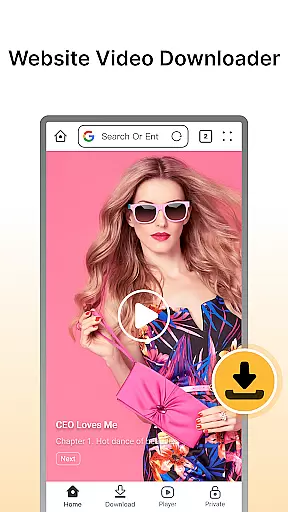


Fast Downloader - Video Player is a versatile video downloader and player designed for users who want to save videos from websites and social media platforms. The app offers an easy solution for downloading content in multiple formats and resolutions, ensuring that you can enjoy your favorite videos offline without worrying about internet connectivity.
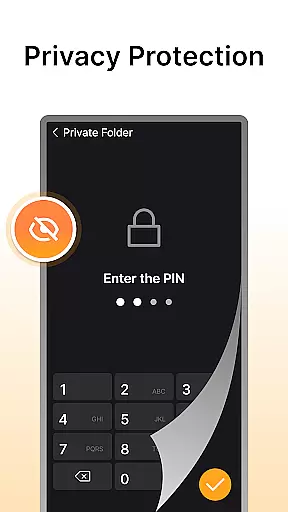
In addition to its downloading capabilities, Fast Downloader provides privacy protection by allowing users to store downloaded videos in a secure, password-protected space. With multi-resolution support, users can choose the quality of their downloads, ranging from standard to HD formats. The built-in video player supports various formats, offering a seamless viewing experience directly within the app.
This app is ideal for anyone looking to download and watch videos on the go, whether commuting or traveling. Its fast download speeds and efficient handling of videos make it a reliable tool for managing your media library while maintaining privacy and convenience.
Fast Downloader - Video Player stands out with its comprehensive set of features tailored for video enthusiasts. One of its key strengths is the website video downloader, which allows users to grab videos from multiple sources with just a few clicks. This feature ensures that you can save content from popular websites and social media platforms effortlessly.
The app also emphasizes user privacy through its built-in privacy mode. Videos stored in this mode are safeguarded with password protection, giving users peace of mind when saving sensitive content. Furthermore, the multi-resolution support enables users to select the appropriate video quality for their devices, optimizing both storage and playback performance.
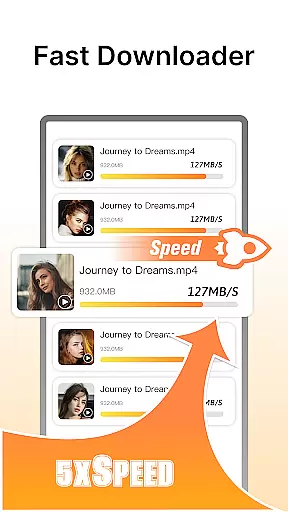
Another notable feature is the lightning-fast download technology, which significantly reduces waiting times. Paired with the built-in video player that supports various formats, Fast Downloader ensures a smooth and uninterrupted viewing experience. These features collectively make the app a powerful tool for managing and enjoying video content securely and efficiently.
Video format compatibility is a crucial feature for any video player and editor, ensuring that users can enjoy content in various formats without technical hindrances. Fast Downloader - Video Player excels in this area by supporting multiple video formats, making it versatile for different user needs.
The app allows you to download videos from numerous websites and social media platforms in your preferred format. Whether you're downloading high-definition videos or standard clips, the app ensures that each file maintains its quality and plays seamlessly on your device.
With multi-format support, users are not restricted to specific platforms or devices. This flexibility means you can watch downloaded videos on smartphones, tablets, or computers without worrying about format issues. The built-in player further enhances this experience by providing smooth playback regardless of the video's original format.
Ultimately, Fast Downloader - Video Player's robust video format compatibility empowers users to manage their video libraries more effectively. By removing barriers related to video formats, the app delivers a hassle-free viewing experience tailored to individual preferences and device capabilities.
AI-powered editing features represent the cutting-edge advancement in video players and editors, offering users unprecedented ease and efficiency in managing their video content. Fast Downloader - Video Player incorporates these intelligent tools to enhance user interaction with downloaded videos significantly.
One standout feature is the automatic video optimization, which uses AI algorithms to adjust video settings such as brightness, contrast, and sharpness. This ensures that every video looks its best on any device without manual adjustments. Additionally, AI-driven categorization helps organize downloaded videos efficiently, tagging them based on content type or source for easy retrieval.
Fast Downloader also leverages AI for privacy protection, intelligently recognizing sensitive content and securing it behind password-protected walls. This smart approach to privacy ensures that personal or confidential videos remain safe from unauthorized access.
By integrating AI-powered editing features, Fast Downloader - Video Player not only simplifies video management but also elevates the overall user experience. These innovations allow users to focus more on enjoying their content rather than struggling with complex editing tasks, setting a new standard in video player applications.
User-friendly interface
Multi-resolution downloads
Secure privacy mode
Fast download speeds
Built-in video player
Limited format compatibility
No batch download option
Ads in free version
Occasional bugs
Privacy concerns

Video player, file manager for all formats, 4K/HD media player supports subtitle
 4.30
4.30
You can play SWF format file!
2.50
Create & edit videos with AI
4.30
HD video maker with no watermark, no ads & vlog maker with music, PIP, text
4.50
High-Quality USB Camera Viewer & HDMI Display
4.70
Pro video editor app for Instagram, edit video with song, AI, effect & slowmo.
4.80
Add date and time watermark to photos and videos
4.50
Browser for Samsung TV to stream webvideos, online movies and livestreams in HD
4.10
Viddo: Generate Action Figure, AI Anime, AI kiss, AI hug Video from image & text
4.40
Watch IPTV on your Android device
4.60
?100% FREE! Download & save videos? safely in this app. All formats supported.
4.60
Fast & Private HD Video Downloader with Built-in Proxy Browser and Video Player.
4.50
AirMirror Receiver - Screen mirroring/cast web videos to Android TV by AirPlay.
4.40
Fast & Private Video Downloader App. Save all videos easily from the Internet.
4.40
Powerful Video Editor & Photo Editing App —— Quick Edits & Stunning Effects!
4.30
Video player with 4K & 1080P support, popup play, background play and subtitle.
4.20
Your media, on your terms.
4.10
LumaFusion: The Ultimate Storytelling Experience for Video Editing
4.10
Connect EasyCap or UVC devices for recording and broadcast video/audio stream
3.60


User Reviews