
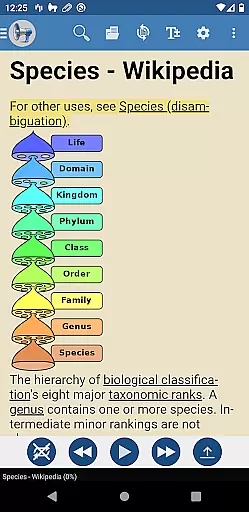
@Voice Premium License is an essential upgrade for users of the @Voice Aloud Reader app, designed to enhance productivity and improve the reading experience. This small yet powerful add-on removes all in-app advertisements, including banner ads and full-screen interruptions that appear during content loading. By eliminating these distractions, it not only provides a cleaner interface but also conserves battery life and reduces data usage.
In addition to ad removal, this license unlocks exclusive features that expand the functionality of the main app. Users gain access to advanced recording options, allowing continuous audio playback through entire reading lists or eBooks without manual intervention. It also introduces customizable speech tags, enabling tailored reading experiences for different types of content such as scientific articles or fiction books. These enhancements make @Voice Premium License a valuable tool for anyone seeking uninterrupted and personalized reading sessions.
The @Voice Premium License offers several innovative features that significantly improve the user experience within the @Voice Aloud Reader app. One standout feature is the ability to record audio continuously across multiple articles or eBook chapters. Unlike the free version, which stops recording after each section, this premium option ensures seamless transitions between readings, making it ideal for creating extended audio files.
Another notable feature is the introduction of customizable speech tags. These tags allow users to create distinct sets of speech replacements tailored to specific types of content. For instance, one could have separate settings for technical documents versus novels, ensuring optimal pronunciation and intonation for each genre. This level of customization enhances comprehension and engagement, providing a more immersive listening experience.
Furthermore, the license promises ongoing updates with additional premium features planned for future releases. This commitment to innovation ensures that subscribers will continue to benefit from new tools and improvements over time, maintaining the app's relevance and utility in an ever-evolving digital landscape.
Task management is a crucial aspect of productivity applications, ensuring users can efficiently organize and execute their tasks. @Voice Premium License enhances the core functionalities of @Voice Aloud Reader by removing intrusive ads that disrupt workflow and consume additional resources such as battery life and data usage.
This premium upgrade introduces advanced features like continuous recording through entire reading lists or eBooks, which streamlines the user's ability to manage large volumes of audio content without interruption. This seamless experience allows users to focus on their primary objectives without manual intervention after each article or chapter.
Moreover, the option to use tags with speech replacements under the Settings menu empowers users to customize their reading experience according to different types of content. Whether it's scientific articles or fiction, these tags enable easy switching between varied sets of speech replacements tailored for specific materials.
By integrating these sophisticated capabilities, @Voice Premium License not only optimizes task execution but also significantly enhances overall productivity, making it an invaluable tool for users who rely heavily on efficient information processing and management.
Cross-device synchronization is essential for maintaining consistency and accessibility across multiple devices. While @Voice Premium License primarily focuses on enhancing the single-device experience of @Voice Aloud Reader, its impact extends to how reliably users can transition between devices while retaining access to premium features.
Once installed directly from Google Play, this license ensures that all enabled functionalities are consistently available wherever the user accesses the main application. The removal of ads and introduction of extra features such as uninterrupted recording and customizable speech replacements remain persistent across sessions.
Users must ensure they have the original @Voice Aloud Reader installed before applying the premium license. After installation, restarting the main program activates these enhancements, providing a uniform experience regardless of where the app is accessed fromu2014be it a phone or tablet.
While direct cross-device sync isn't explicitly mentioned, the stability provided by installing via Google Play guarantees that once set up, users enjoy reliable access to enhanced functionalities, thus indirectly supporting synchronized reliability in managing tasks efficiently across various platforms.
Ad-free experience
Continuous recording
Customizable speech tags
Battery efficient
Future-proof updates
Requires base app
Separate purchase
Limited standalone use
No direct functionality
Premium cost

A Revolutionary All-in-One Artificial Intelligence Tools
 3.80
3.80
QuickBooks Workforce lets teams view pay info and track time in one place.
4.70
Experience Reading - Night Mode for Documents
4.40
Create study competitions, track your hours, and stay consistent with friends
4.2
aCalendar+ makes your day, week and month
4.70
App lock - lock apps with fingerprint, password, pin or pattern, protect privacy
4.70
Find and delete junk files & block unwanted notifications & manage files
3.70
Simple notepad & memo. Take notes, to-do list, shopping list with reminders.
4.80
AI Chatbot and AI writing assistant powered by ChatGPT.
4.60
Native client for Forgejo and Gitea
5.00
Scan paperwork into PDF/JPG, generate your own e-signature and send fax or email
4.70
Planet Free VPN - The best Fast Unlimited and Secure VPN Without Logs
4.50
A customizable calendar for your Wear OS watch
4.20
Total remote control for your Android device, PC and cloud services (IFTTT)!
4.20
Customizable calendar widget for seamless event sync, planning & scheduling.
4.00
⏰ Finally a timer app which can run multiple timers simultaneously on your watch
3.90
Access your phone's notifications, calls, apps, photos & texts on your PC
3.90
Ads Free App! Editor, Hide File, Copy, Move, Delete and Rename.. all facility av
1.70
A simple, portable logger for POTA, SOTA, Field Day, and more
4.4


User Reviews