

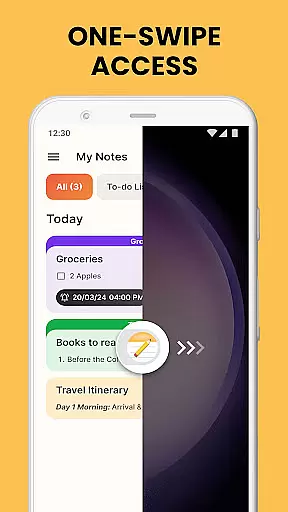
Notes Launcher is a productivity app designed to streamline note-taking and task management. With its intuitive interface, users can swipe right from their home screen to create quick notes or to-do lists. The app offers advanced features like text formatting tools, color-coding for categorization, and secure lock options for sensitive information.
Beyond basic note-taking, the app provides organizational tools such as sorting filters, category creation, and an efficient search function. Users can share their notes via email or social media, making collaboration seamless. Whether managing work tasks or personal errands, Notes Launcher keeps important information accessible and organized.
The app's launcher functionality transforms the Android home screen experience by integrating one-swipe access to notes, weather widgets, and customizable wallpapers. This makes it an ideal solution for users seeking both utility and personalization in their daily digital interactions.
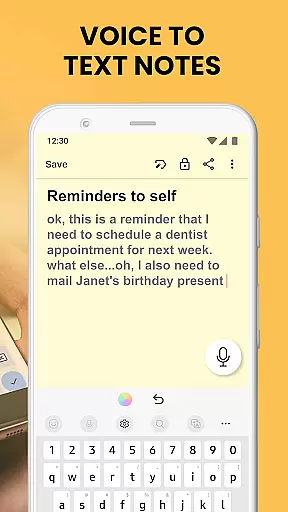
Notes Launcher stands out with its comprehensive feature set tailored for productivity enthusiasts. The app's one-swipe access allows instant note creation from the home screen, while its rich text editor enables sophisticated formatting options including font adjustments and list creation.
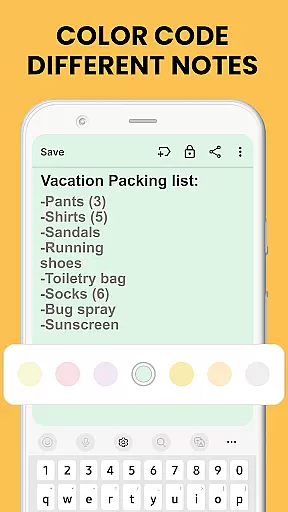
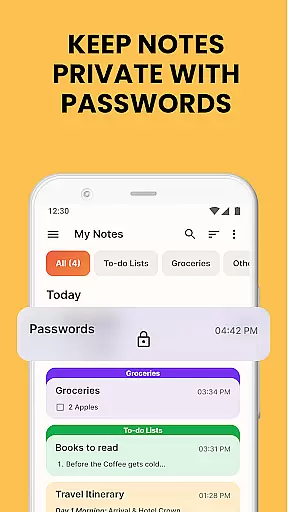
Security-conscious users will appreciate the ability to lock sensitive notes, while the color-coding system helps visually organize information effectively. The app's categorization and sorting capabilities ensure that notes remain systematically arranged, regardless of how extensive the collection becomes.
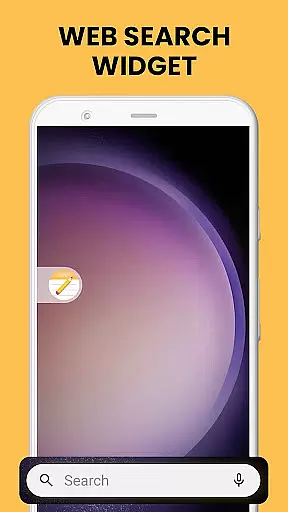
Additional features include multi-touchpoint search functionality powered by Yahoo, home screen shortcuts for quick access, and integration with various sharing platforms. These robust capabilities make Notes Launcher a versatile tool for both personal and professional note-taking needs.
Task management is a cornerstone of productivity applications, and Notes Launcher excels in this area. The app provides users with the ability to create quick notes or to-do lists with a simple swipe from the home screen. This feature ensures that jotting down thoughts or important tasks is seamless and efficient.
Notes Launcher goes beyond basic note-taking by offering text formatting tools, enabling users to change font sizes, italicize or underline text, and create bulleted or numbered lists. These rich-text editing capabilities allow for more structured and visually appealing notes, which can significantly enhance productivity and organization.
The app also supports categorization and sorting of notes, empowering users to group related information and arrange notes by modification date or creation order. With color-coding options, users can prioritize tasks and manage work projects or personal plans with ease. This level of customization not only makes the information more accessible but also aligns with individual workflow preferences.
By integrating these comprehensive task management features, Notes Launcher delivers an effective solution for users looking to stay organized and on top of their daily responsibilities. Whether it's for professional or personal use, the app's robust functionality ensures that all critical information is neatly arranged and readily available.
In today's interconnected world, reliable cross-device synchronization is vital for any productivity tool. Notes Launcher addresses this need by ensuring that all notes and to-do lists are consistently updated across devices. This means users can start a task on their phone and continue working on it from another device without missing a beat.
The synchronization process is designed to be real-time, providing users with up-to-the-minute updates on their notes. Whether it's changes to the text, new additions to a checklist, or modifications to categories and tags, every alteration is promptly reflected everywhere the app is used. This immediacy helps maintain continuity and prevents discrepancies between device data.
Security is also a priority during synchronization. Notes Launcher employs robust encryption protocols to protect sensitive information as it moves between devices. Users can lock confidential notes containing passwords or personal details, ensuring that their private data remains secure during transmission and on each synced device.
With its reliable cross-device synchronization, Notes Launcher offers peace of mind to users who rely on consistent access to their information. By maintaining accurate and secure data across all platforms, the app supports a seamless workflow and empowers users to be productive regardless of their location or the device they are using.
User-friendly interface
Comprehensive security features
Versatile organization tools
Seamless sharing capabilities
Customizable home screen experience
May alter home screen layout
Requires adaptation to new interface
Limited to Android platform
External web search dependency
Potential learning curve for features

Client for Nextcloud Deck
 4.60
4.60
8 custom complications. Custom Time Fonts. Beautiful color schemes. A++ Design.
5.00
Smart PDF reader & editor to view, organize and manage PDF documents easily.
3.70
Customizable calendar widget for seamless event sync, planning & scheduling.
4.00
aCalendar+ makes your day, week and month
4.70
CalenGoo is a very flexible and feature-rich calendar app
4.40
Access your phone's notifications, calls, apps, photos & texts on your PC
3.90
Lightweight PDF, Word, Excel reader.
4.60
Understand anything with a personalized AI research assistant
4.80
Scientific calculator for Android - looks and operates like the real thing!
4.90
Great calculator for Android named one of USA TODAY's "25 Essential Apps".
4.90
Android Wallet Password Manager
4.80
QuickBooks Workforce lets teams view pay info and track time in one place.
4.70
Scan paperwork into PDF/JPG, generate your own e-signature and send fax or email
4.70
A lightweight JSON & XML files creator, editor and viewer (Premium Version)
4.40
Access, manage and transfer files on Android, PC, Mac, NAS and cloud storages.
4.30
Create and edit presentations with Google Slides, part of Google Workspace.
4.00
ID.me Authenticator is a simple and free Two Factor Authentication solution
3.50
IP Camera Viewer - Android TV : RTSP Surveillance camera viewer for Android TV
4.5


User Reviews