
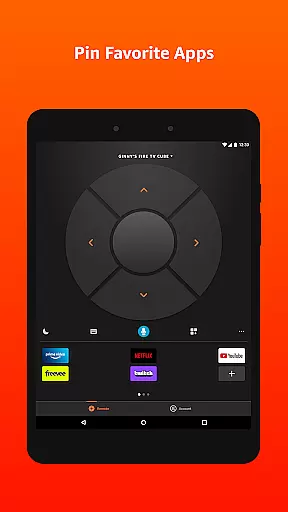
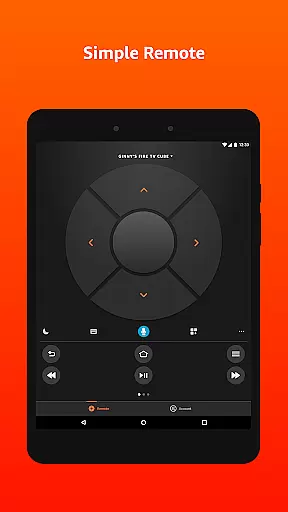
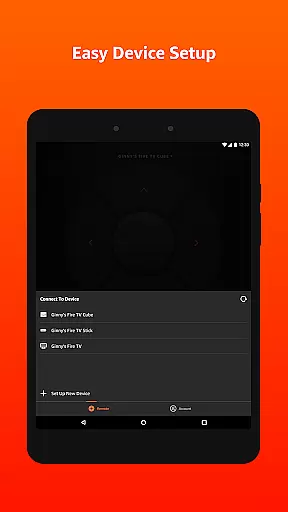
Amazon Fire TV app is a powerful utility tool designed to enhance your Fire TV experience. It offers seamless navigation, voice search functionality (in supported regions), and playback controls that simplify media streaming.
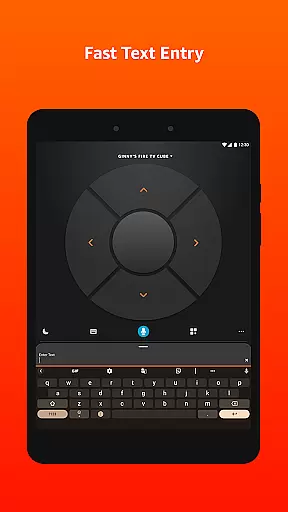
The app also includes a keyboard for easy text entry, eliminating the frustration of manual input on a traditional remote. Compatible with multicast-enabled routers, it provides quick access to apps and games while supporting gameplay through the included remote or an optional game controller.
Whether you're managing content or controlling playback, this tool ensures convenience and efficiency, making it an essential companion for Fire TV users who want a smoother interface experience.
One of the standout features of the Amazon Fire TV app is its intuitive design tailored for effortless interaction. The voice search function allows users to quickly find their favorite shows or apps without typing, though availability varies by region.
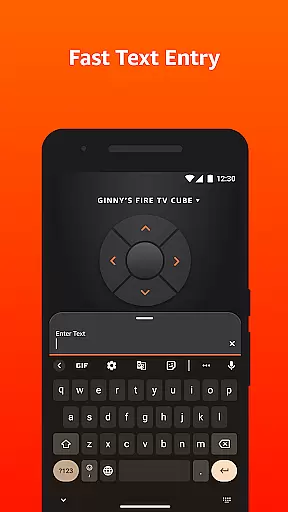
For text-heavy tasks like entering passwords or searching titles, the integrated keyboard simplifies input significantly compared to standard remotes. Additionally, playback controls are streamlined within the app, giving users full command over their viewing experience directly from their mobile device.
With compatibility for both basic navigation and advanced gaming setups using optional controllers, this app caters to diverse user needs while maintaining high performance standards across all functionalities.
The Amazon Fire TV app excels in delivering accurate and effective core functions that enhance the overall streaming experience. Its primary features, including voice search, playback controls, and simple navigation, are designed to ensure users can seamlessly interact with their Fire TV devices.
Voice search allows for quick content discovery without the need for manual input, while the keyboard functionality simplifies text entry significantly. These tools collectively reduce the time and effort required to operate the Fire TV, making it accessible even to those who may not be tech-savvy.
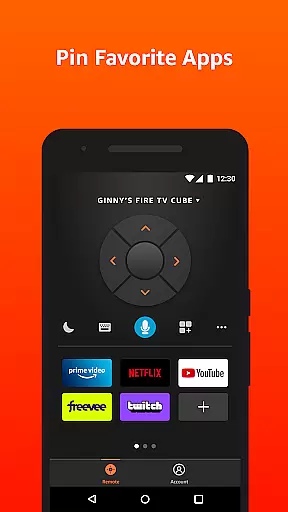
Furthermore, the app provides quick access to favorite apps and games, ensuring users spend less time searching and more time enjoying their content. This level of precision in functionality ensures a smooth and frustration-free user experience.
A standout feature of the Amazon Fire TV app is its commitment to interface simplicity and intuitiveness. The layout has been thoughtfully designed to prioritize ease of use, allowing users to navigate effortlessly through menus and options.
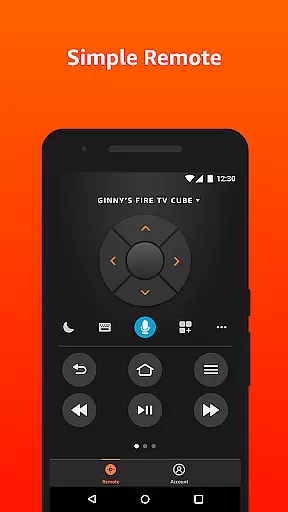
Playback controls are prominently displayed, enabling users to pause, play, or adjust volume with minimal effort. Additionally, the app's integration with Fire TV ensures that all actions performed on the mobile app are accurately reflected on the television screen.
This intuitive design extends to its compatibility with both the standard Fire TV remote and optional game controllers, offering flexibility based on user preference. Such attention to detail makes the app approachable for users of all ages and technical backgrounds.
User-friendly interface
Voice search enabled
Efficient keyboard input
Seamless playback control
Quick app access
Limited voice search regions
Router compatibility required
No standalone gaming support
Privacy policy concerns
Device-specific functionality

Change your GPS location instantly. Simulate routes anywhere in the world.
 4.90
4.90
VESC Tool can monitor and configure VESC-compatible devices over BLE and Wifi
4.20
Small and simple app to Verify Root Access and BusyBox Install!
4.70
MS-DOS in your pocket. Play old DOS games anywhere you are ;)
4.10
A non-root local ADB shell client. READ BELOW!
3.40
The one-and-only remote control for PC, Mac, and Linux
4.70
WiFi Signal Strength Meter help you detect WiFi Signal Strength in real time.
4.80
Game Booster, GFX Tool is now compatible with newer game update
4.50
Automate everything from settings to photos, SMS to speech. ADC2 prize winner.
4.10
Support Fossify apps with a warm thank you!
5.00
The ultimate tool for network analysis, wifi scanning and problem detection.
4.90
Bedrock Together: Join any bedrock server on Xbox/PS
4.80
Learn the vast amount of system information about device and monitor it's state
4.70
Play your X-Box games remotely in 1080p with any controller and zero latency
4.60
App that Recover your pictures, videos or files after you delete them.
4.20
Carry a FTP server in your pocket and avoid USB cables for file transfer
4.20
Signal Strength, Mobile, Wifi, Speed Test, Bad Signals, Cellular, 5G, LTE, 4G
4.20 4.10
4.10
A simple app to back up and restore SMS & MMS messages and call logs.
4.10


User Reviews